



Extenders: KVMHDExt70
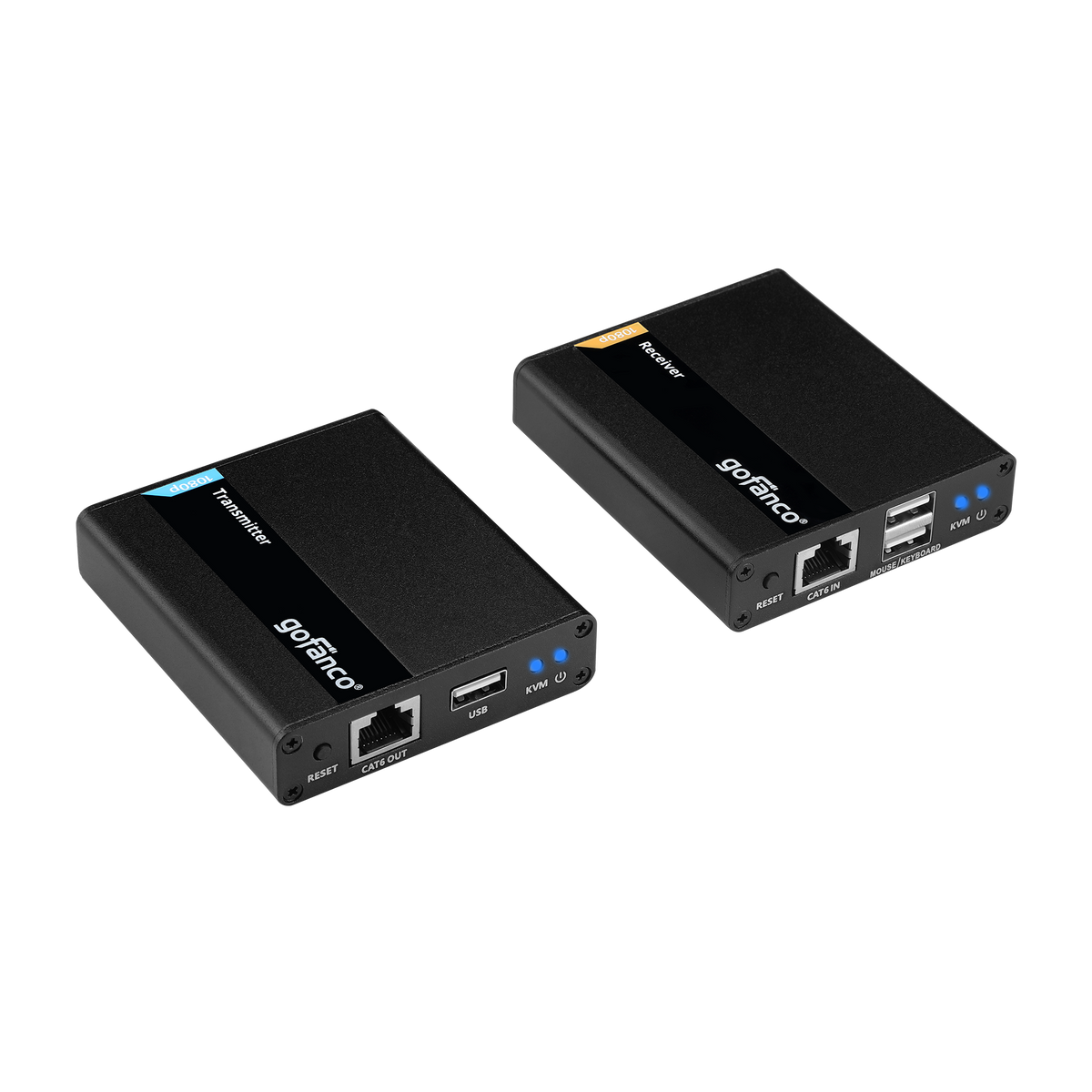
HDMI USB KVM CAT Extender - 70m
230ft Extension, 1080p HDMI Video, 2x USB 2.0 Keyboard/Mouse, Near Zero Latency, HDMI Loopout, Lightning/Surge/ESD Protection

KVM Extender

Full HD Resolution

Distance up to 70m

Audio Extractor

HDMI Loopout

HDMI USB KVM CAT Extender
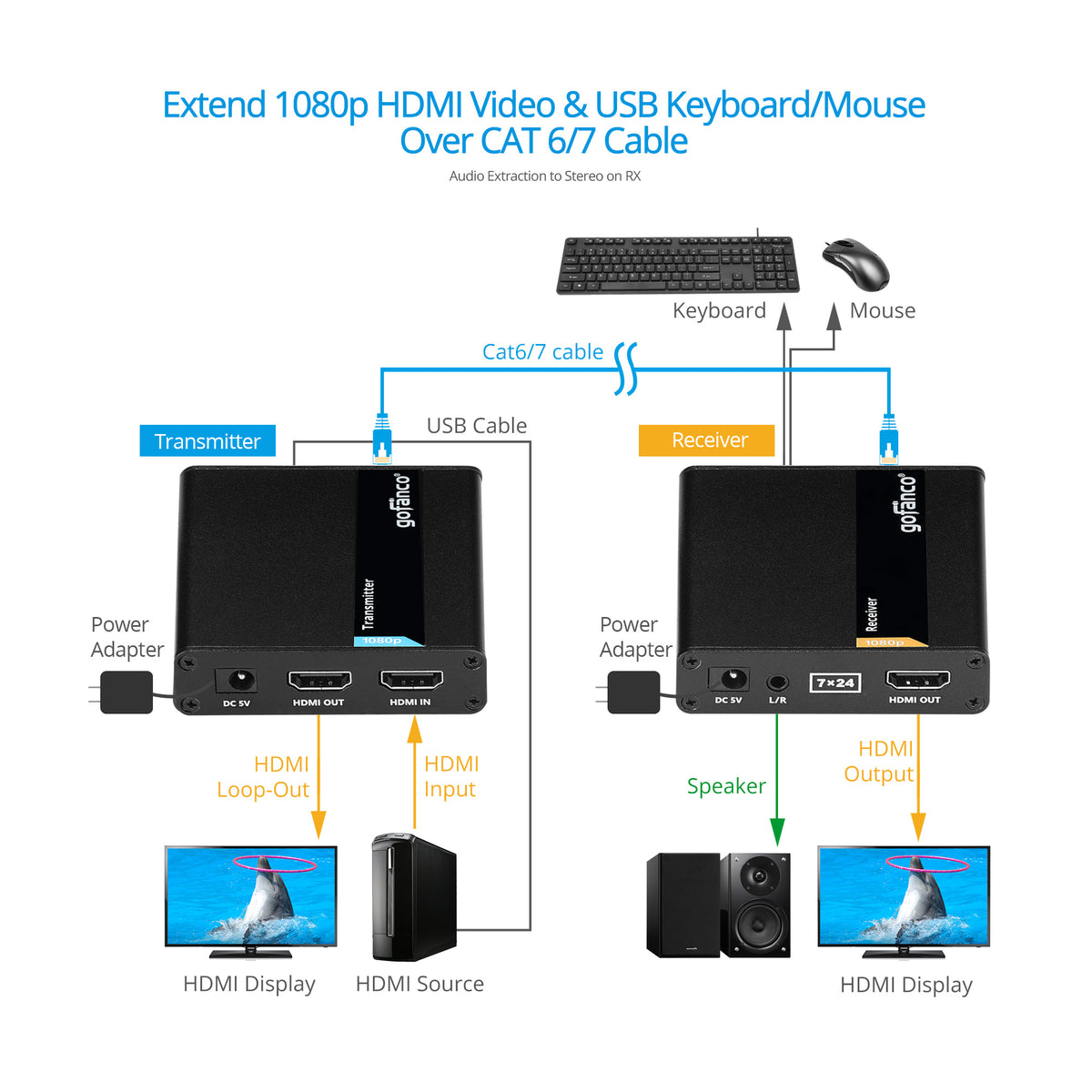
1080p HDMI USB KVM Extender with Audio Extraction


Comparison Table
HDMI USB KVM CAT Extender - 70m
Sale price$98.88
HDMI 2.0 USB CAT Extender with KVM - 70m
Sale price$109.99
Specification
- Compliance: HDMI 1.3/ HDCP 1.4
- HDTV: 480i / 480p / 576p / 720p / 1080i / 1080p
- Resolution: 800x600 / 1024x768 / 1280x720 / 1280x960 / 1366x768 / 1440x900 / 1680x1050 / 1920x1080
- Extends up to 230ft (70m) over Cat6/7
- USB port: USB 1.1 for keyboard/mouse
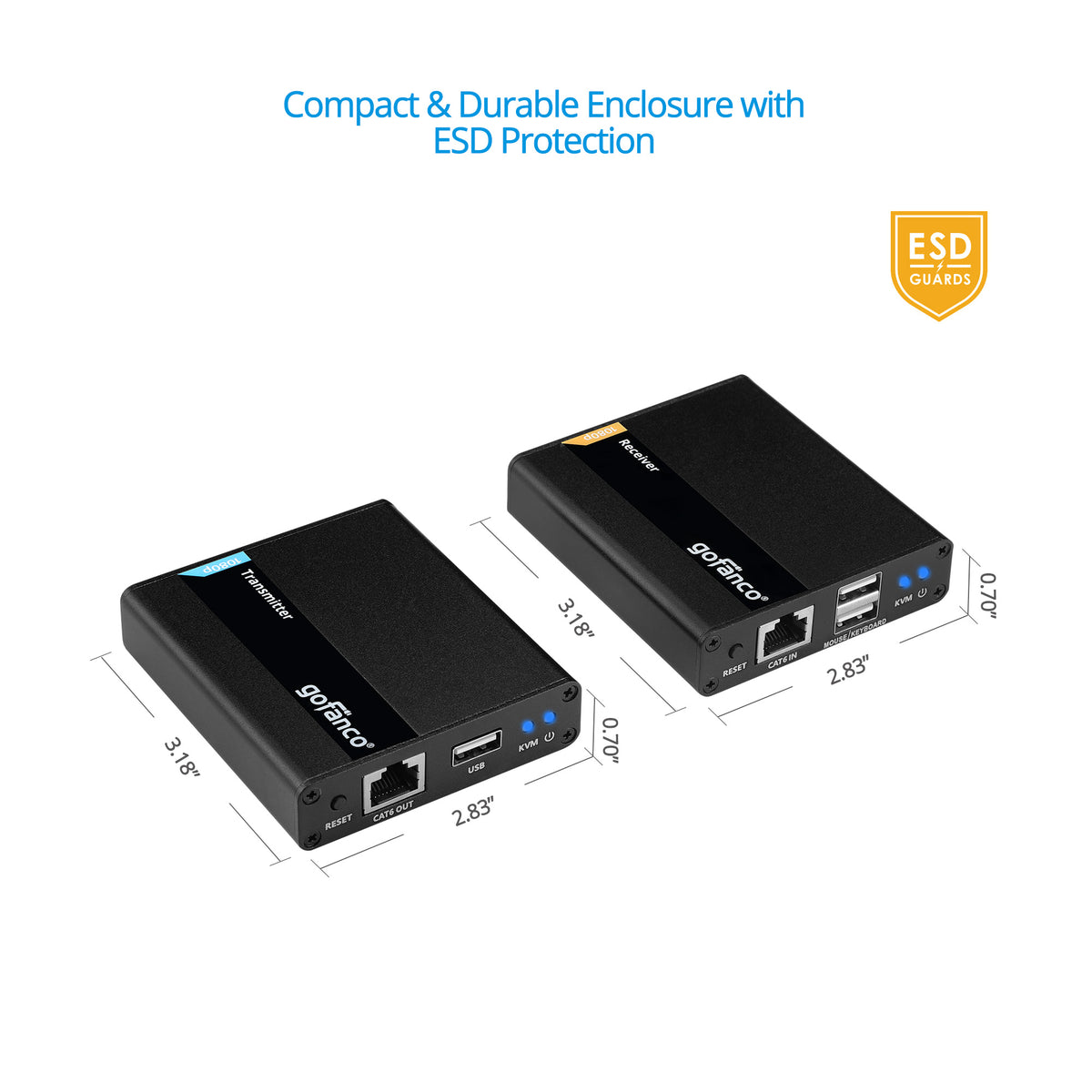
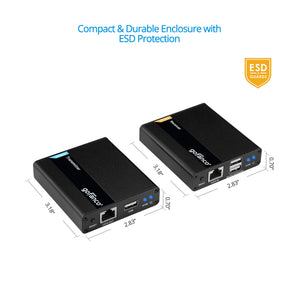
- Dimension: TX/RX: 3.35″(W) x 0.79″(H) x 2.95″(D)
- Weight: TX/RX: 0.29 lbs
- Power Adapter: AC100 - 240V 50/60Hz, Output: TX/RX: 5V/1A
- Housing Material / Color: Metal / Black color
Connection
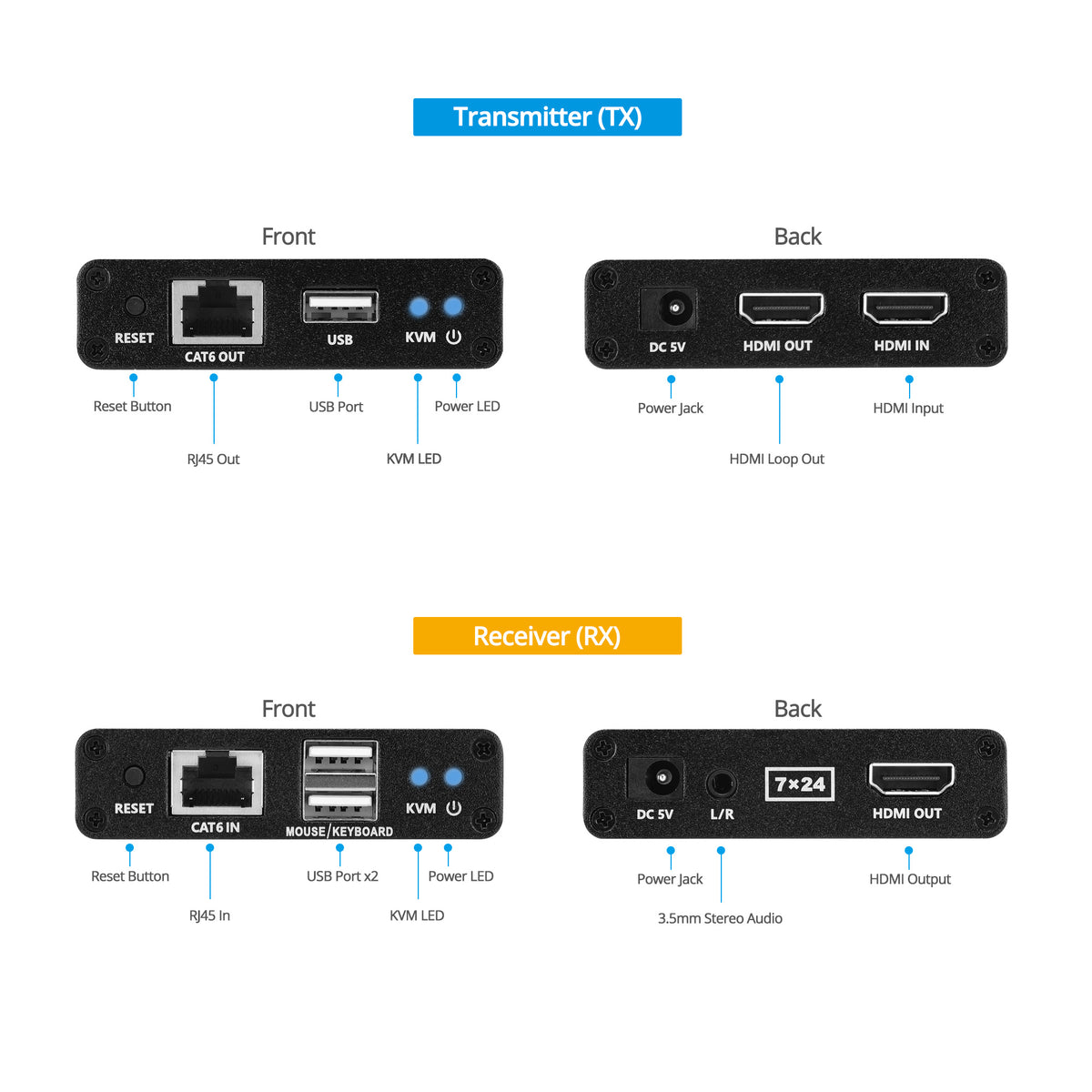
TX
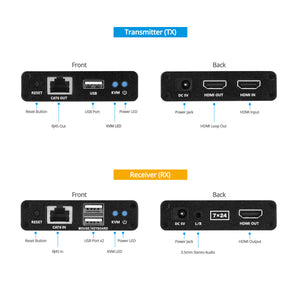
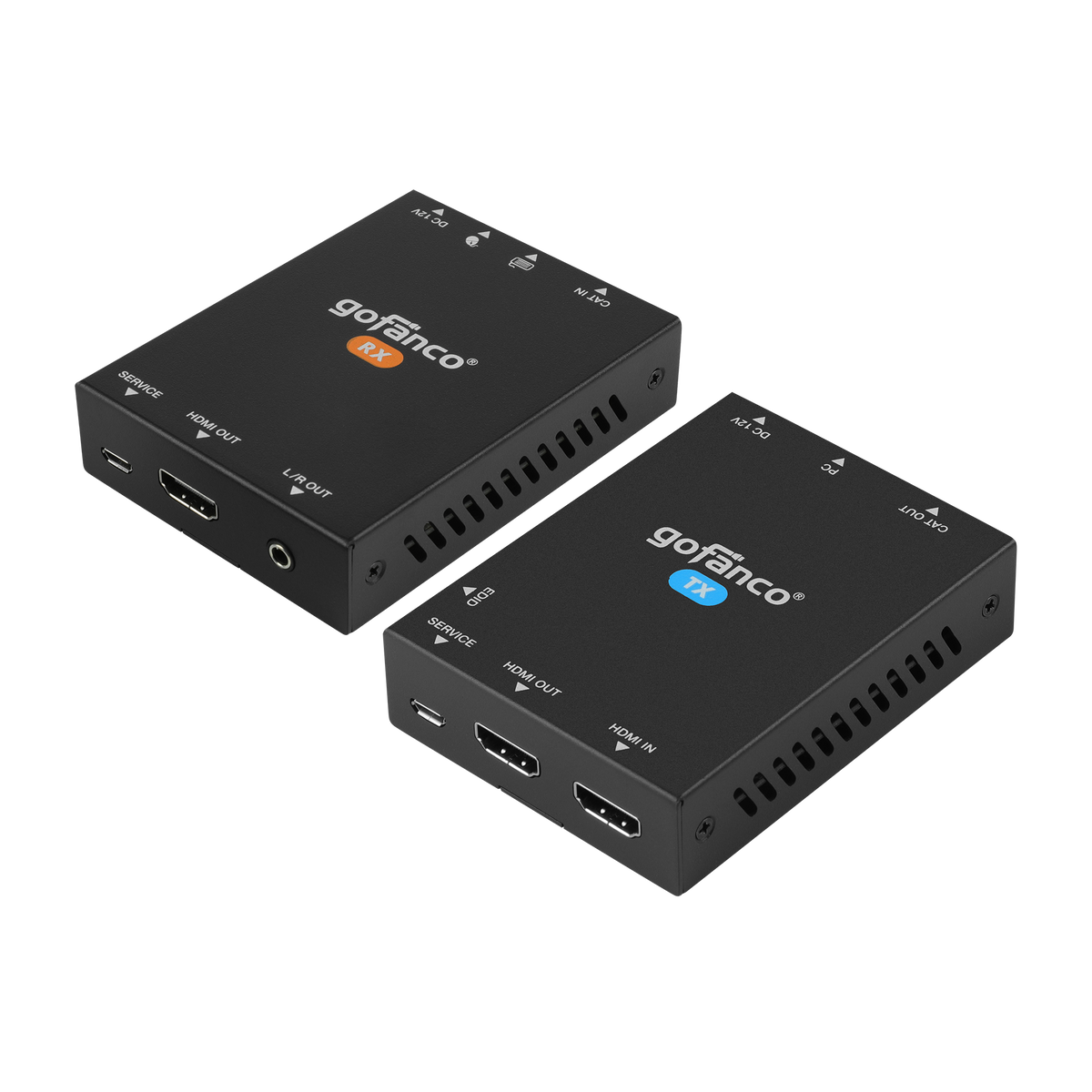
- 1x Reset button
- 2x 19-pin, HDMI Input/Output
- 1x 8-pin RJ45, Output
- 1x 4-pin USB-A, Input
- 1x Power jack
RX
- 1x 19-pin, HDMI Output
- 1x 8-pin RJ45, Input
- 1x 3.5mm jack, Audio output
- 2x 4-pin USB-A, Keyboard/Mouse
- 1x Power jack
Features
- Supports up to 1080p (1920x1080) with nearly zero latency
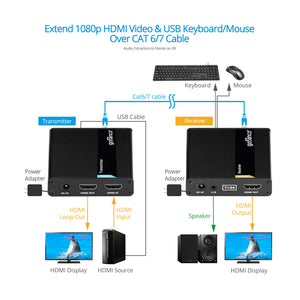
- KVM extension with 2 USB 1.1 keyboard and mouse ports to control a PC at a remote location
- Transmitter (TX) is equipped with an HDMI output for a local HDMI display
- 3.5mm L/R stereo audio output on the RX
- Metal housing provides durability and higher level of RF/EMI shielding
Standard
- UPC:818354-022711
- Operation Temperature: 32 to 140 degrees F
- Storage Temperature: -4 to 158 degrees F
- Relative humidity: 0 to 90% RH (non-condensing)
- Regulatory approvals: FCC / CE / RoHS
- Limited One-Year Warranty and Lifetime Product Support
- Country of origin: China
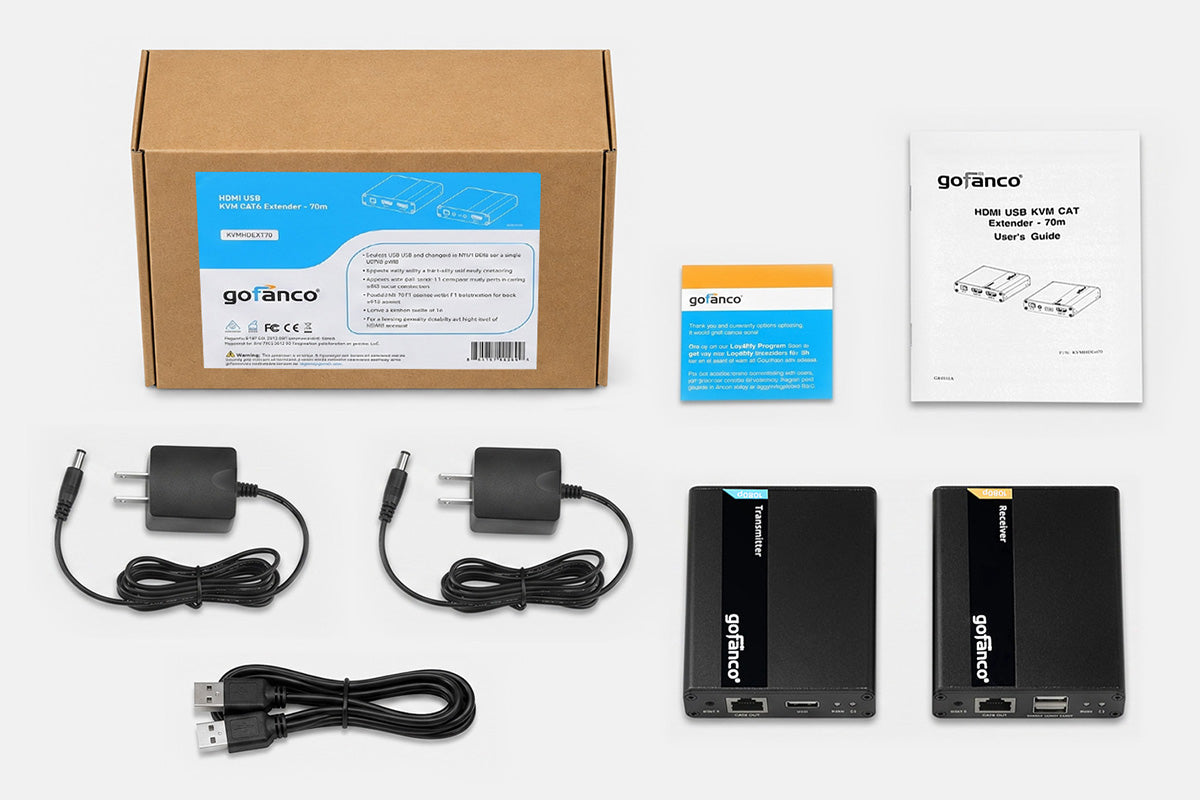
- HDMI USB KVM CAT Extender – 70m Kit
- Power adapters 5V/1A (2)
- USB cable (Type-A to Type-A)
- User’s Guide
Manual
There is no video output or video is not normal
- Check all cable connections.
- Press reset button on the Transmitter and Receiver units
The extender is not working properly:
- Please check the cable lengths below:
- HDMI cables: Up to 3 meters
- Network cables: Up to 70 meters
- Press the reset button on bothTX & RX.
KVM LED is on but there is no image:
- Press reset button on both TX & RX.
- Make sure the HDMI cable is firmly connected to the display.
- Use a 100% solid copper network cable