


Splitters: HDbitT8Pv2
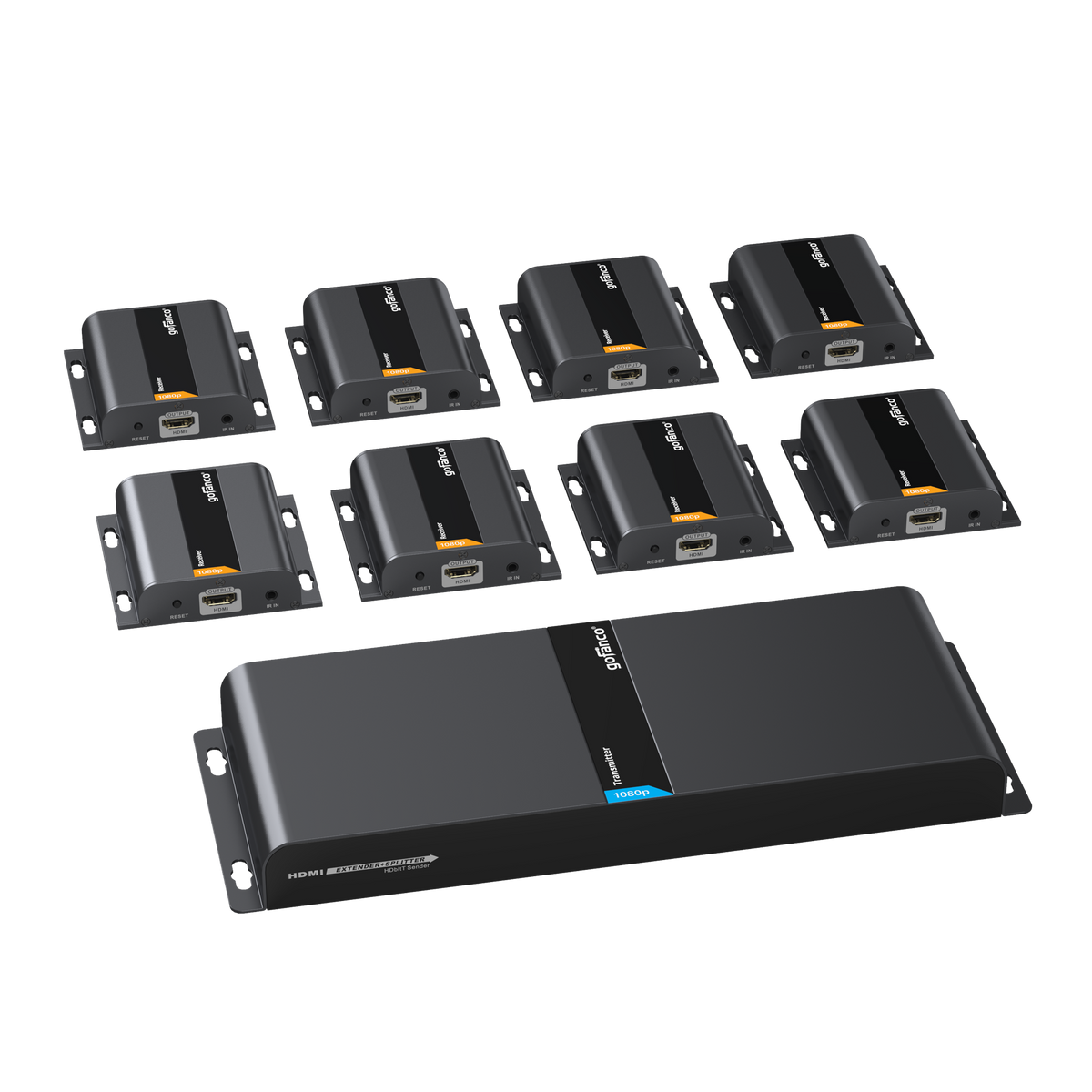
8-Port HDMI Over IP Extender 1080p – 120m (TX & 8 RXs)
Up to 394ft (120m) - IR Control Extension, Direct Cable Connection or Over Gigabit Network Ethernet Switch - 1080p, HDMI 1.3, HDCP 1.4

Full HD 1x8 Extender

Distance up to 120m

TCP/IP Protocol

1 to 1 / 1 to Many

IR Passthrough

1x8 HDMI Extender Splitter Kit
8-Port Over IP HDMI Extender Splitter Over Network




Comparison Table

Specification
- Video transmission: Up to 394ft (120m) at 1080p
- Supported resolutions: 480i/480p 60Hz, 576i/576p 50Hz, 720p 50/60Hz, 1080i/1080p 50/60Hz
- HDMI 1.3, HDCP 1.4
- Audio format: 2-channel Stereo audio
- Transport protocol: TCP/IP
- IR Signal: 20KHz - 60KHz
- Product Dimensions:TX: 11.81″(W) x 1.18″(H) x 4.37″(D)/ RX: 3.81″(W) x 0.93″(H) x 3.70″(D)
- Weight:TX:1.83 lbs; RX: 0.33 lbs;
- Power Adapter: AC100 - 240V 50/60Hz, Output: 12V/3A(TX)/5V/1A (RX)
- Housing Material / Color: Metal / Black color
Connection
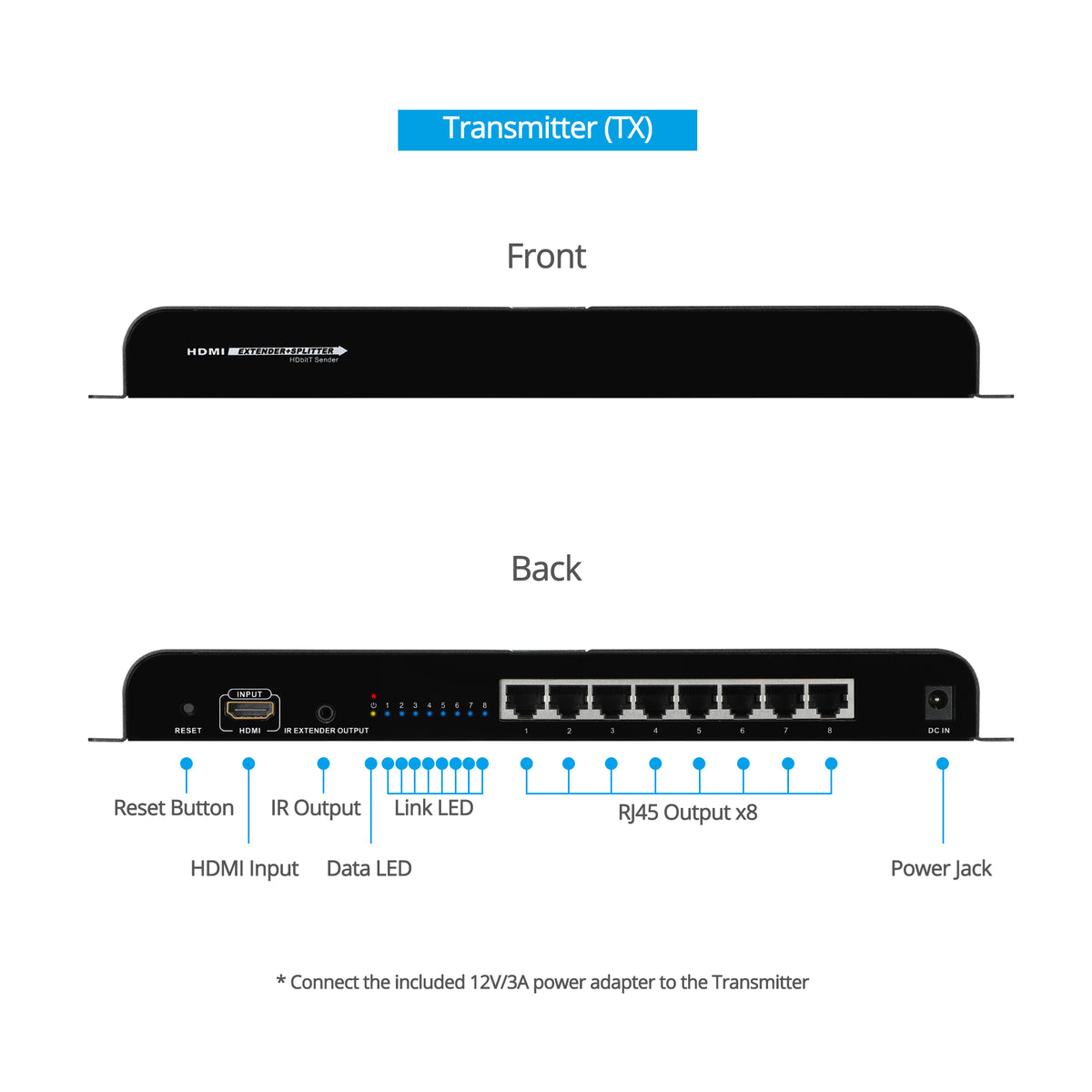
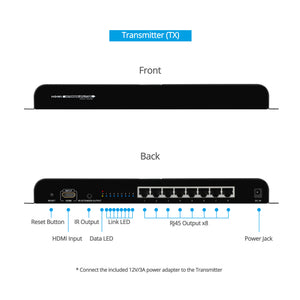
TX
- 1x 19-Pin, HDMI, Input
- 8x 8-pin RJ45, Output
- 1x Power Jack
- 1x 3.5mm jack, IR out
- 1x Reset button
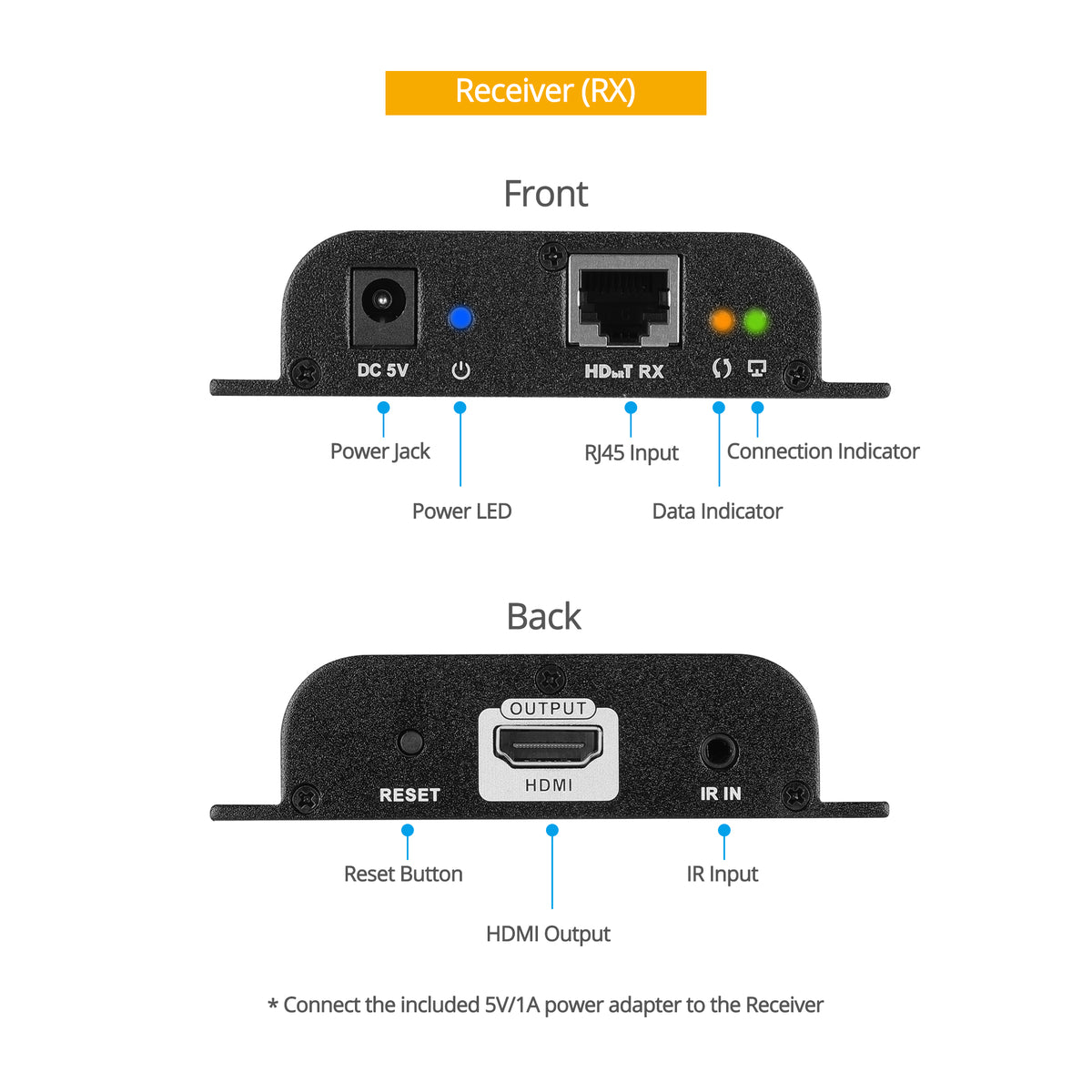
RX
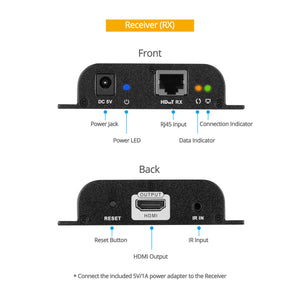
- 1x 19-pin HDMI, Output
- 1x 8-pin RJ45, Input
- 1x 3.5mm jack, IR In
- 1x Power Jack
- 1x Reset button
Features
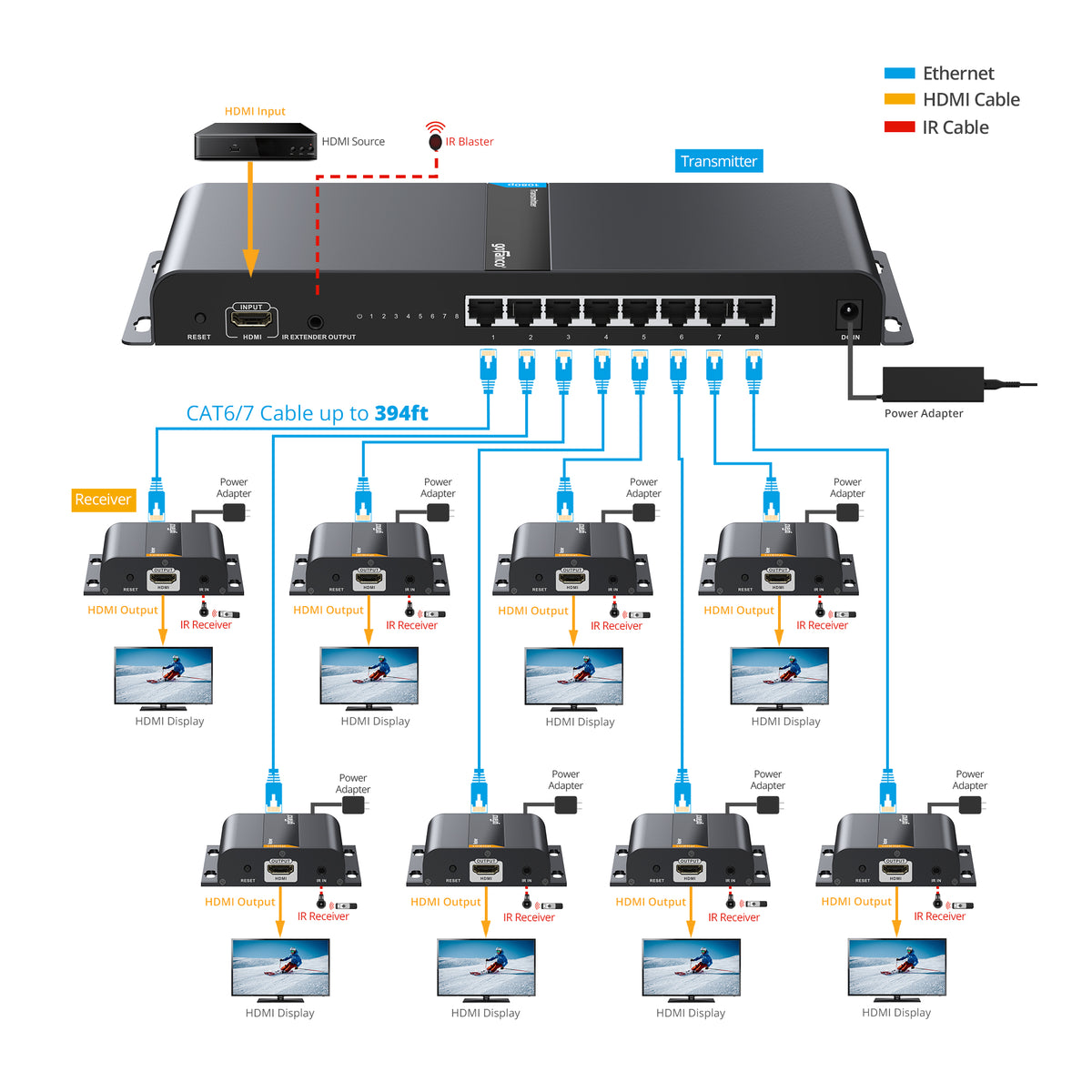
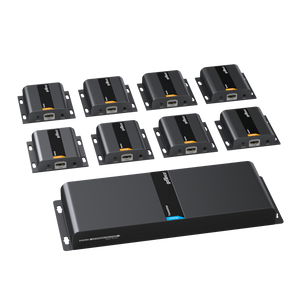
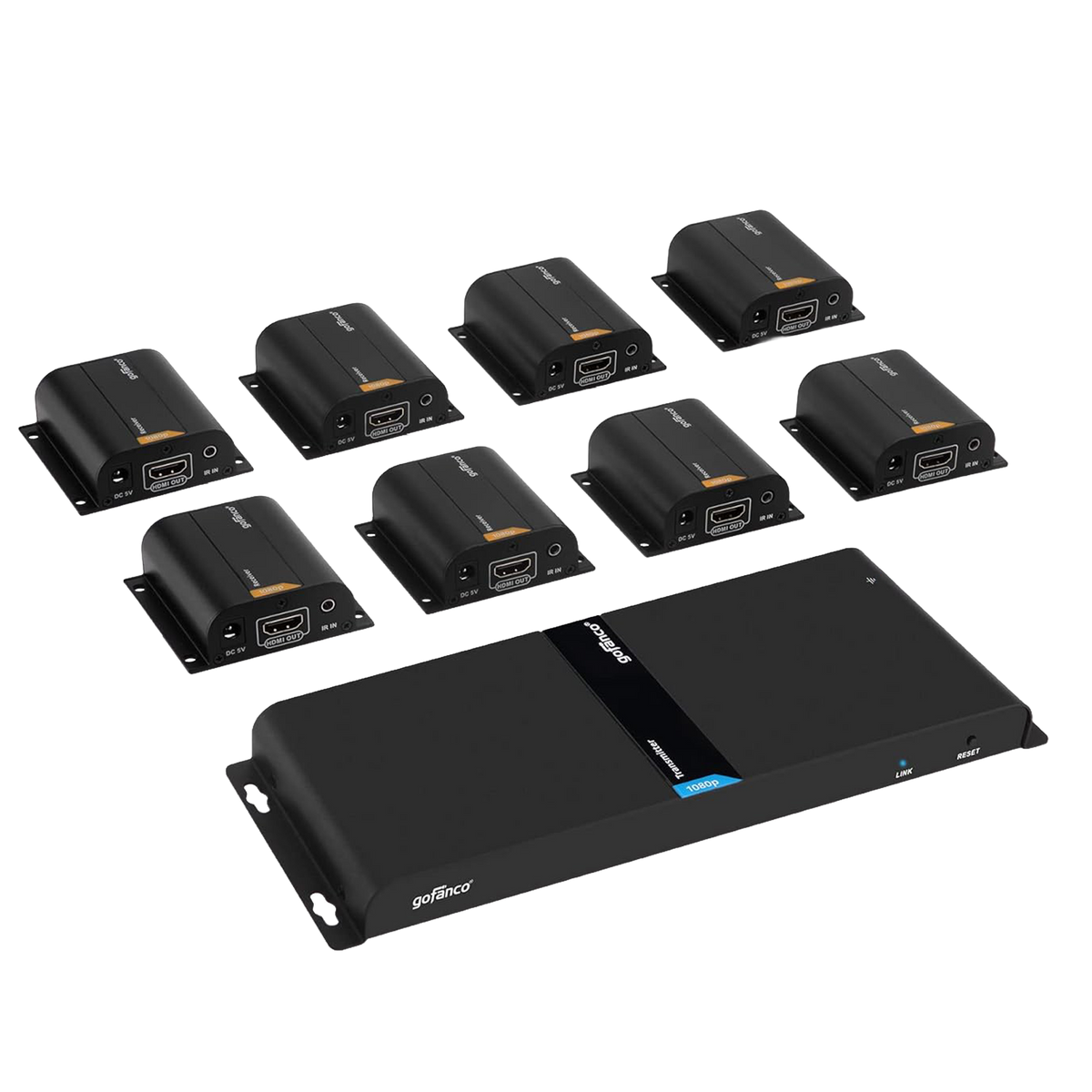
- 8-Port HDMI Extender/Splitter Kit with 1 Transmitter (TX) and 8 Receivers (RX)
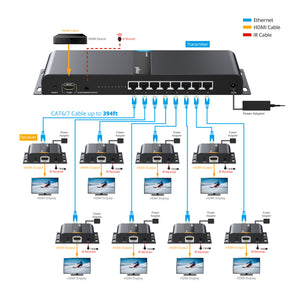
- Extends HDMI signals up to 120m (394ft) over CAT6 to eight HDMI monitors simultaneously
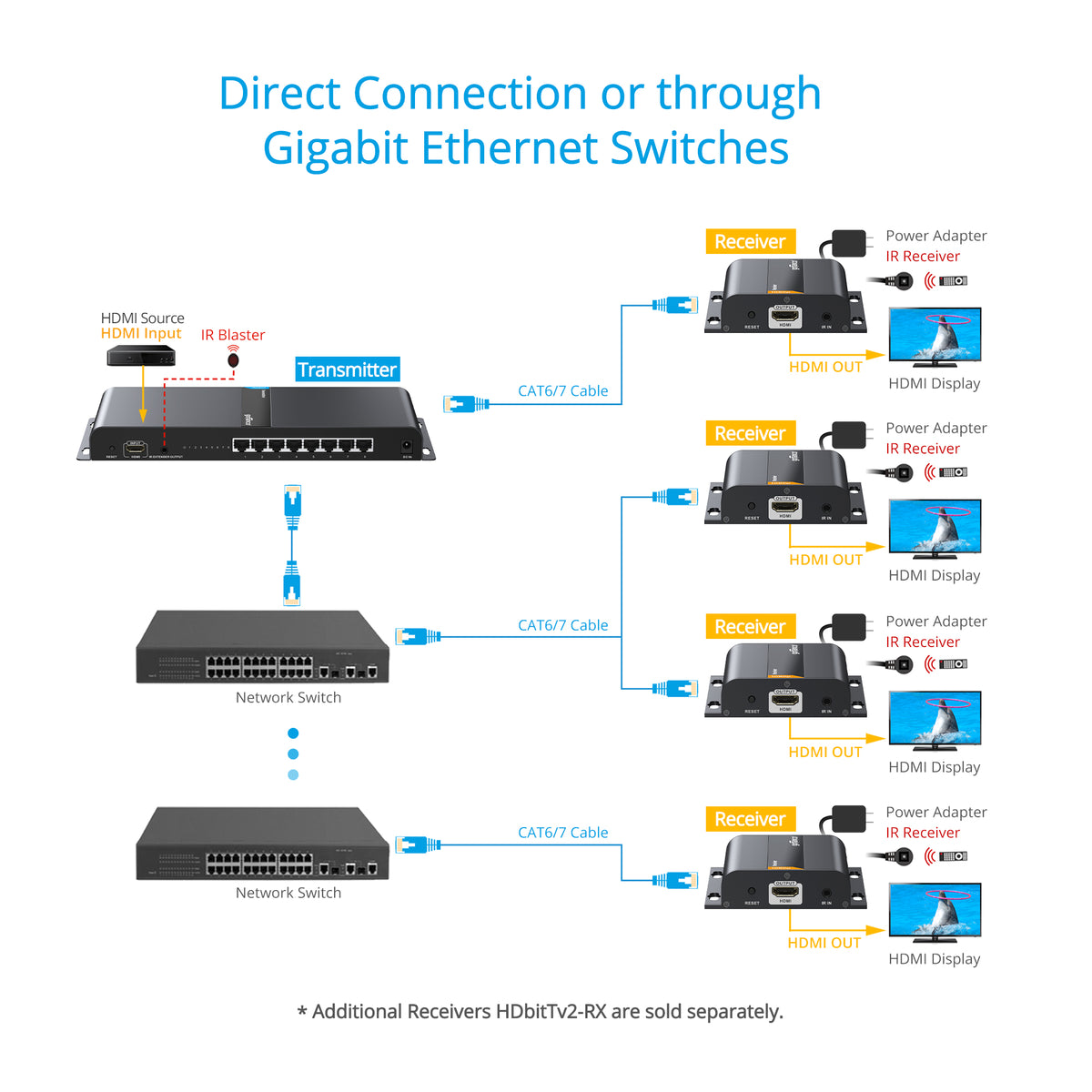
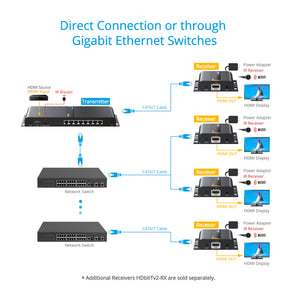
- Direct TX to RXs connection or through a Gigabit Ethernet switch
- Supports IR signal extension - control a media player from a remote location with the included IR Blaster and IR Receiver cables
- Supports 20-60KHz one-way IR source device control from the receiver side
- Surface mountable metal housing
Standard
- UPC: 818354-022490
- Operation Temperature: 32 to 140 degrees F
- Storage Temperature: -4 to 158 degrees F
- Relative humidity: 5 to 90% RH (non-condensing)
- Regulatory approvals: FCC / CE / RoHS
- Limited One-Year Warranty and Lifetime Product Support
- Country of origin: China
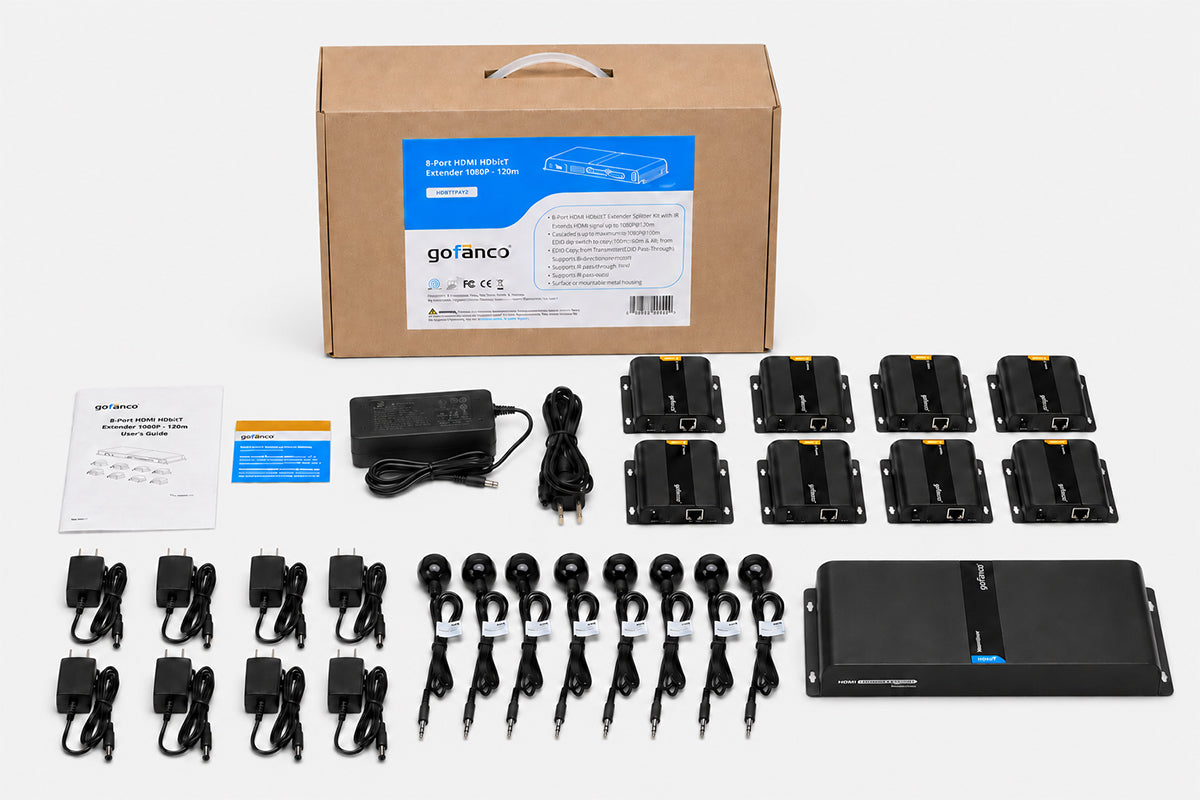
- 8-Port HDMI HDbitT Extender 1080p - 120m
- IR Blaster cable (1pc)
- IR Receiver cable (8pcs)
- TX power adapter 12V/3A
- RX power adapter 5V/1A (8)
- User's Guide
Manual
No image or audio output on the display?
- Check if the display is in standby mode.
- Make sure the display's HDMI port is properly connected to the HDMI cable.
- Check the Link LED indicator on the Receiver is on.
Not all displays are receiving a signal.
- Check the Cat6 cables for secure and solid connection.
- Press the Reset button on the Transmitter and Receiver to reset the system.
- Re-connect the Cat6 cable(s) corresponding to the display(s) that are not working properly.
TV displays "Waiting for Connection" on the bottom right corner.
- Check the Cat6 cables for secure and solid connection.
- Check the power supply on both transmitter and receiver(s) is connected and powered on.
TV displays "Please check the TX input signal".
- Please check the HDMI cable is connected properly and the HDMI source device is powered on.
- Press the reset button on the Transmitter.
- Connect the TV directly to the HDMI source device to verify there is signal output