

1x4 1080p HDMI Wireless KVM Extender with IR (TX & RX) - 150m (492ft)
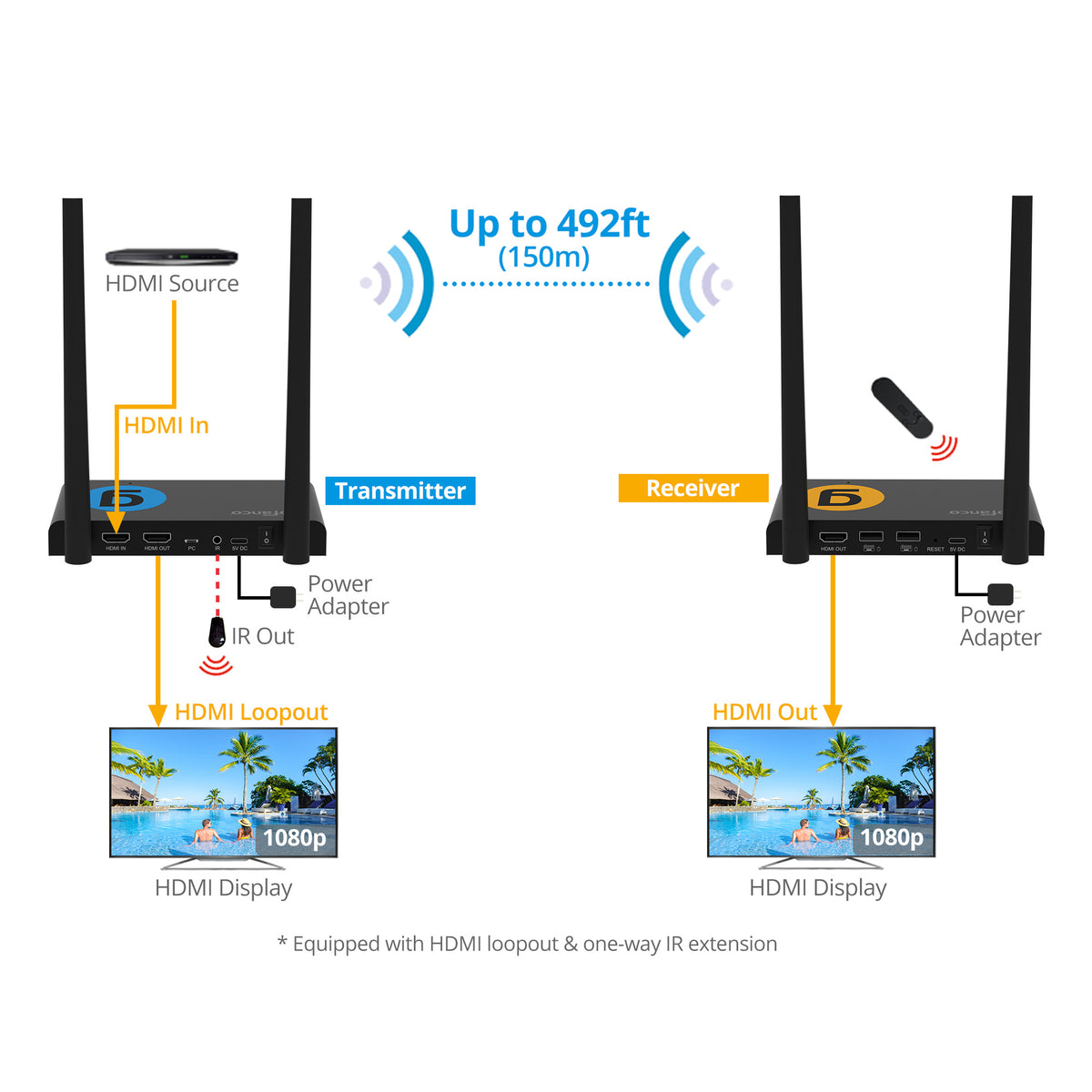
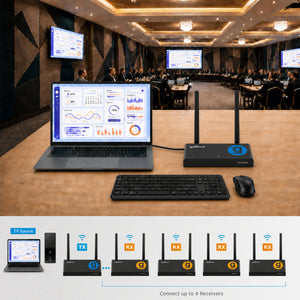
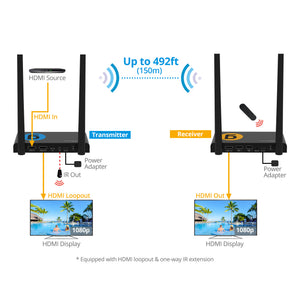
Transmits Full HD 1080p signals up to 492ft (150m) over 5G wireless technology - delivering high-quality video, audio, USB, and IR control with low latency and zero cable clutter


1x4 HDMI Wireless KVM Extender
Perfect Wireless Extender Solution 492ft


Comparison Table
Specification
- Wireless: IEEE 802.11b/g/n/ac, 5GHz, 2T2R
- WIFI Bandwidth: 866 Mbps (5GHz)
- WIFI Frequency: 5.150GHz - 5.825GHz
- Bitrate: Maximum 50 Mbps (actual rate may vary depending on environmental factors)
- Channel Width: Supports 20 MHz, 40 MHz, and 80 MHz
- Dual Antenna: 2x 5dBi High-sensitive antenna maximizes wireless reception with stable data transmission
- Latency: About 100ms
- Power: AC 100-240V, 50/60Hz, DC 5V/2A
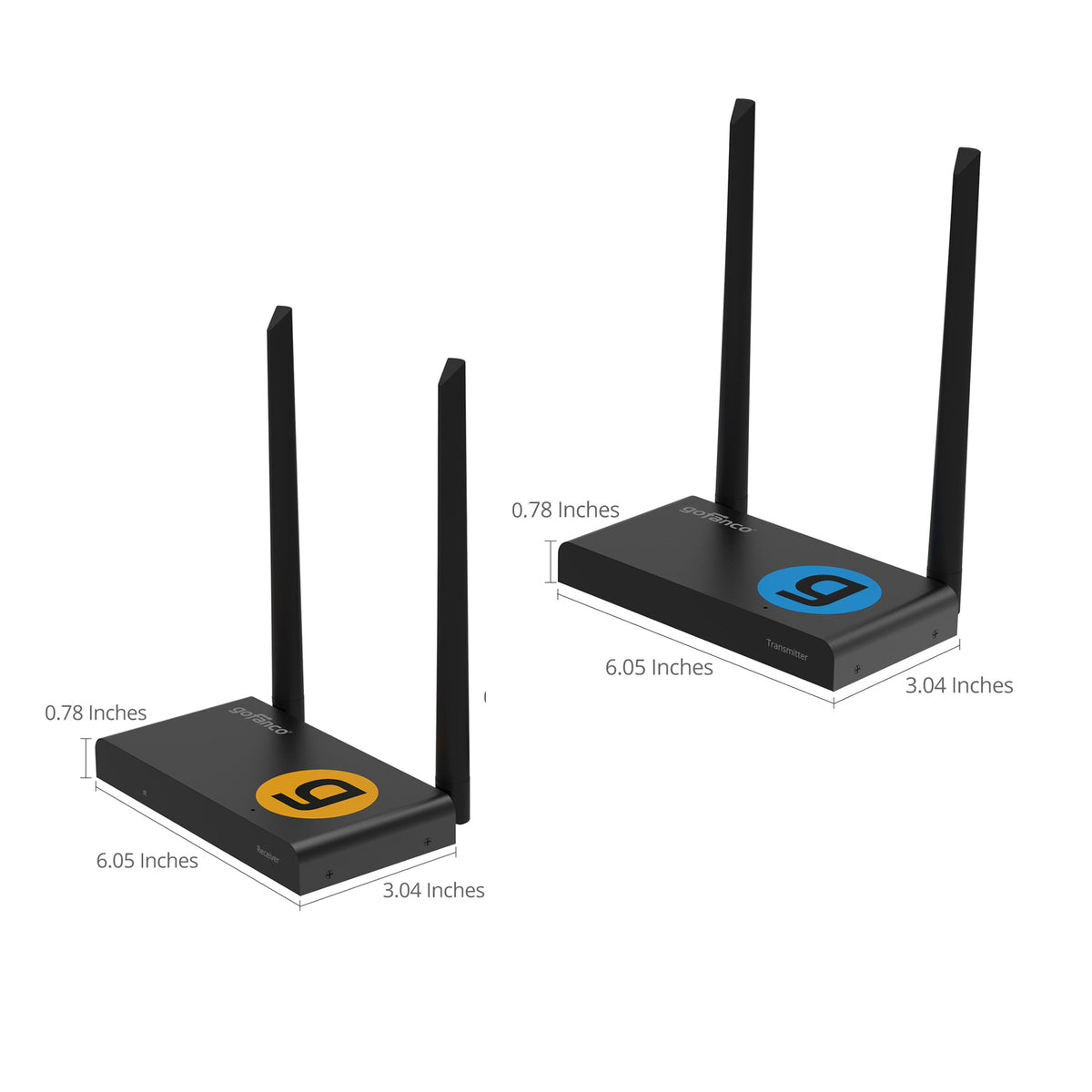
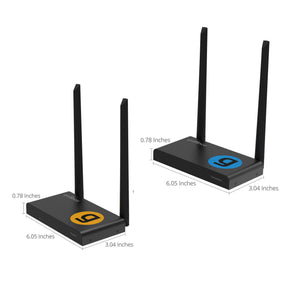
- Dimension: TX/RX: 6.06” (W) x 0.79” (H) x 3.04” (D)
- Weight: 0.72 lbs (TX) / 0.73 lbs (RX)
Connection
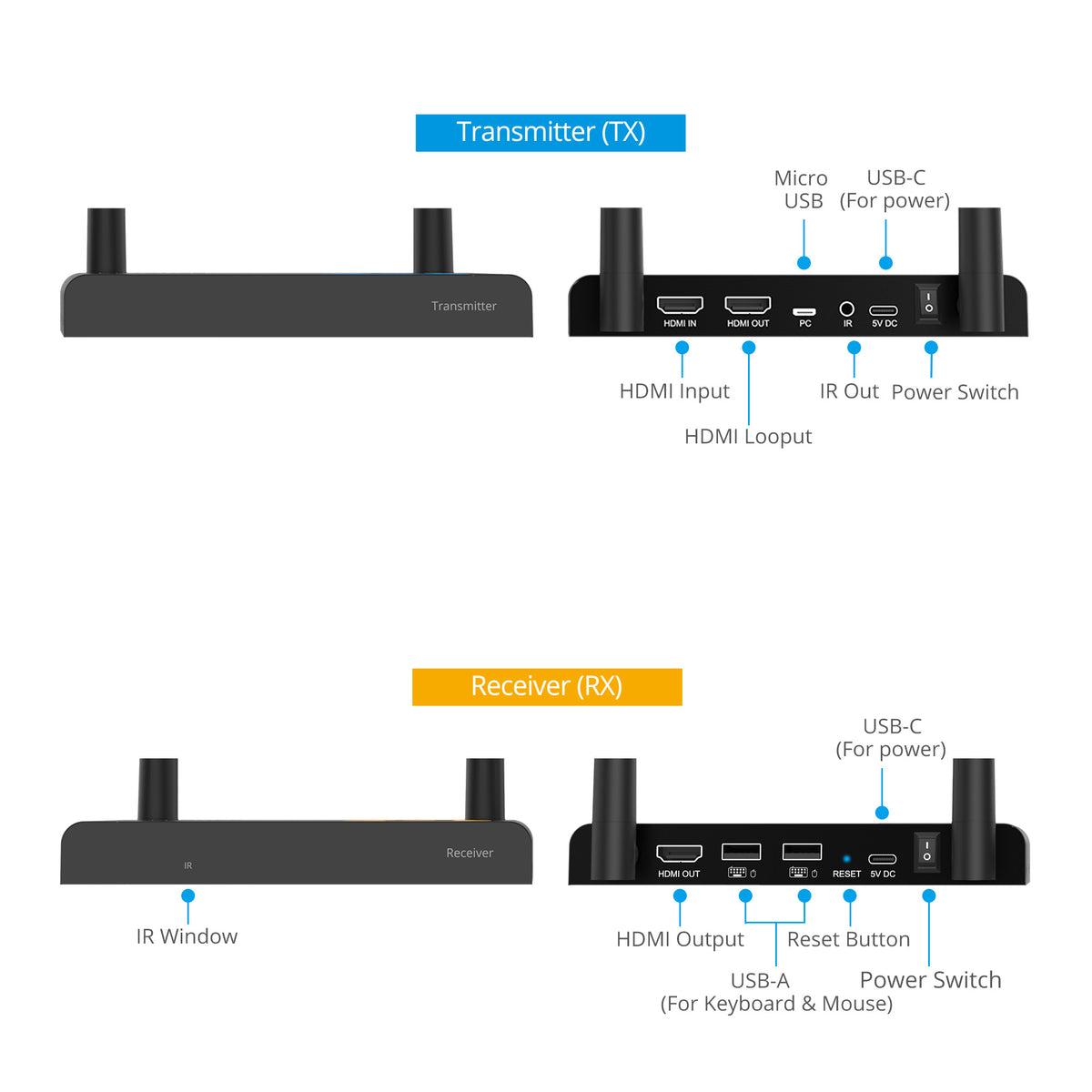
TX:
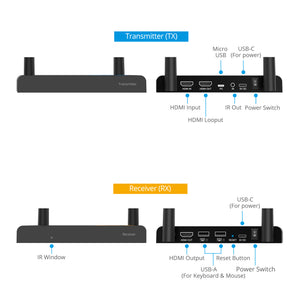
- 1x19 pin HDMI input
- 1x19 pin HDMI Output
- Micro USB (For PC)
- IR Output
- USB-C (For Power)
- Power switch
RX:
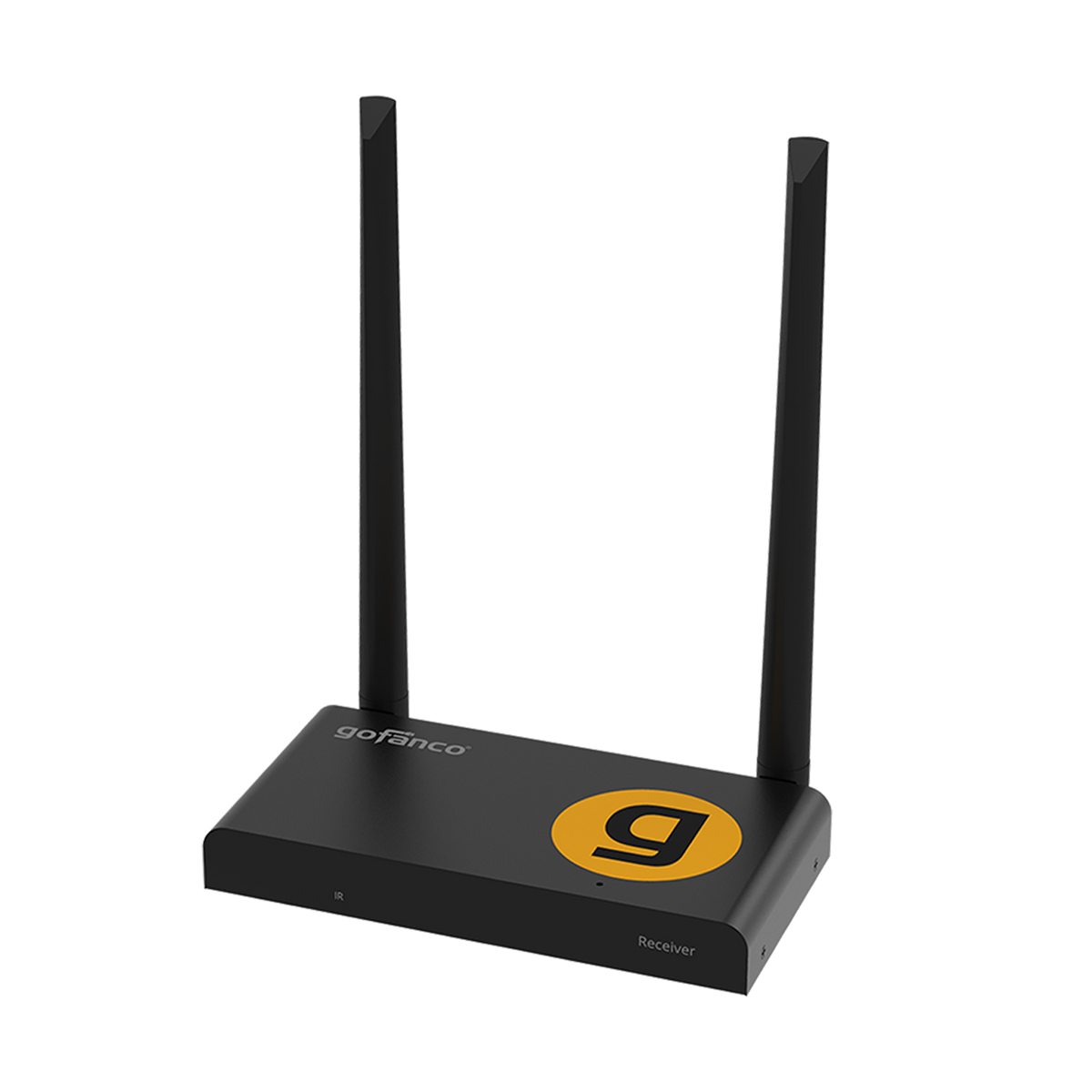
- 1x19 pin HDMI output
- 2x USB-A (For Keyboard / Mouse)
- Reset Button
- USB-C (For Power)
- Power switch
Features
- Video resolutions: Up to 1080p 60Hz
- Transmission range: Up to 150m (492 ft) line-of-sight
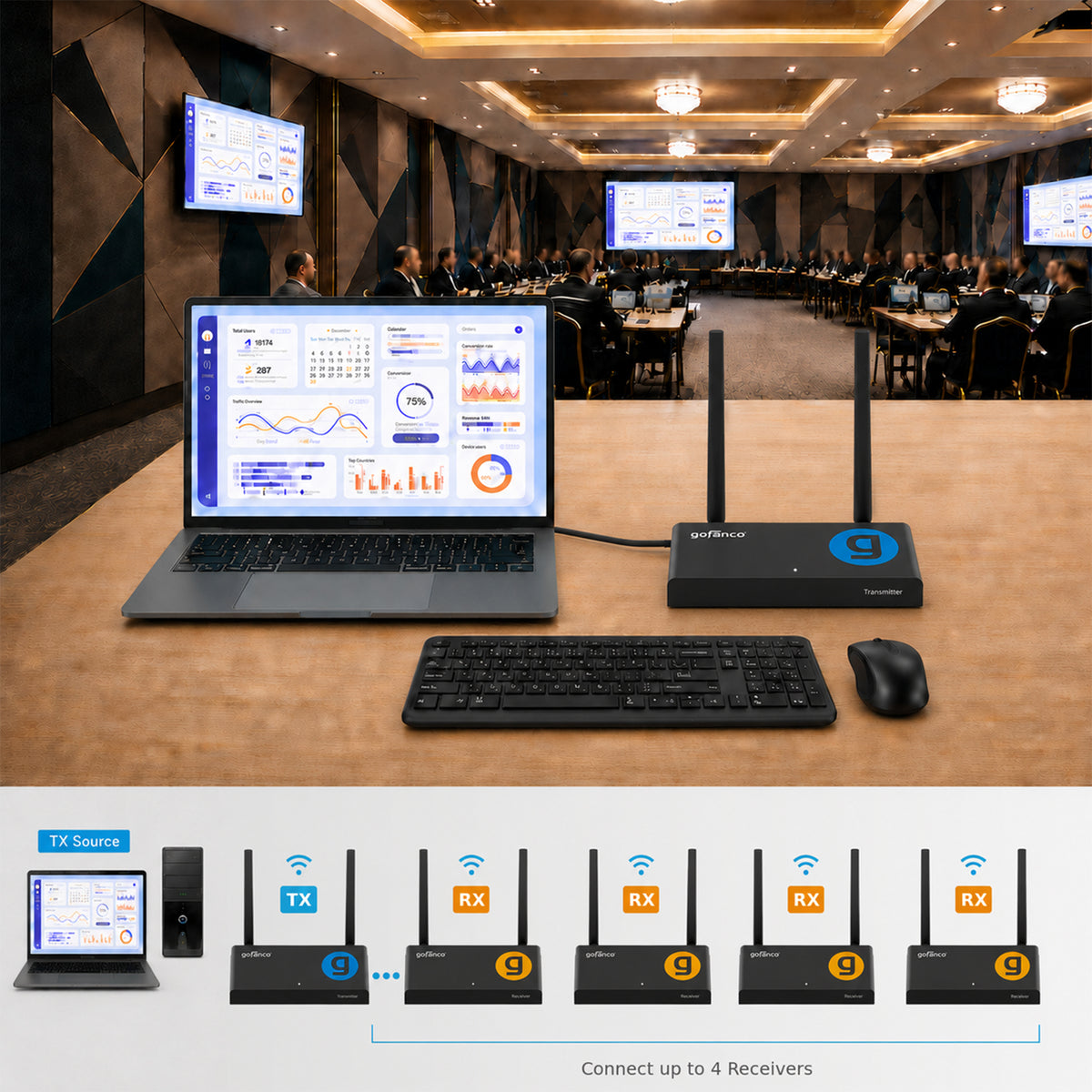
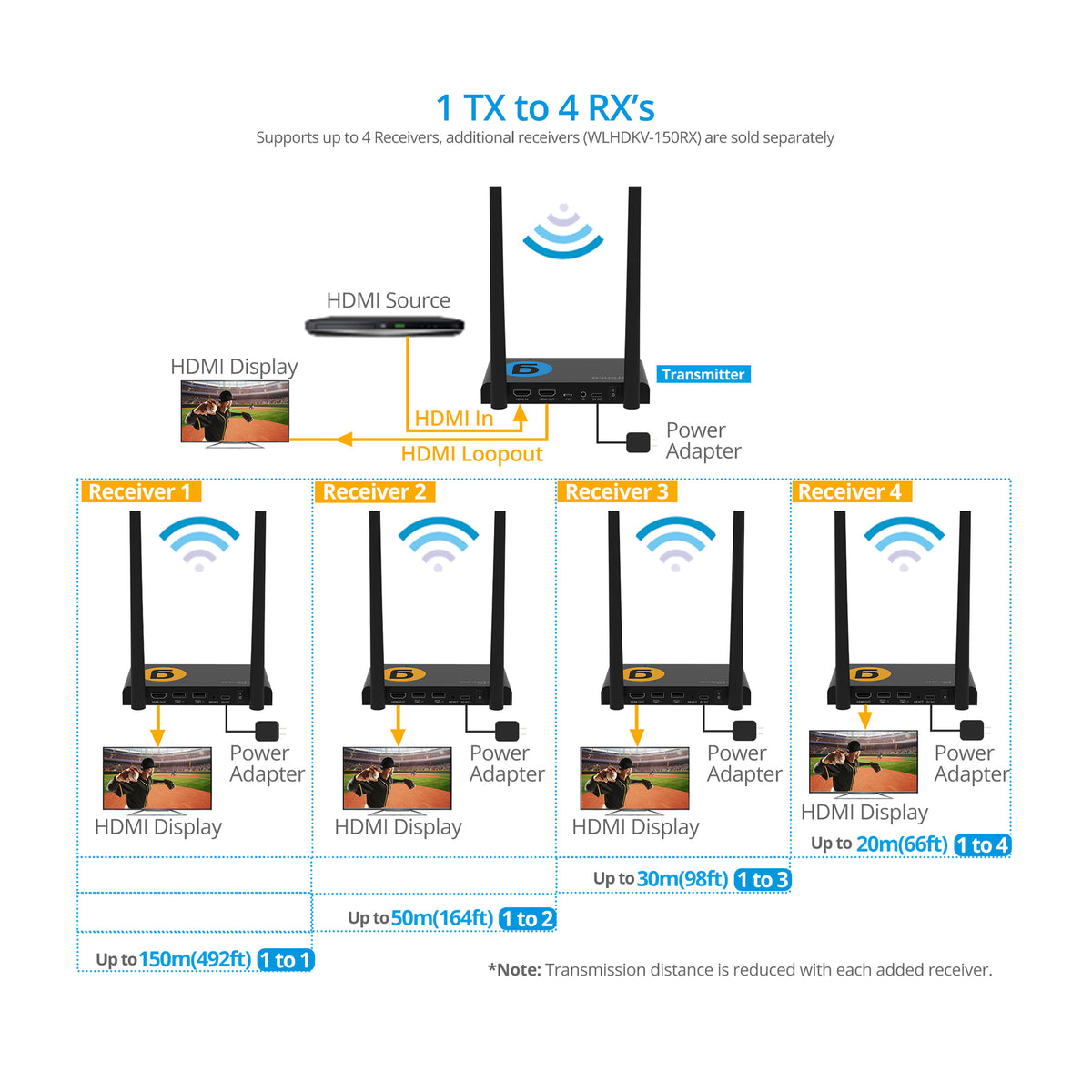
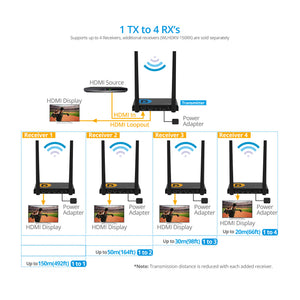
- Supports up to 4 receivers. Additional receivers (WLHDKV-150RX) are sold separately
- Audio support: Stereo audio PCM 2-channel, 44.1KHz
- Wireless KVM Functionality
- Supports IR Passthrough
Standard
- UPC:818354-023473
- Operating Temperature: 32 to 104 degrees F
- Storage Temperature: 14 to 140 degrees F
- Humidity: 5% ~ 90% RH (non-condensing)
- Country of origin: China
- Regulatory approvals: FCC / CE / RoHS / FCC ID
- Limited One-Year Warranty and Lifetime Product Support
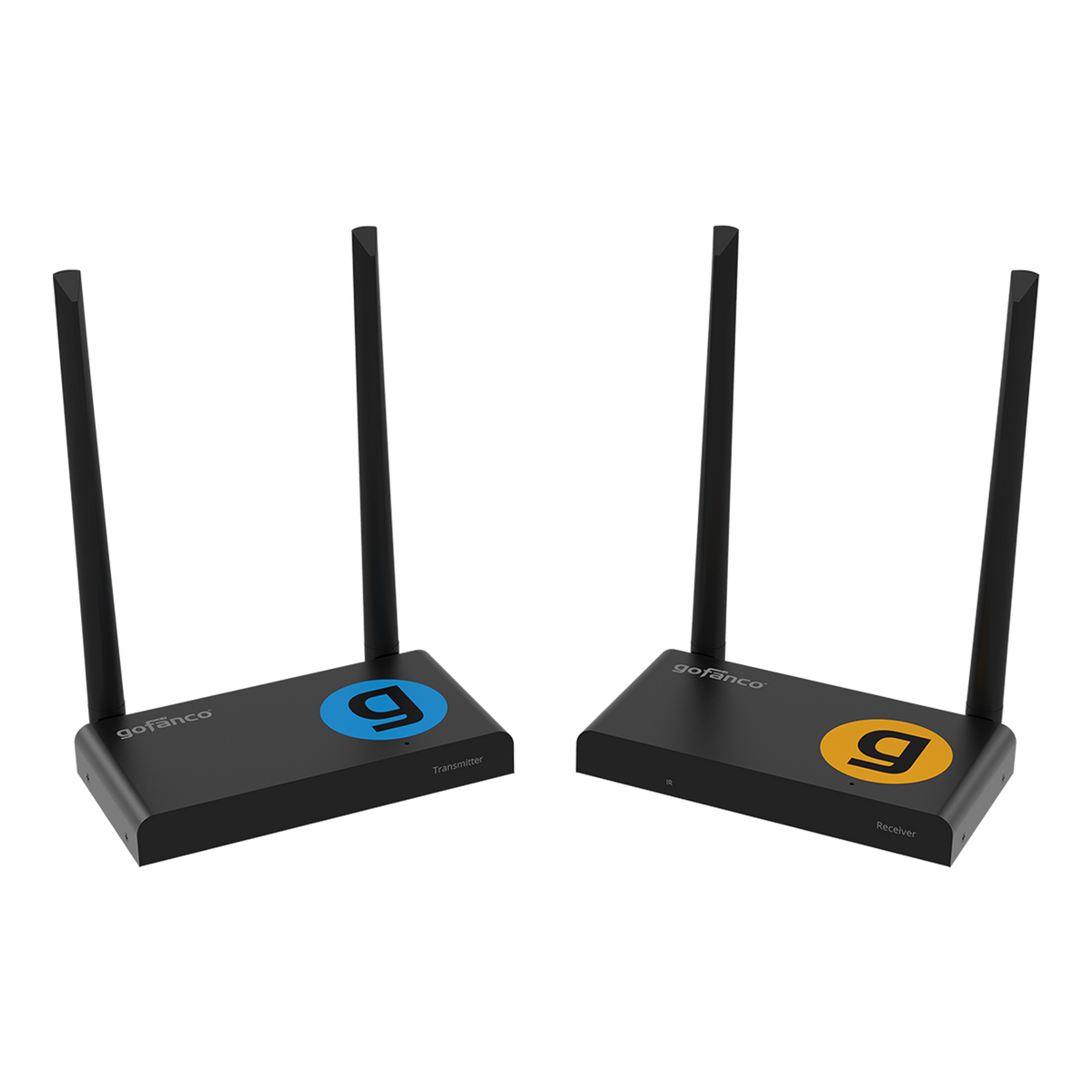
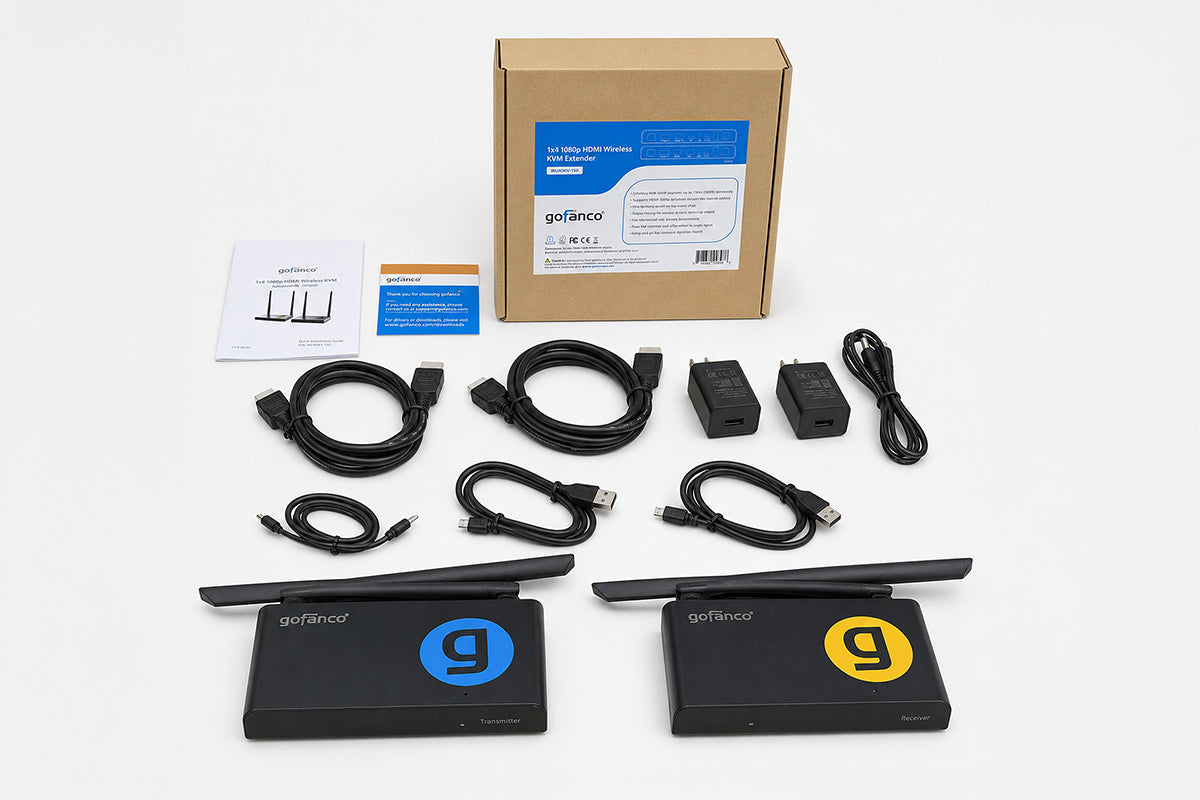
- 1x4 1080p HDMI Wireless KVM Extender (TX & RX units)
- USB A to Micro USB cable
- Power adapters 5V/2A (2)
- USB A to C power cable (2)
- HDMI cable (2)
- IR extension cable
- User’s Guide
Manual
No (or poor) image and sound on TV or projector
Move the Transmitter and the Receiver in the same room to test if the connection works well, and please make sure all of below setting are correct.
- Ensure that the power of the transmitter and receiver is properly connected. Ensure that all HDMI cables are connected properly or replace them.
- Ensure that the HDMI source is turned ON and the correct HDMI input is selected on the TV.
- Ensure that the HDMI source is set to a correct video resolution. If necessary, consult the user manual of your HDMI source.
- Disconnect the power adapters from the wall socket and reconnect them to reboot the Wireless HDMI extender.
If the transmitter and receiver still no connection, please follow the below step for pairing:
- Power on the transmitter.
- Power on the receiver till it’s on the main screen.
- Press the receiver’s reset button and hold for 5 seconds till the LED is flashing fast.
- Wait around 30 seconds, the transmitter and receiver will be paired automatically.
The IR blaster doesn’t work
- Make sure to use the original remote control of the video source.
- Please stick the IR blaster probe in the surface of IR sensor of the source device, if you are not sure the correct positon of IR sensor of source device.
- Please refer to the manual of source device.
- Please point the remote control to the IR receiver probe with 5 meters directly.
- The IR extender cable is based on 20KHz-60KHz remote signal protocol, which supports most of the IR remote in the market, for special standard or old remote may not supported.
Transmitter LED Indicator Stays Constant Red:
If the transmitter’s LED indicator remains constant red for more than 30 seconds, it indicates that the device did not boot up successfully.
Possible Cause: While the transmitter’s HDMI IN port supports power delivery the video source’s HDMI port may not provide sufficient power Insufficient power can prevent the transmitter from booting up properly.
Solution: To ensure stable operation, always connect the USB power supply to the transmitter, even if the HDMI IN port is in use.
I do have picture, but no (or bad) sound
This product supports up to 2CH PCM stereo. Check the audio setting in the settings menu of the connected HDMI source and manually set it to 2CH PCM stereo when the automatic setting does not work.
No or bad connection between the Transmitter and Receiver
- Move the Transmitter and/or the Receiver from the immediate vicinity of the connected HDMI sources and Wi-Fi equipment. These may affect the range.
- Slightly adjusting the position of the Transmitter and or Receiver may already help out.
- Too much distance or obstacle between Transmitter and Receiver. Try using shorter distances.
- Disconnect the power adapters from the wall socket and reconnect them to reboot the wireless HDMI extender.
The Transmitter’s LED indicator is flashing red continuously
Please follow below steps to troubleshoot the issue: Place the transmitter and receiver close to each other. Make sure you power the transmitter separately via USB-C cable with sufficient 5V/2A power supply. Verify that the Receiver is powered on and displaying the main interface.
If the Receiver is on and the transmitter indicator has been flashing red for more than three minutes, it indicates that the devices are not paired. Please refer to section, “Pairing a Transmitter and Receiver,” in the manual to re-establish pairing.
The transmitter’s LED indicator is flashing purple continuously
If the transmitter’s LED indicator is flashing purple, it indicates that the transmitter and receiver are successfully paired, but the transmitter is not detecting a video source from the HDMI input.
This issue may occur due to:
- Incompatible resolution settings between the video source and the transmitter.
- A faulty HDMI port on the video source device
Please follow the steps below to resolve:
Adjust the video source's output resolution to match the supported resolutions listed in the transmitter's specifications. If the issue persists, test the transmitter with a different video source.