
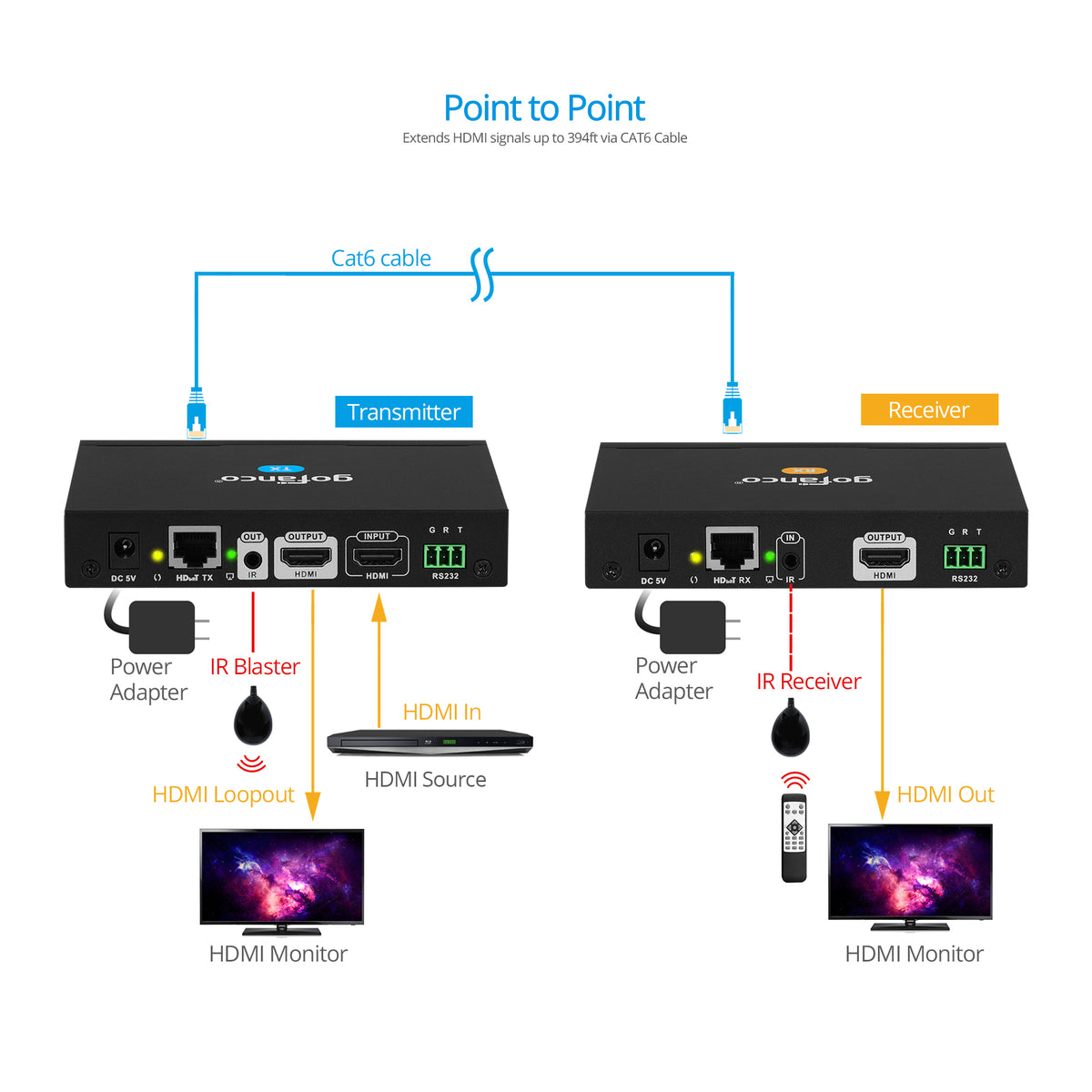
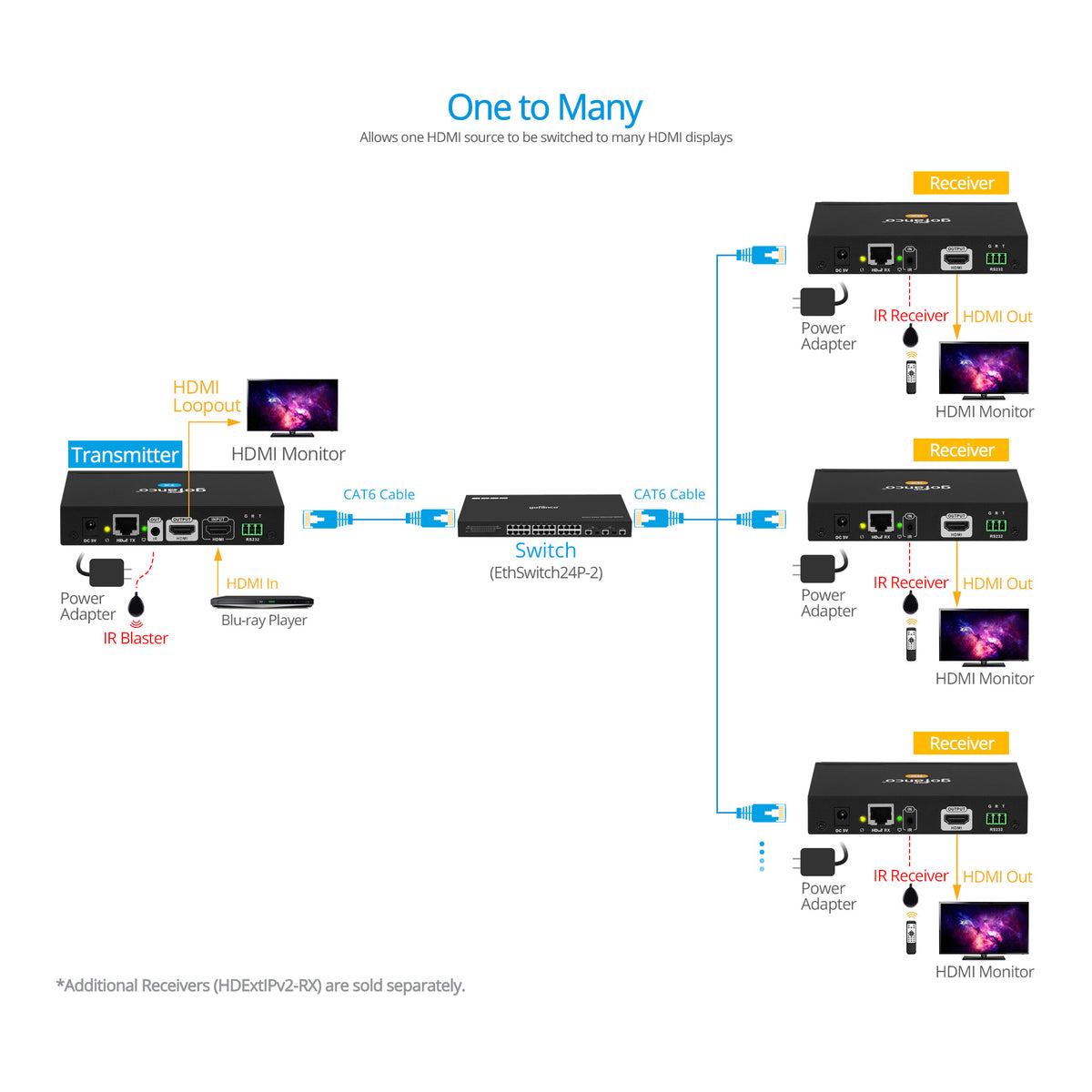
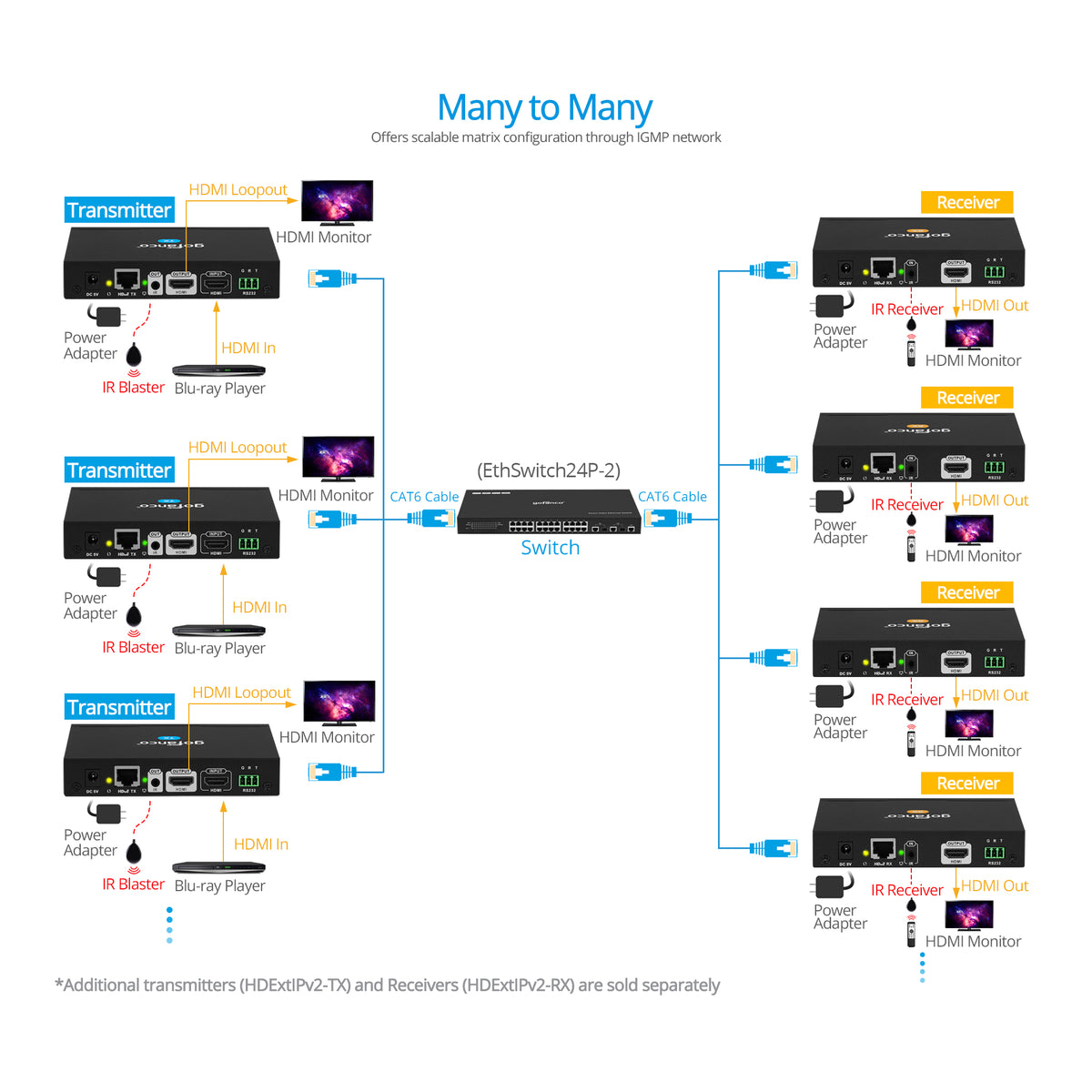
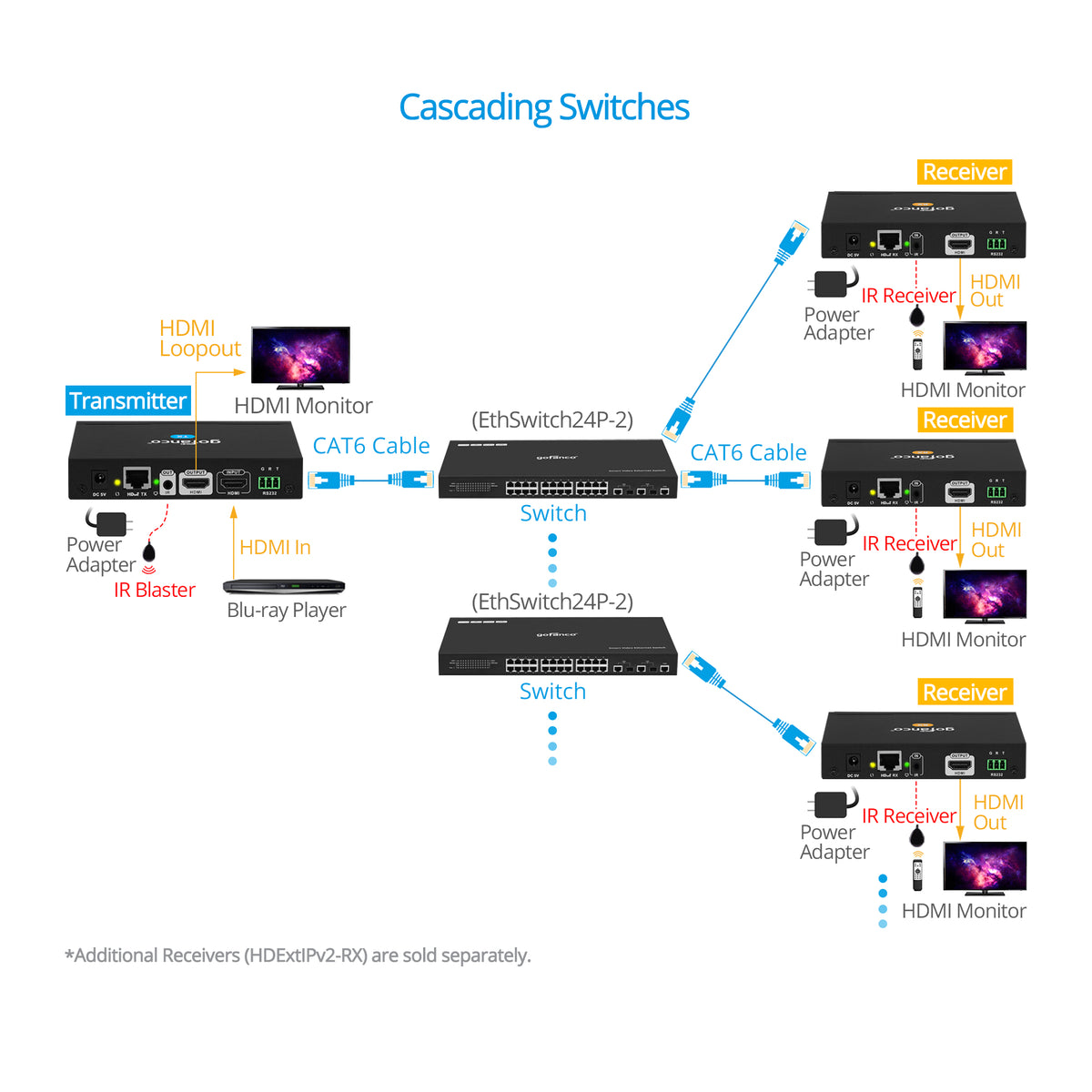

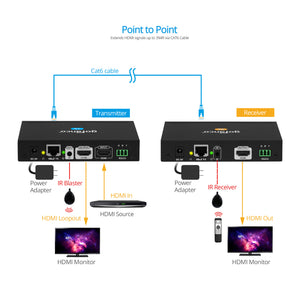
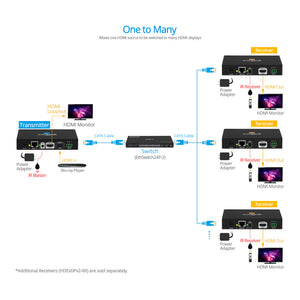
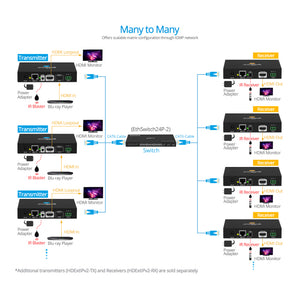
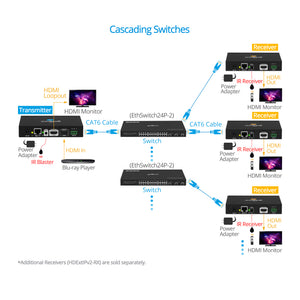
Extenders: HDExtIPv2
HDMI IP Extender Kit 1080p – 120m
Many to Many, Matrix Configurable Kit Over Cat5e/6, 395ft (120m), Up to 40 Combined TX’s & RX’s, HDMI Loopout, IR & RS232 Extension

TCP/IP Protocol

1 to Many / Many to Many

Distance up to 120m

Control Options

RS-232 Passthrough

HDMI IP Extender Kit 1080p
Scalable 1080p HDMI Over IP Matrix Extender System


Comparison Table
HDMI IP Extender Kit 1080p – 120m
Sale price$148.99
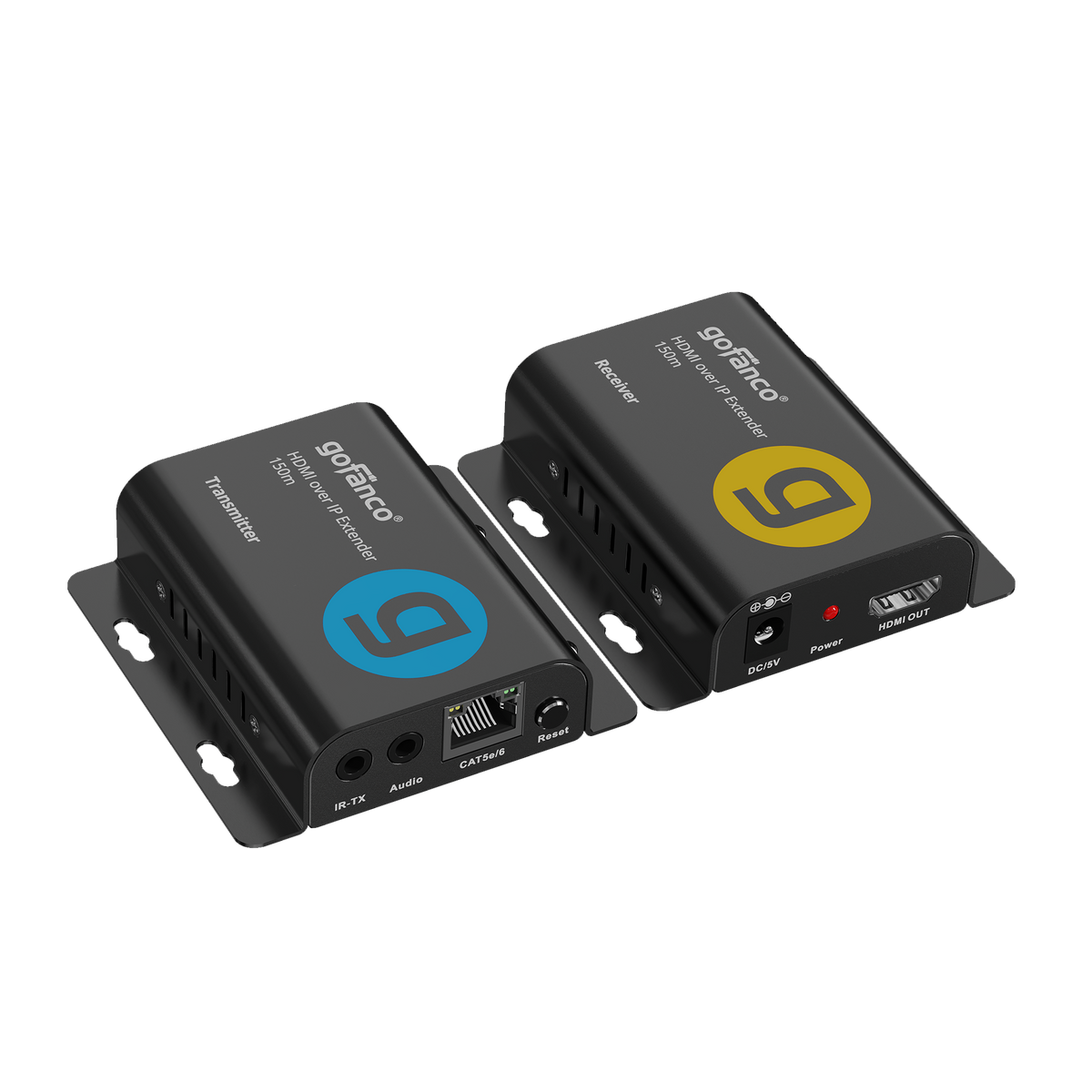
Full HD HDMI Over IP Extender - 150m - 1080p 60Hz
Sale price$70.99
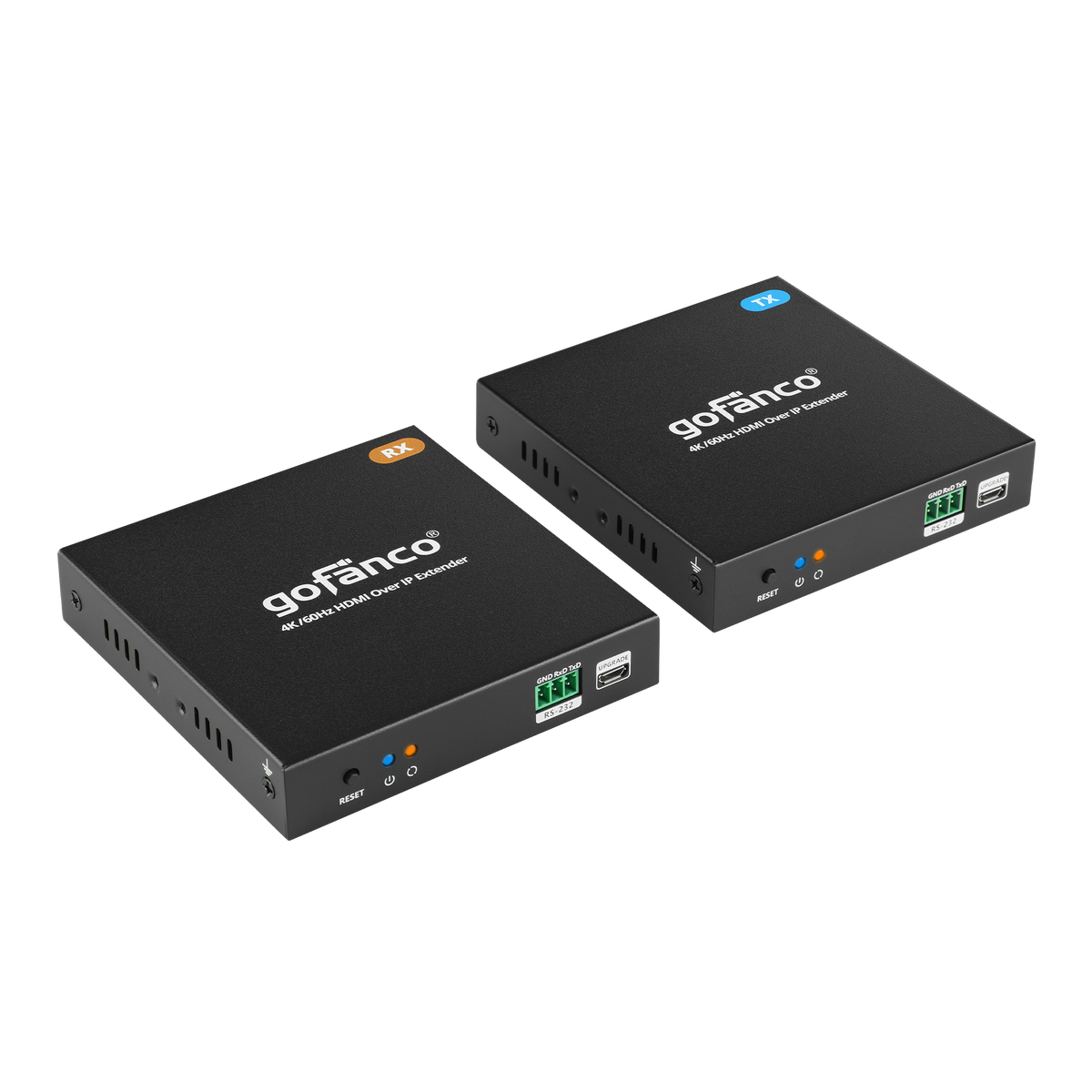
HDMI Over IP Extender 4K60Hz – 100m
Sale price$209.99
Specification
- Resolution: Up to 1080p 60Hz
- Compression: H.264
- Protocol: TCP/IP
- Matrix Configuration: 256 units combined
- Compliance: HDMI 1.3 / HDCP 1.2
- Bandwidth: 18Mbps
- Audio format: PCM 2.0
- IR Frequency Range: 20 - 60KHz
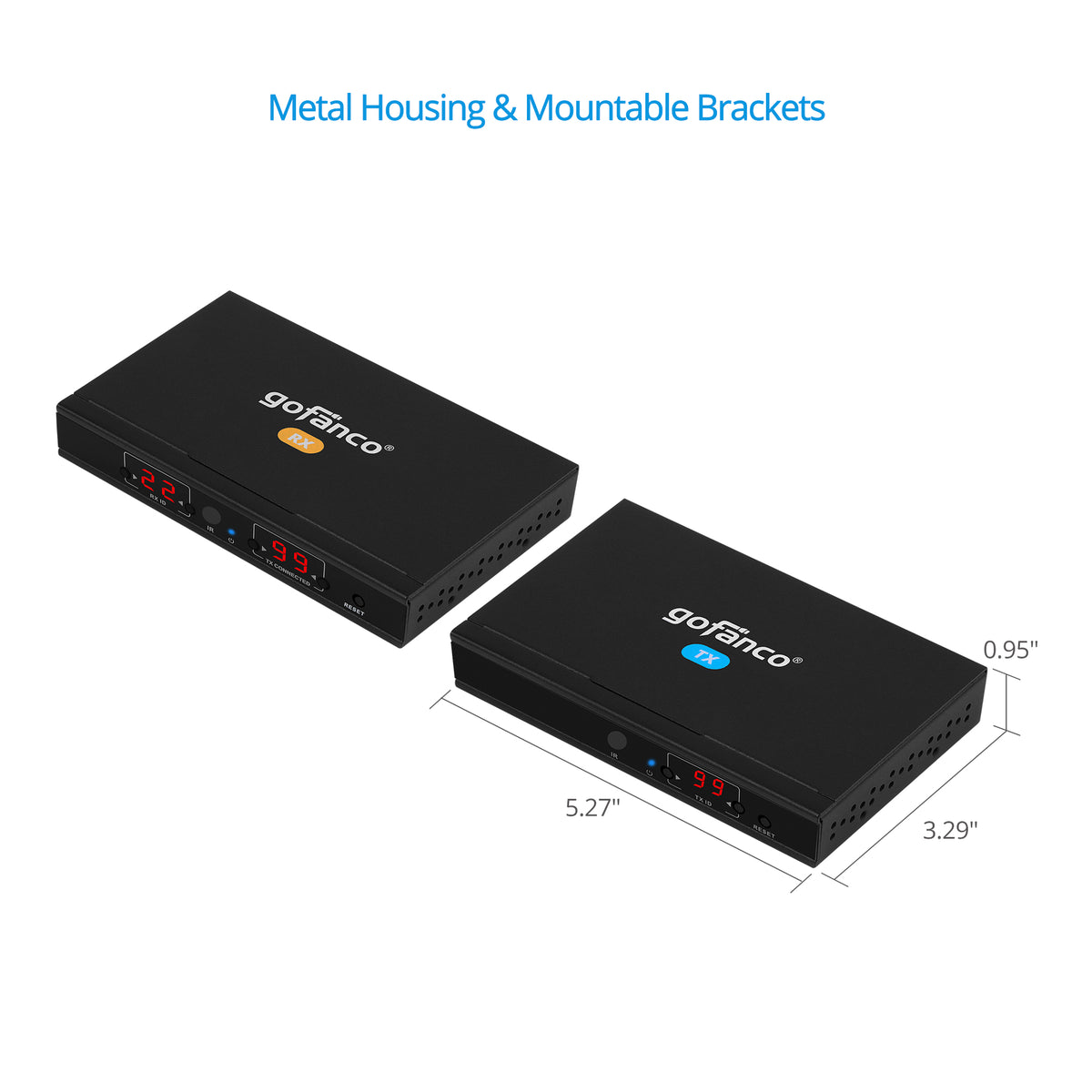
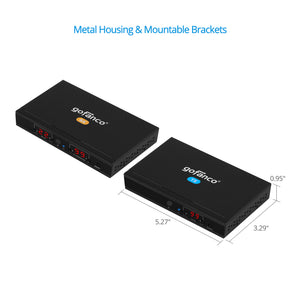
- Dimension: TX/RX: 5.27″(W) x 0.94″(H) x 3.30″(D)
- Weight: TX/RX:0.58 lbs
- Power Adapter: AC100 - 240V 50/60Hz, Output: 5V/2A(TX/RX)
- Housing Material / Color: Metal / Black color
Connection
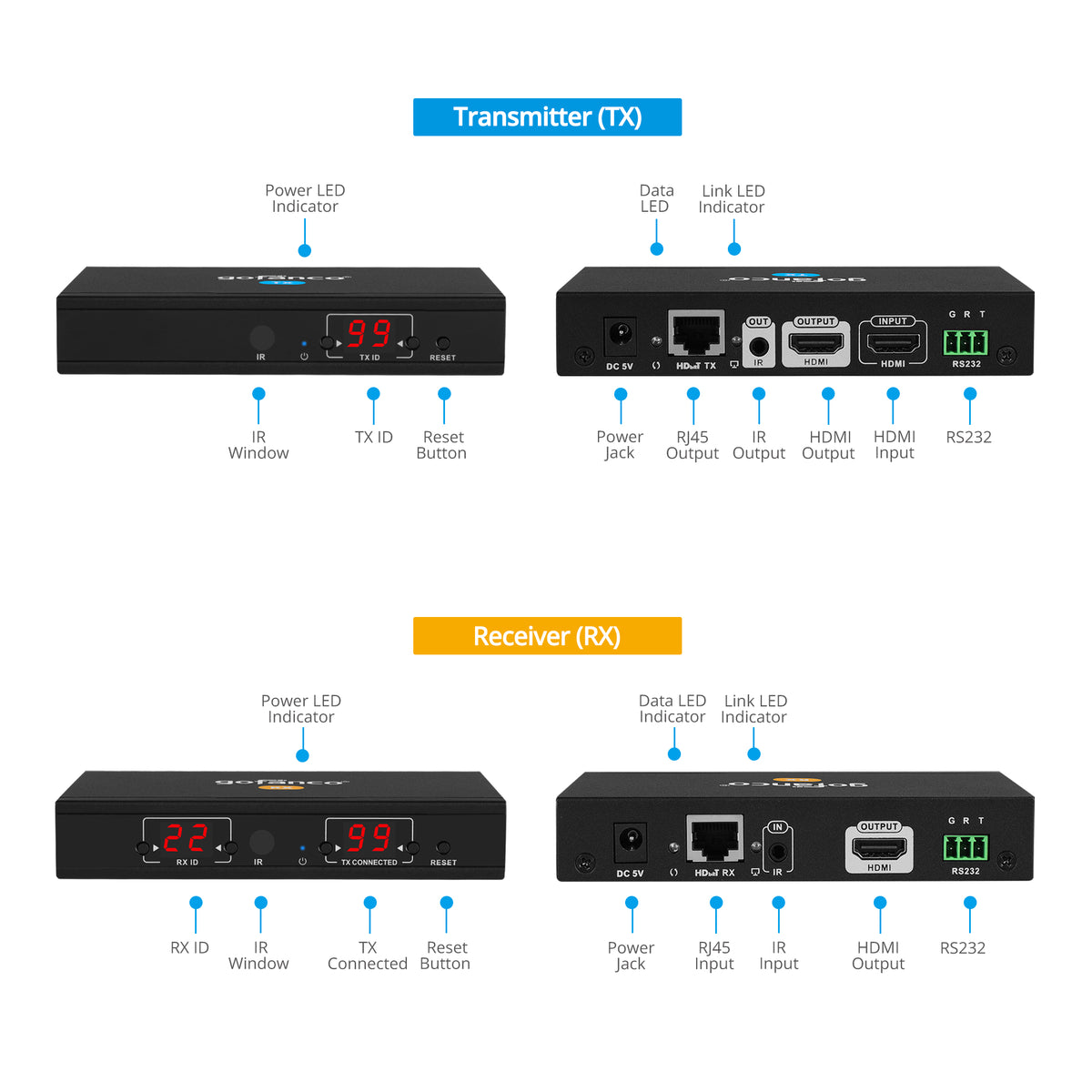
TX
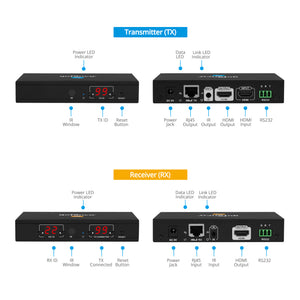
- 1x 3.5mm jack, IR Out
- 1x 8-pin RJ45, Output
- 2x 19-pin HDMI, Input/Output
- 1x Power jack
- 1x Reset button
- 1x 3-Pin Terminal Block, RS232
RX
- 1x 19-pin HDMI, Output
- 1x 3.5mm jack, IR In
- 1x 8-pin RJ45, Input
- 1x Power jack
- 1x Reset button
- 1x 3-Pin Terminal Block, RS232
Features
- Transmits HDMI signals from source device to display device up to 120 meters using economical Cat5e/6 cabling
- Supports IR remote control function to control the source device from long distances
- Offers scalable matrix configuration, combining up to 40 TX/RX units (5 TX's max). Additional Transmitter units (part# HDExtIPv2-TX) and Receiver units (part# HDExtIPv2-RX) are sold separately
- Supports up to 1080p60Hz resolution
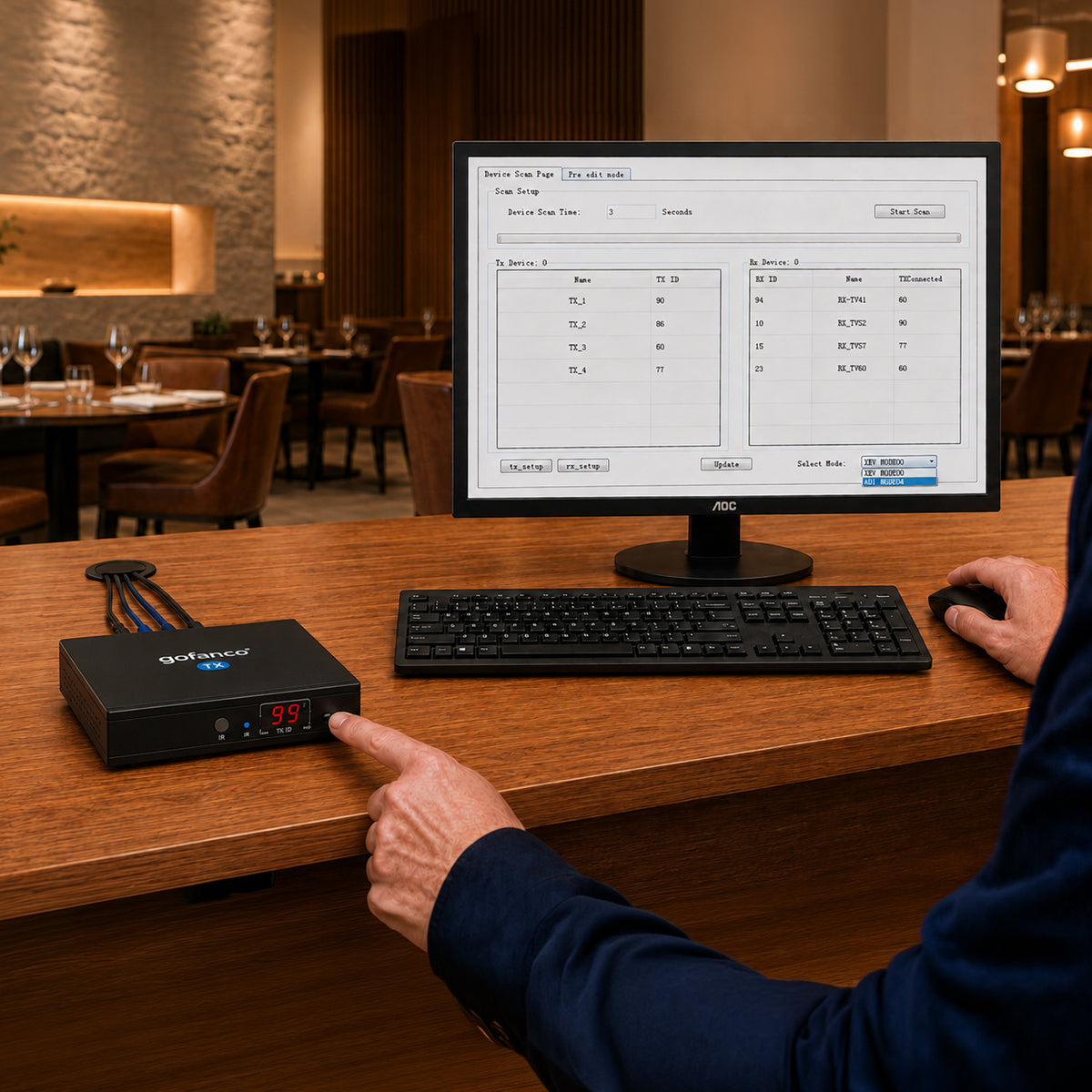
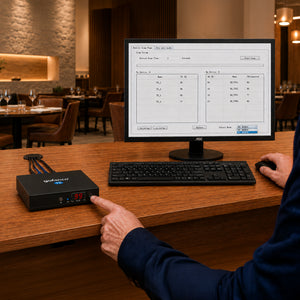
- Allows computer software control, remote control, or push button control, to select/ switch between HDMI source devices
- Supports RS232 passthrough
Standard
- UPC:818354-023008
- Operation Temperature: 32 to 140 degrees F
- Storage Temperature: -4 to 158 degrees F
- Relative humidity: 20 to 90% RH (non-condensing)
- Regulatory approvals: FCC / CE / RoHS
- Limited One-Year Warranty and Lifetime Product Support
- Country of origin: China
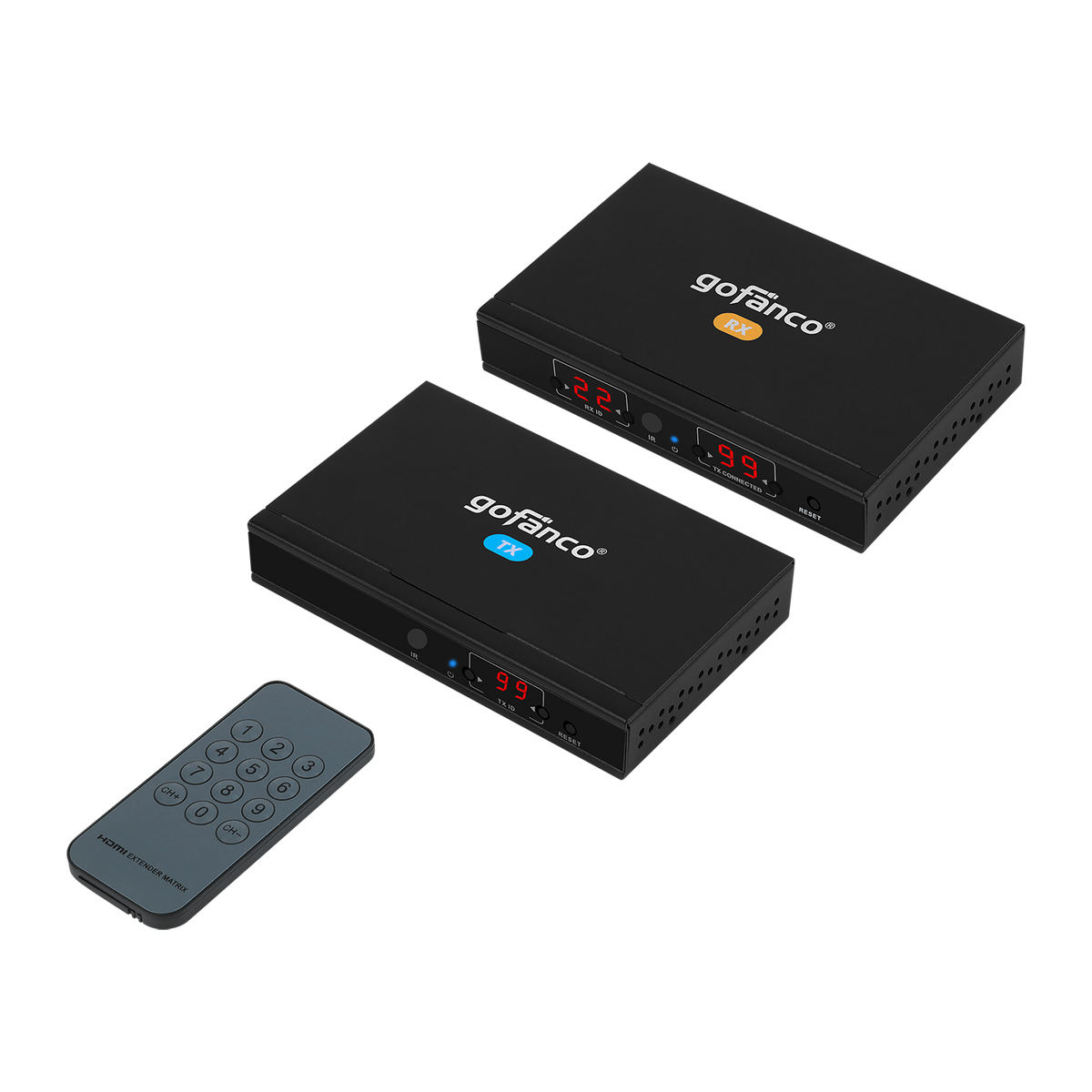
- HDMI IP Extender Kit 1080p – 120m
- IR TX cable
- IR RX cable
- Power adapters 5V/2A (2)
- Remote control
- 3-pin Phoenix connector
- Surface mounting accessories
- User’s Guide

The TV displays "Waiting for connection"
- Please check the power supply of both transmitter and receiver is connected and powered on.
- Please check the receiver's TX Connected ID matches the transmitter's TX ID.
- Please make sure all of the transmitter's TX IDs are different.
- Check whether the HDMI cables are connected properly and are in good working condition
- Make sure the resolution of the display is compatible with the splitter’s resolution
TV displays "Please check the transmitter input signal"
- Check HDMI source signal input. Connect the HDMI source directly to the display to verify the signal output.
- Check the HDMI cable connection or use a different HDMI cable.
The remote display is not stable:
Please make sure the switch/router and LAN are IGMP compliant and functioning.