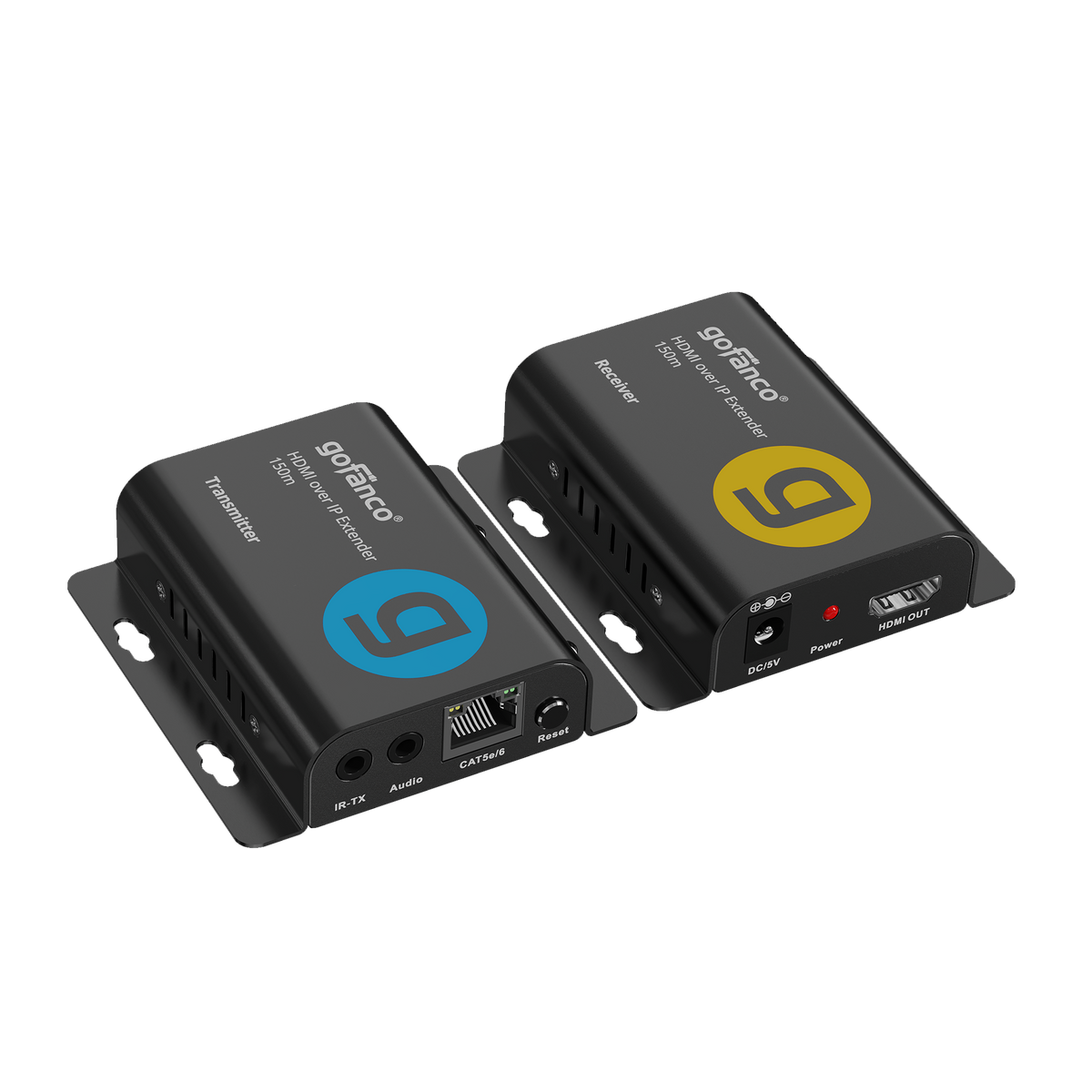




Extenders: EXHDIP-150
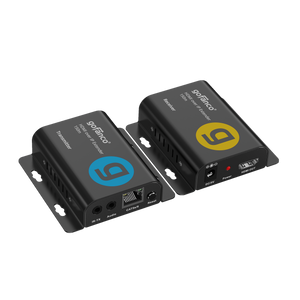
Full HD HDMI Over IP Extender - 150m - 1080p 60Hz
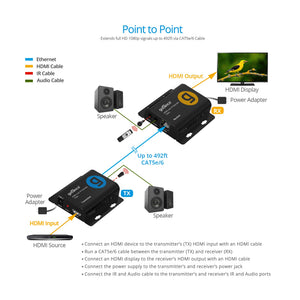
Transmit HDMI signals up to 492ft over cat5e/6 Features IR Control, Audio Extraction, Supports One-to-Many, Plug and Play

Video/Audio Extender

Distance up to 150m

TCP/IP Protocol

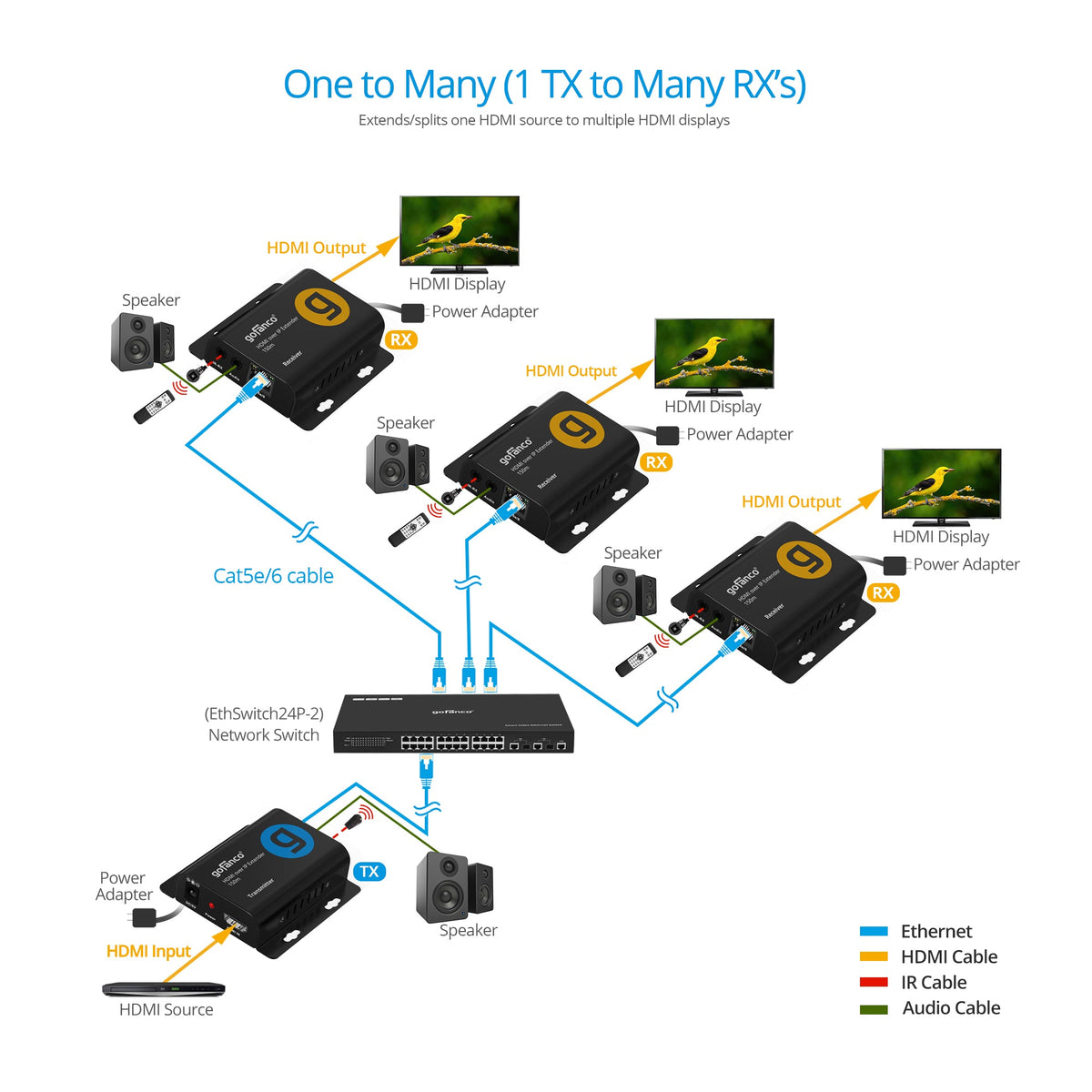
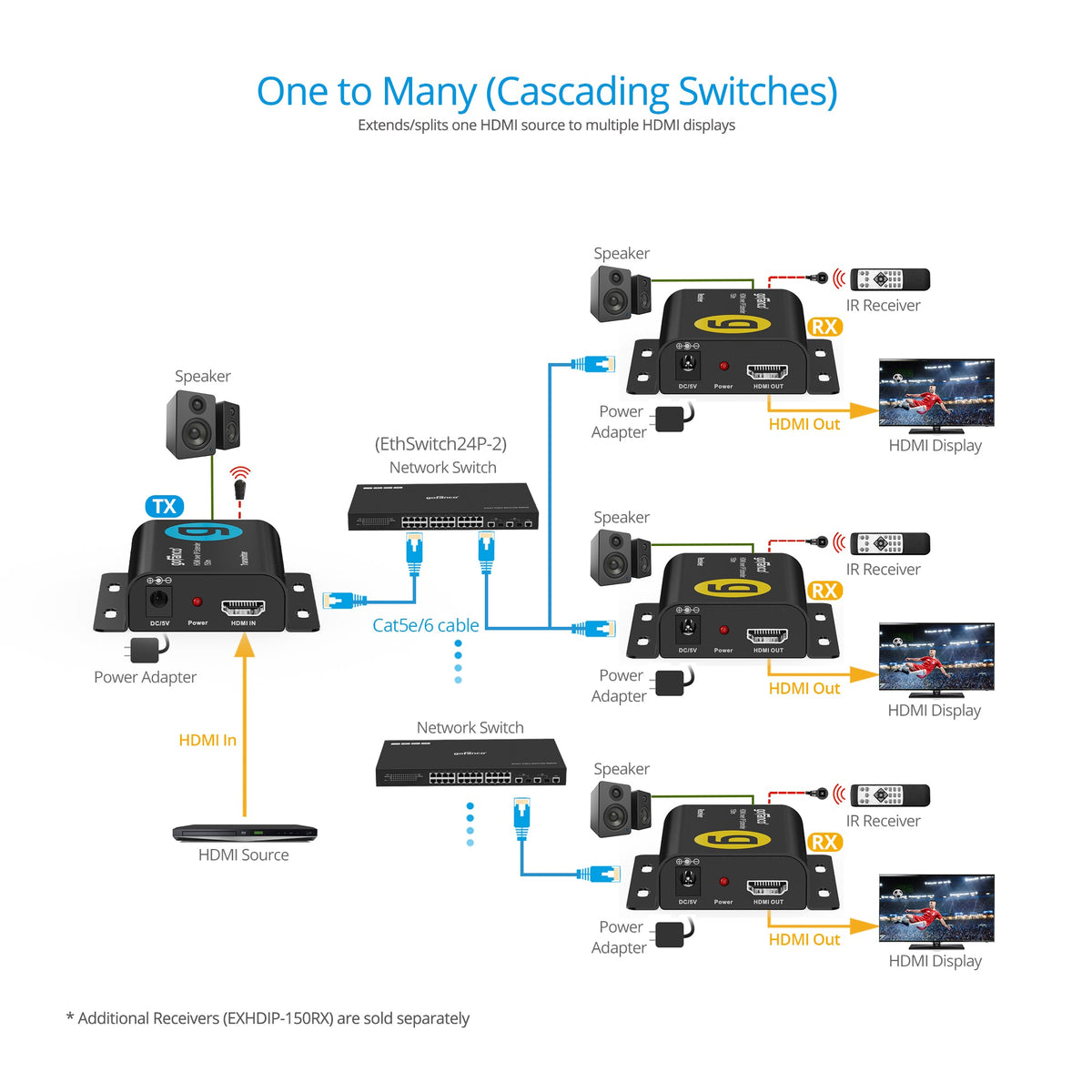
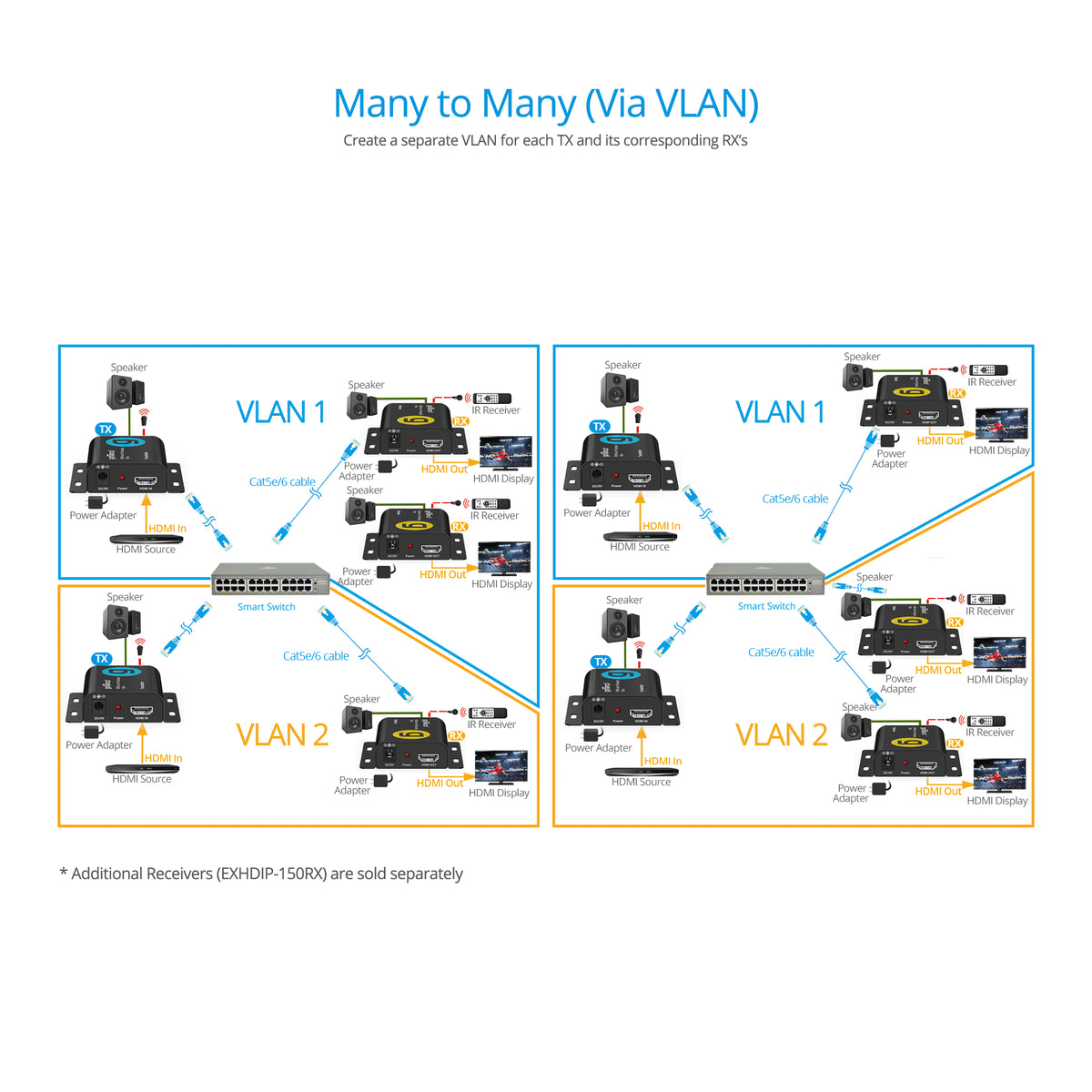
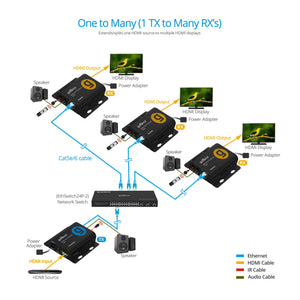
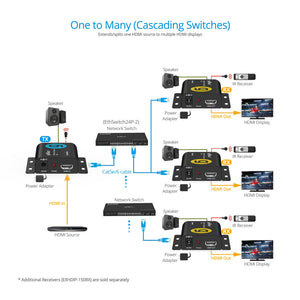
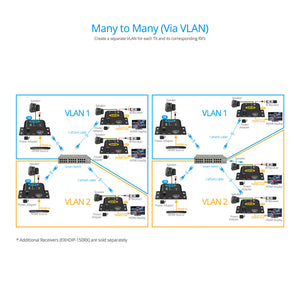
1 to 1 / 1 to Many

Audio Extraction

Full HD HDMI Over IP Extender
Professional HDMI Over IP Extender 492ft System


Comparison Table
Full HD HDMI Over IP Extender - 150m - 1080p 60Hz
Sale price$70.99
HDMI IP Extender Kit 1080p – 120m
Sale price$148.99
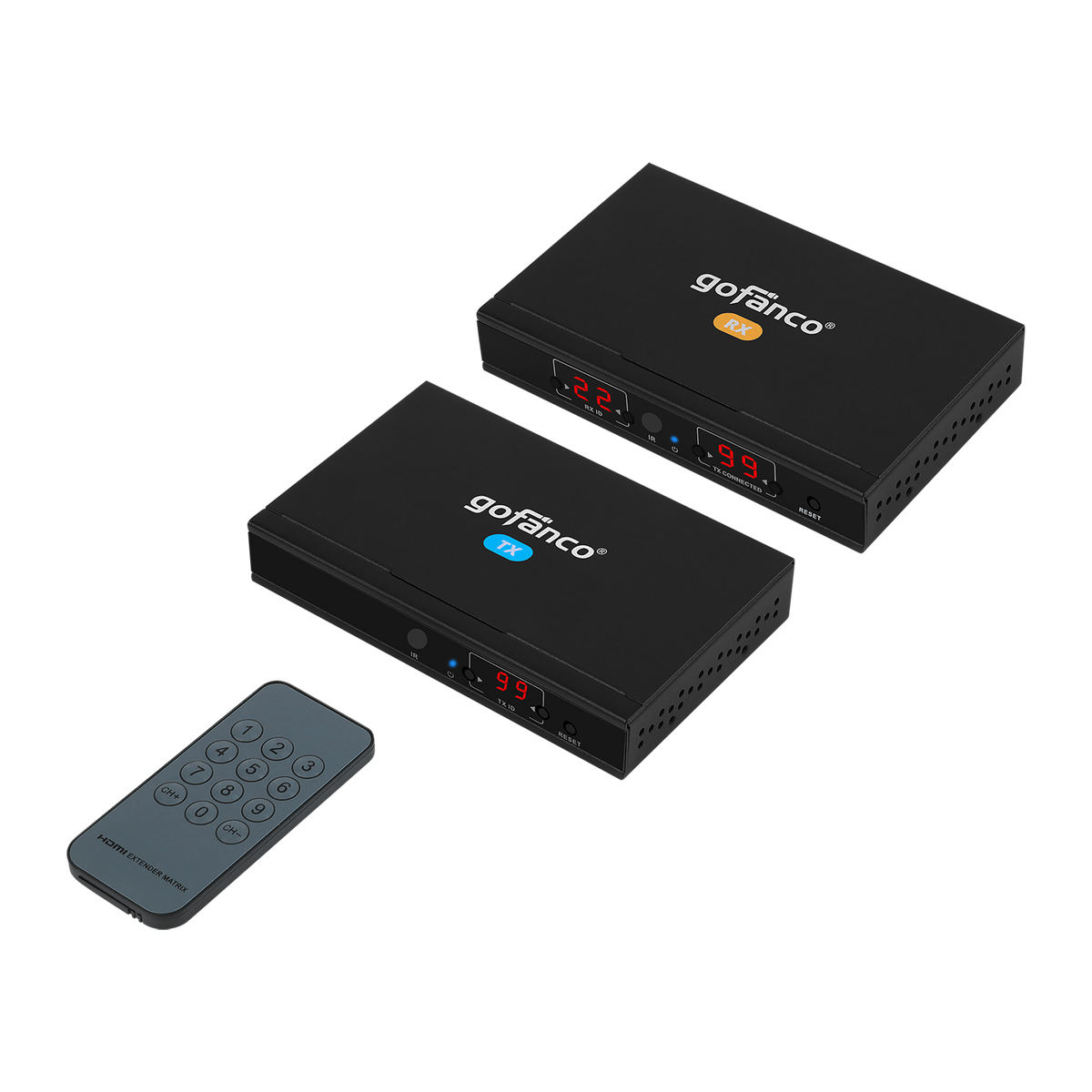
HDMI Over IP Extender 4K60Hz – 100m
Sale price$209.99
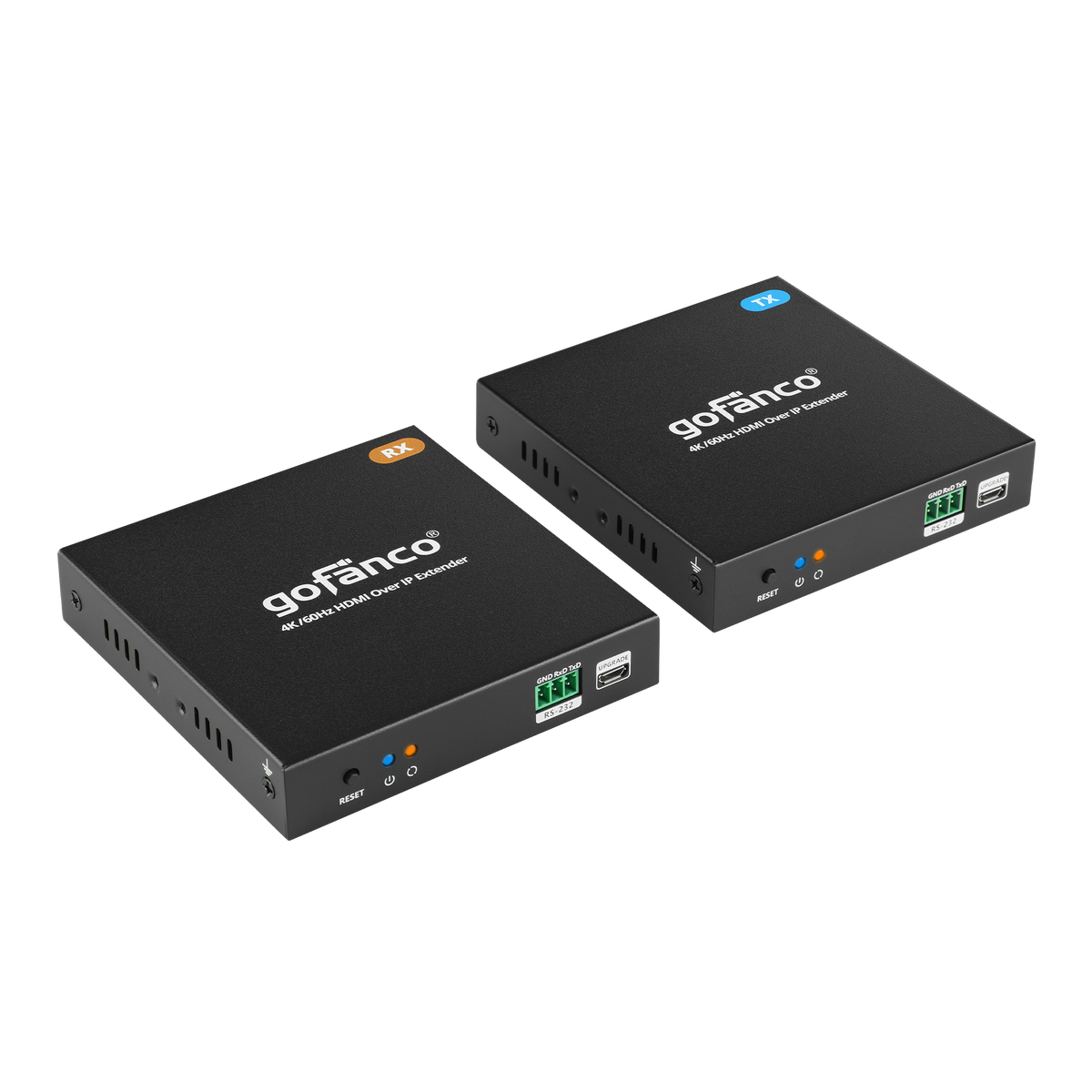
Specification
- Compliant with HDMI 1.3 HDCP 1.2 specification
- Video resolution: 480p,576p,720p,1080i, 1080p 24/50/60Hz
- Bandwidth: 4.95Gbps / 165MHz (4.95Gbps all channels)
- Transmission distance: Up to 150m for 1080p 60Hz
- Audio Format: PCM 2ch
- IR Remote Control: Supportss 20-60KHz wide frequency remote control
- Protocol: TCP/IP network standard
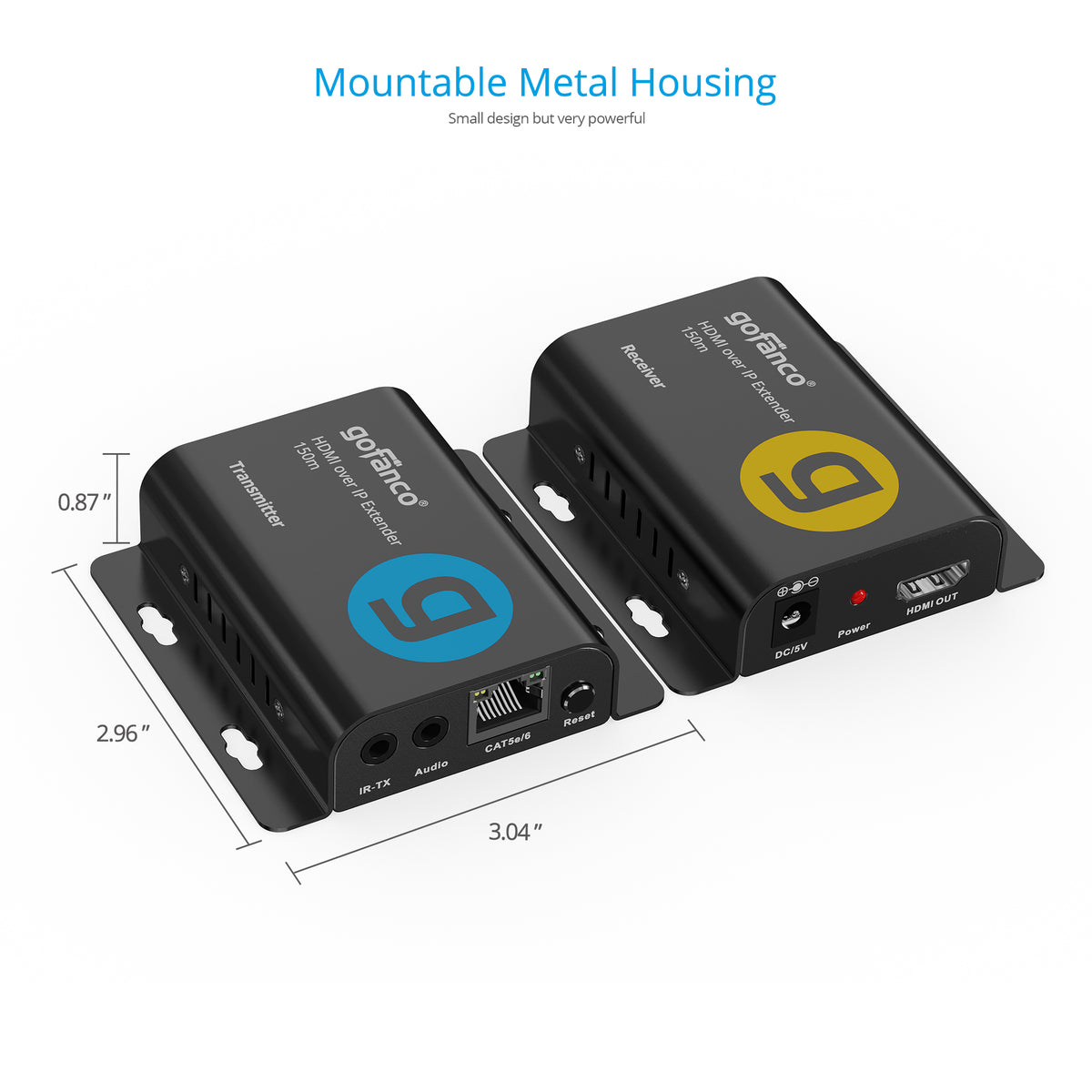
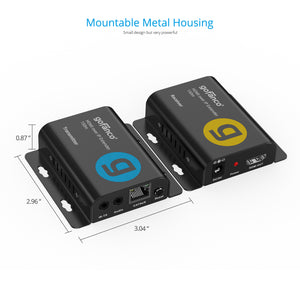
- Dimensions: 3.04" (W) x 0.87" (H) x 2.96" (D) (TX/RX)
- Weight: 0.26 lbs (TX/RX)
- Input: 100-240V AC, 50/60 Hz
- Output: DC 5V/1A
- Housing Material / Color: Metal / Black color
Connection
TX:
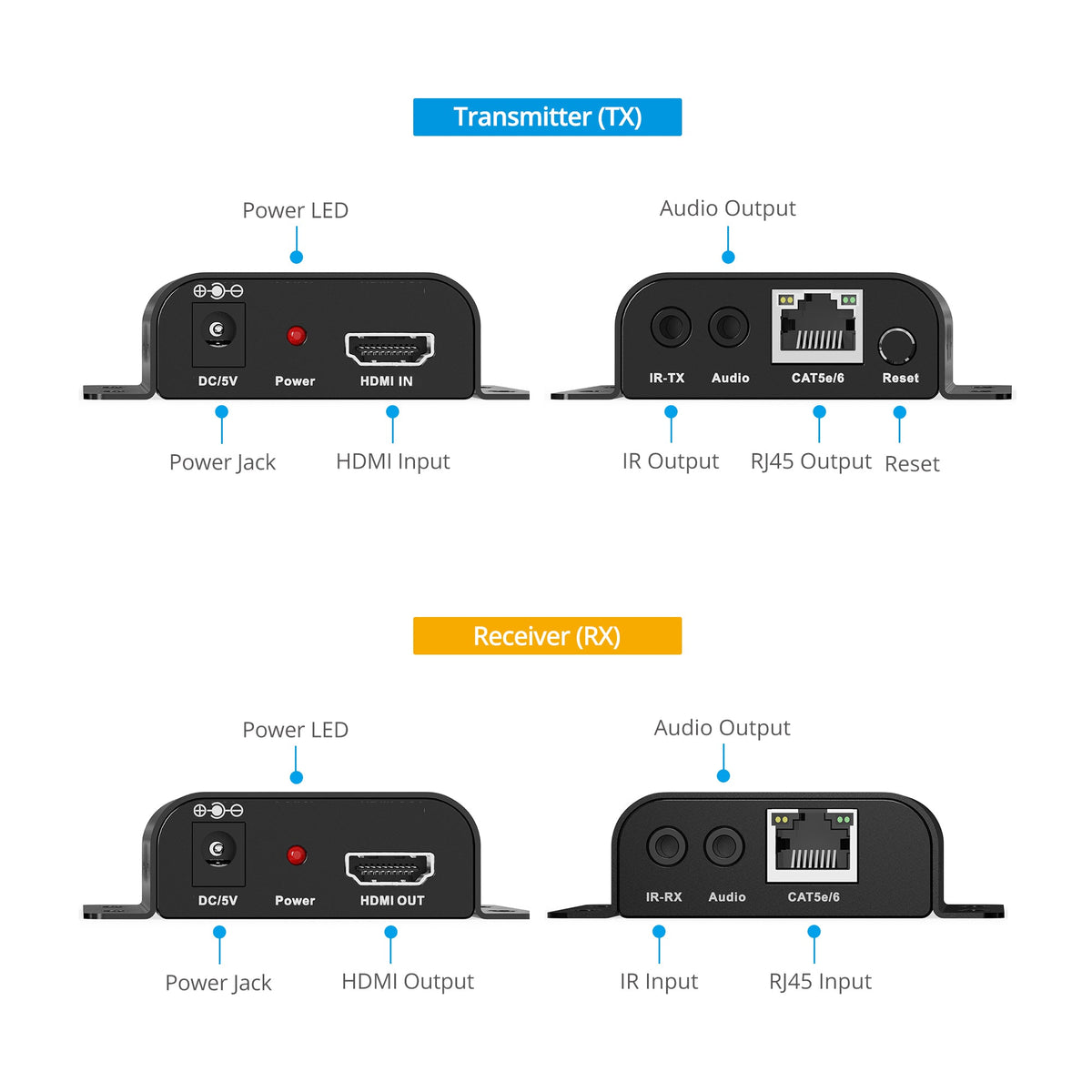
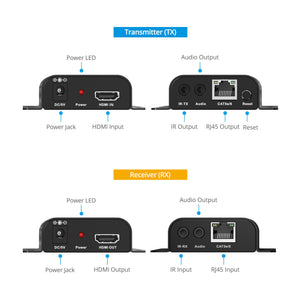
- 1x 19-pin HDMI, Type A, Female, Input
- 1x 8-pin, RJ45 Output
- 1x 3.5mm audio Output
- 1x 3.5mm IR-TX Output
- 1x Reset Button
- 1x Power Jack
RX:
- 1x 19-pin HDMI, Type A, Female, Output
- 1x 8-pin RJ45, Input
- 1x 3.5mm audio Output
- 1x 3.5mm IR-RX Input
- 1x Power Jack
Features
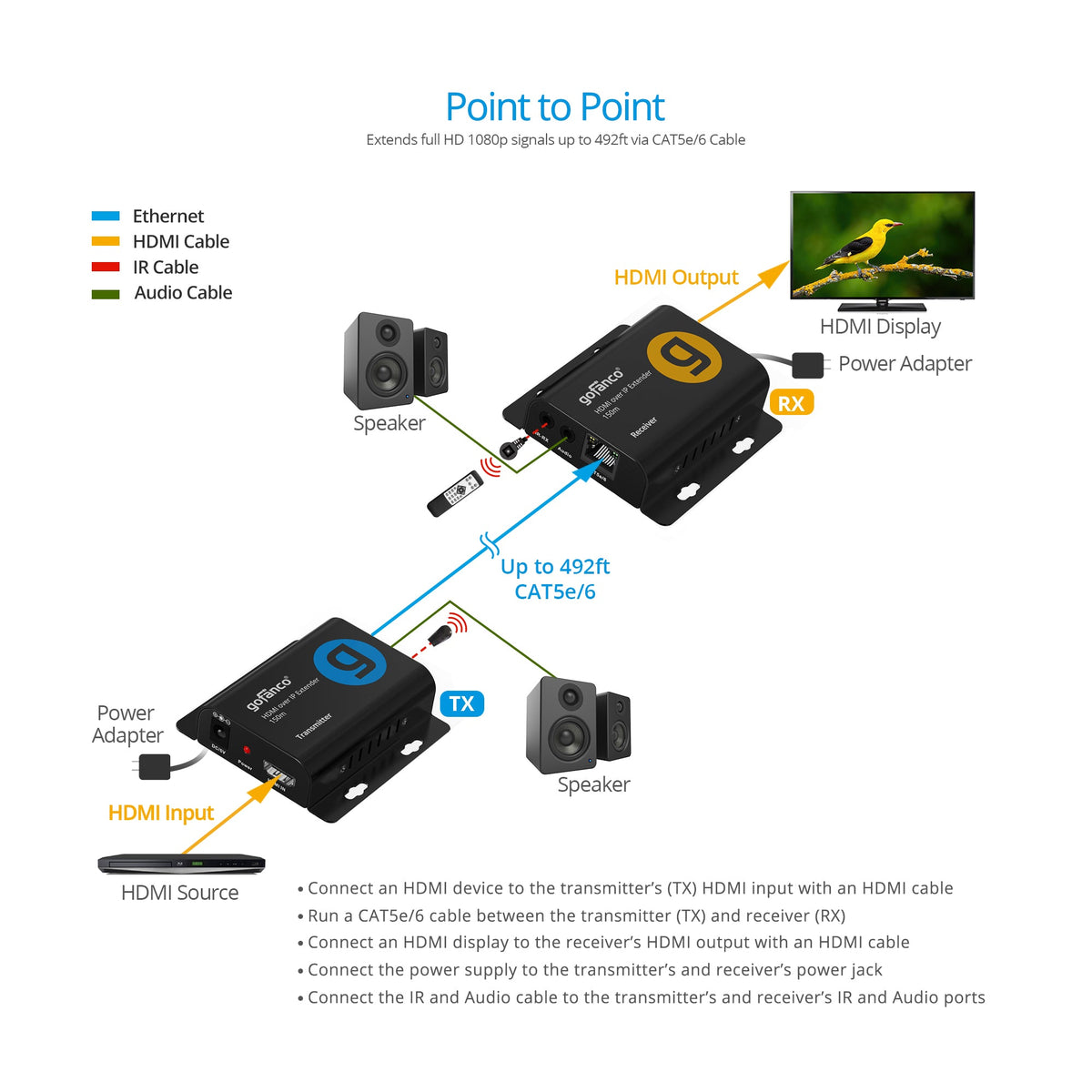
- Extends HDMI audio/video signals up to 492ft (150m)
- Supports resolutions up to 1080p 60Hz
- Direct 1-to-1 connection or 1-to-many over a dedicated Gigabit Ethernet switch or cascading switches
- Support stereo audio via 3.5mm jack on both TX & RX
- Supports IR signal extension
Standard
- UPC: 818354-023459
- Operation Temperature: 32 to 122 degrees F
- Storage Temperature: 14 to 158 degrees F
- Relative humidity: 10 to 80% RH (non-condensing)
- Regulatory approvals: FCC / CE / RoHS
- Limited One-Year Warranty and Lifetime Product Support
- Country of origin: China
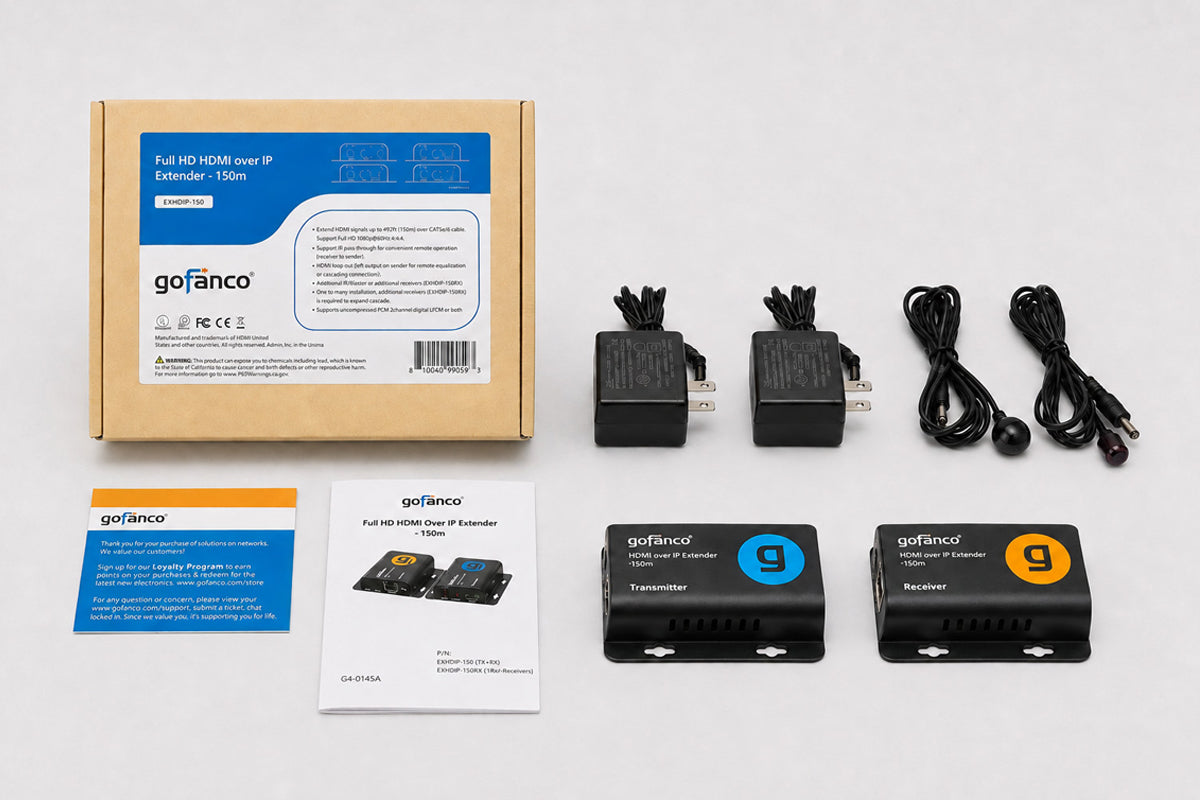
- Full HD HDMI Over IP Extender - 150m Kit
- Power adapter 5V/1A (2)
- IR emitter cable
- IR receiver cable
- User Manual
Manual
What if my display shows “Please check the TX and RX connection”on the screen?
- Please check if the power adapters of Transmitter (TX) and Receiver (RX) are connected and powered on.
- Check the network cable (CAT5e/6) is firmly connected between the TX and RX.
The remote display appear, “X” on the Transmitter X left:
- Please make sure the HDMI source device is connected to the Transmitter (TX) unit and powered on.
- Use different HDMI cables.
The remote display appear, “X” between Transmitter & Receiver:
Please check if the network cable is tight for connection
The extender is not working properly:
- Please check the cable lengths below:
- HDMI cables: Up to 5m.
- Network cables (CAT5e/6): Up to 150m.
- Press the reset button 5 sec on the Transmitter and reconnect.