
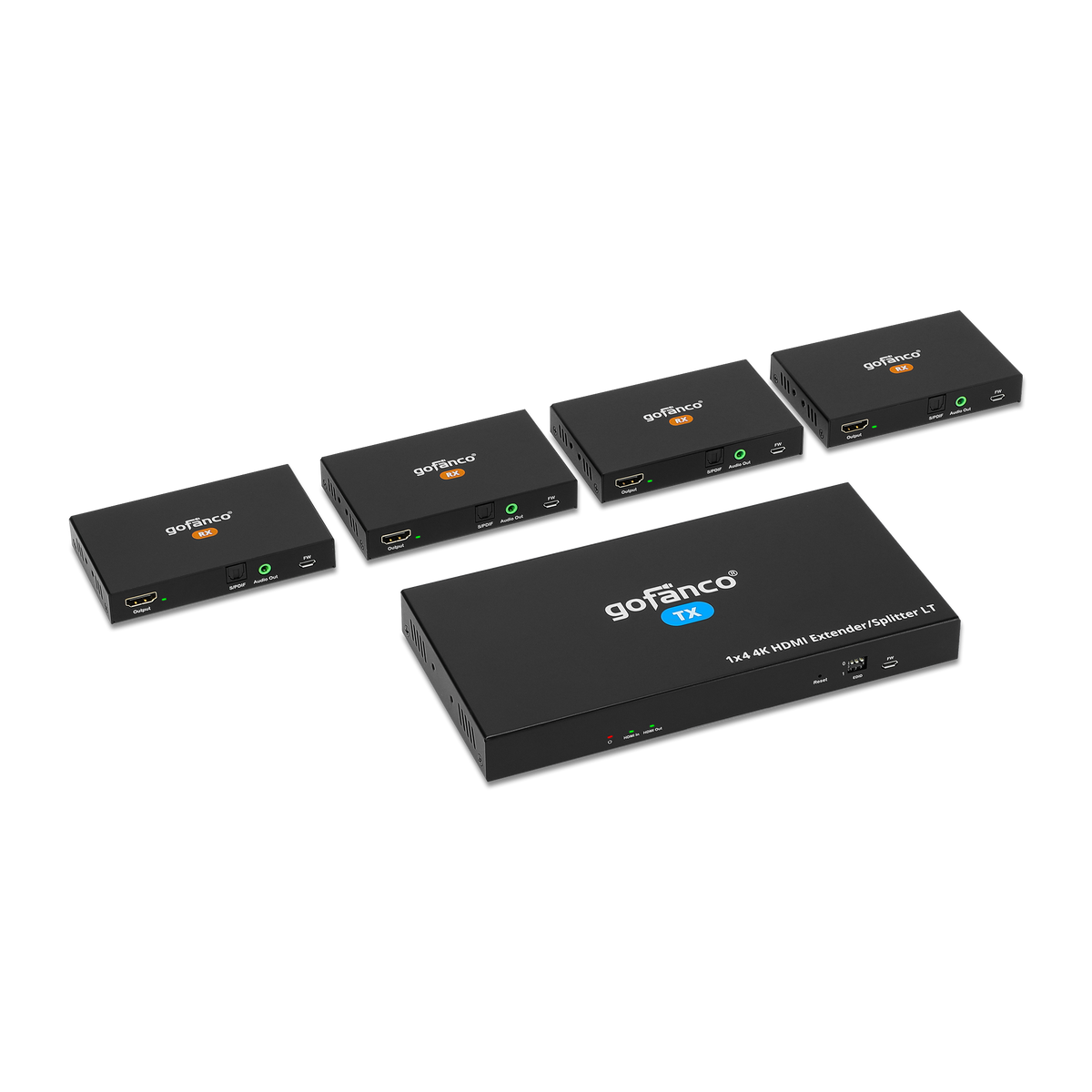




Splitters: HD20Ext4P-LT
1x4 HDMI 2.0 CAT Extender/Splitter - 60m (TX & 4x RXs)
Up to 197ft (60m), 4K 60Hz 4:4:4, HDR, HLG, HDCP 2.2/1.4, PoC, Dual IR, EDID, Loopout, 5.1ch Digital Audio, Audio Extraction, Mountable

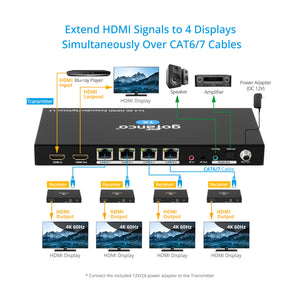
4K60Hz 1x4 Extender

Distance up to 60m

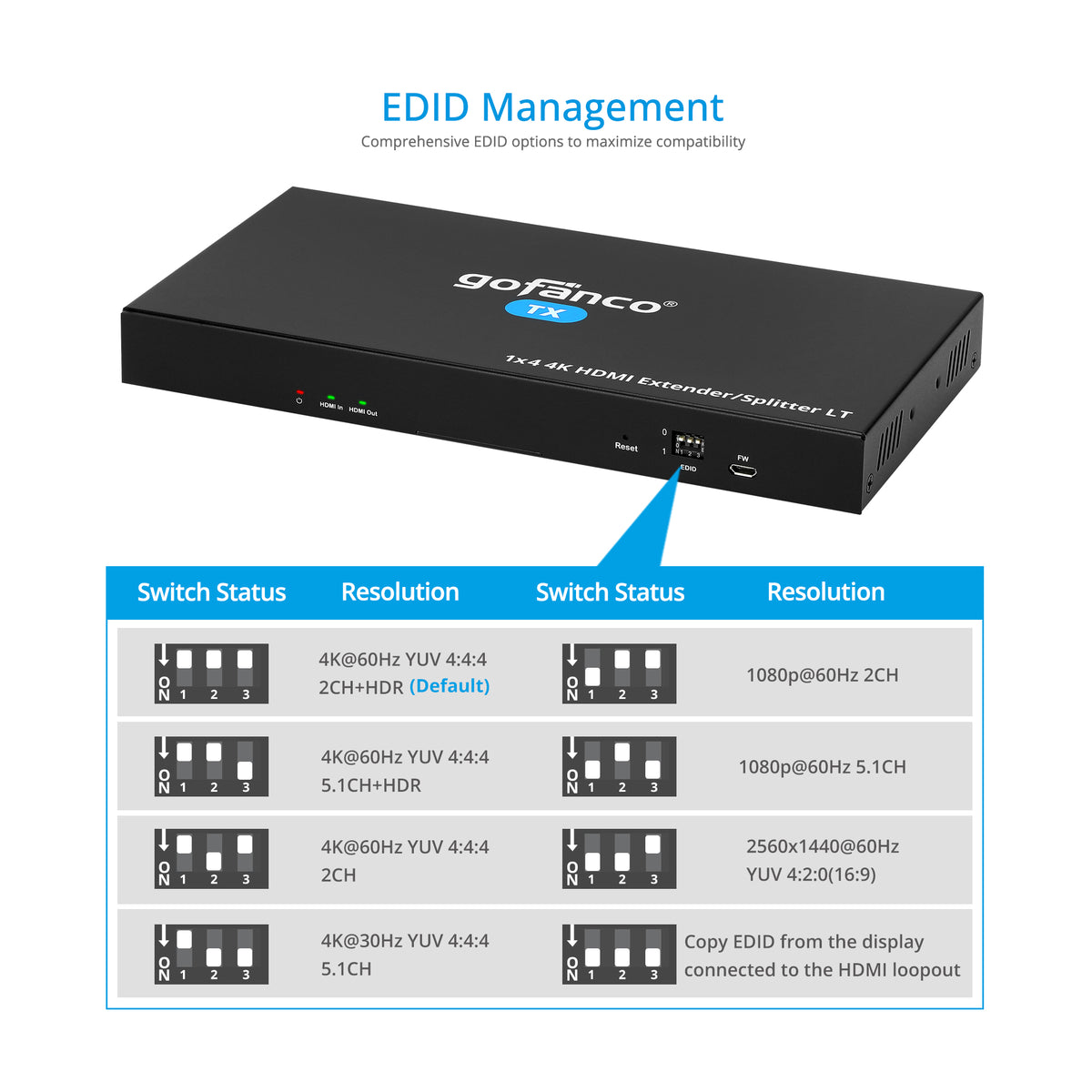
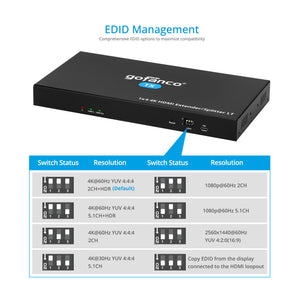
EDID Management

Power over Cable

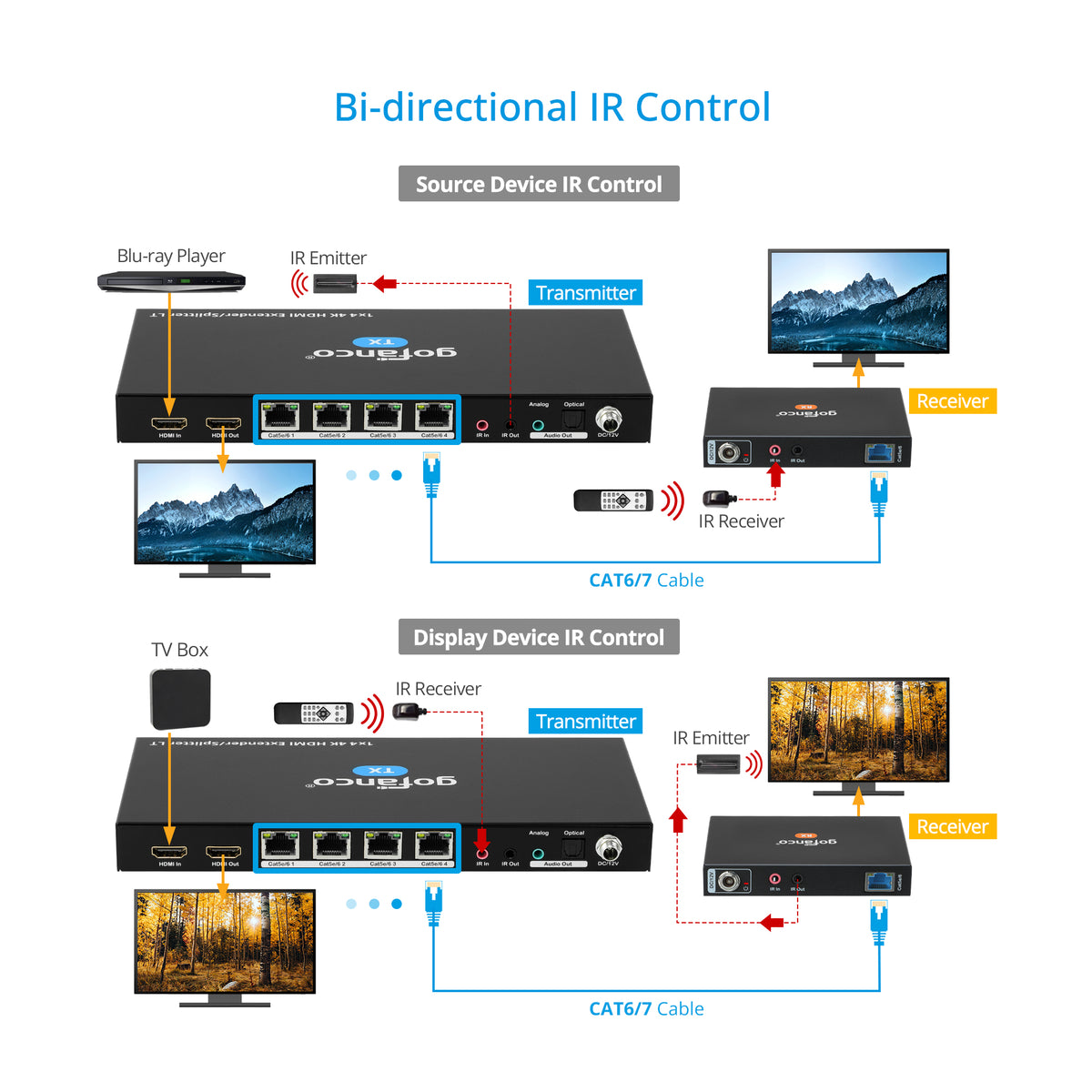
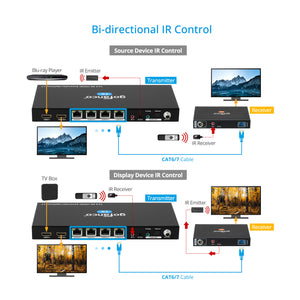
IR Bi-directional

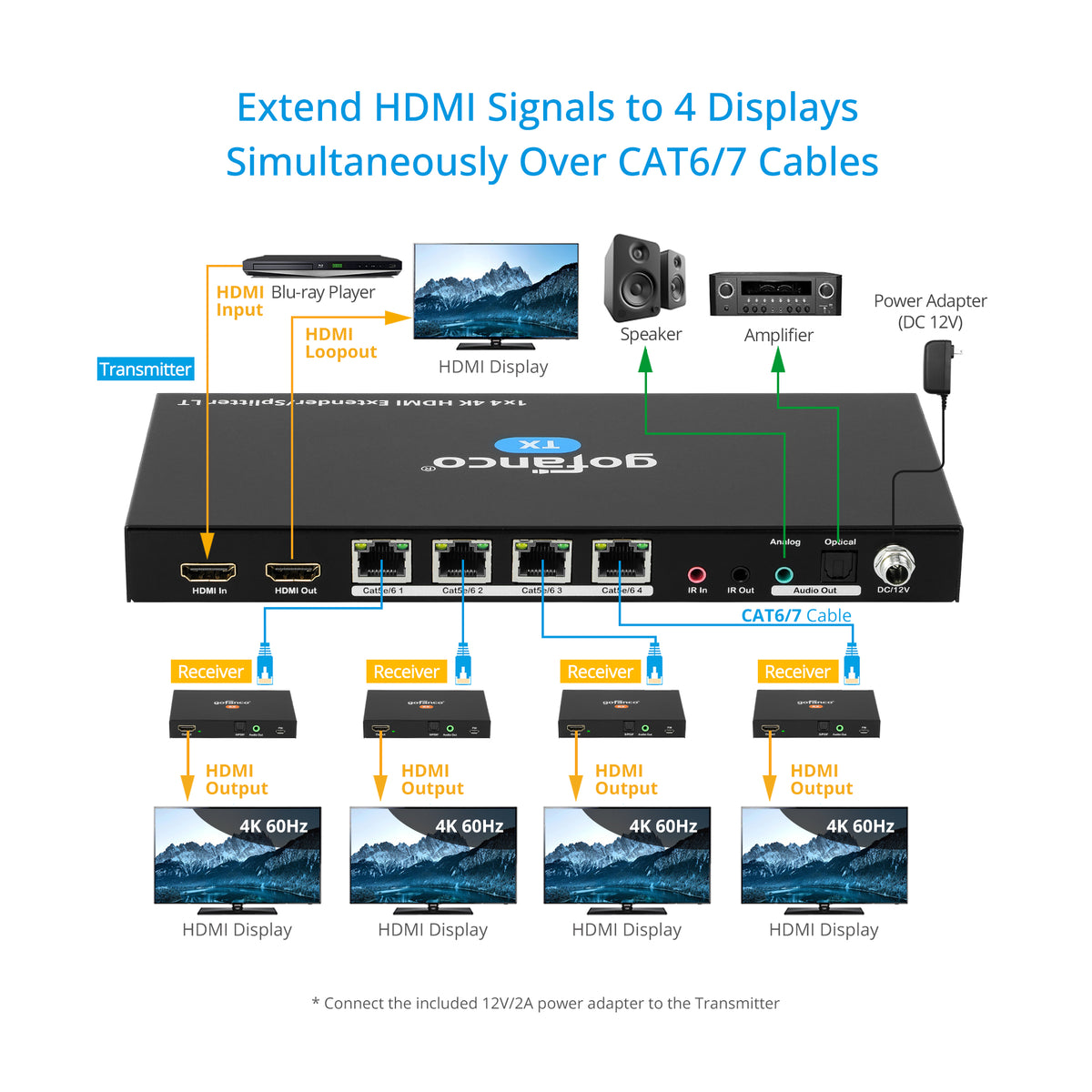
1x4 HDMI Extender and Splitter
4-Port 4K60Hz HDMI Extender Splitter with Audio


Comparison Table
1x4 HDMI 2.0 CAT Extender/Splitter - 60m (TX & 4x RXs)
Sale price$256.38
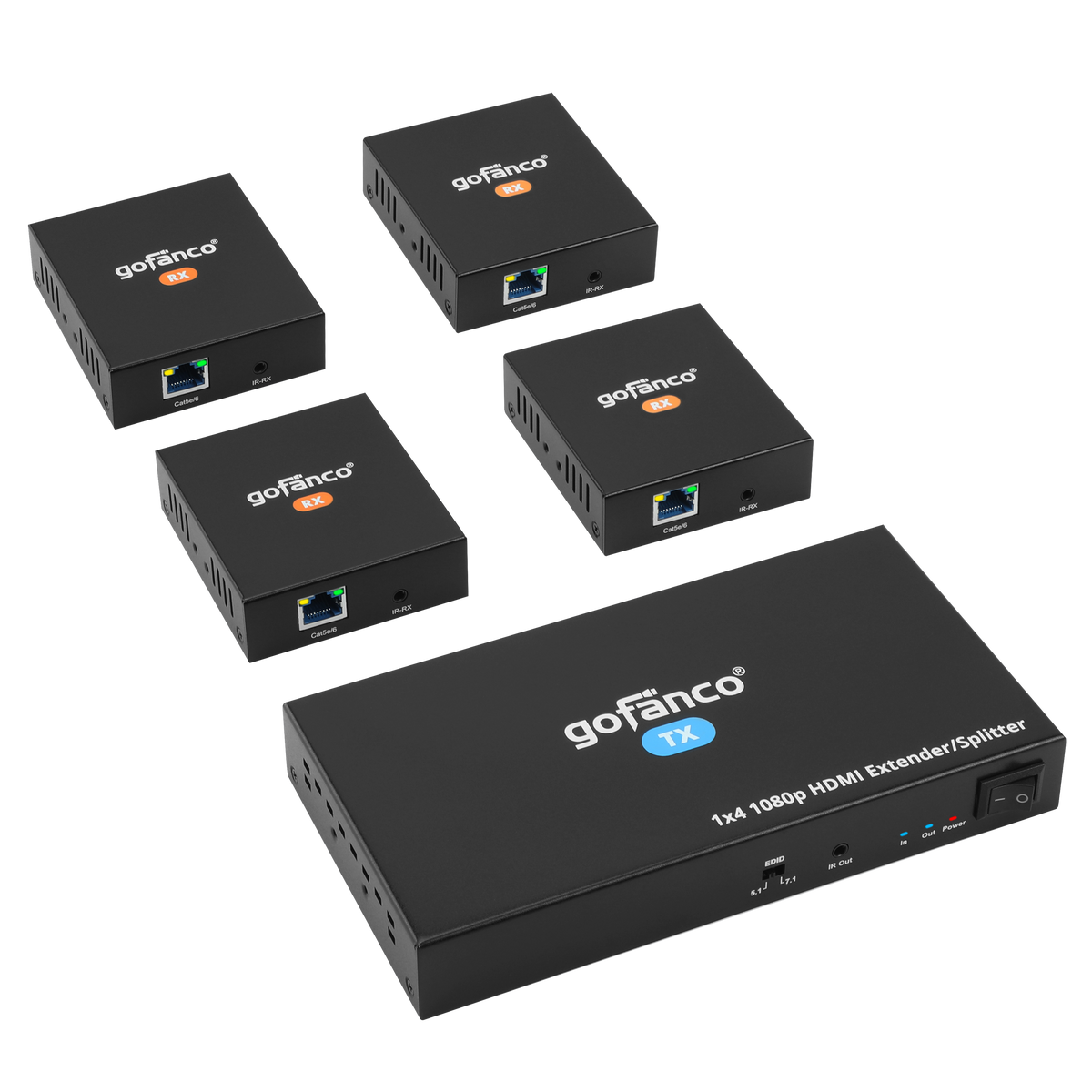
1080p 1x4 HDMI Extender/Splitter over CAT5e/6 with Loopout – 50M (v2.0)
Sale price$165.88
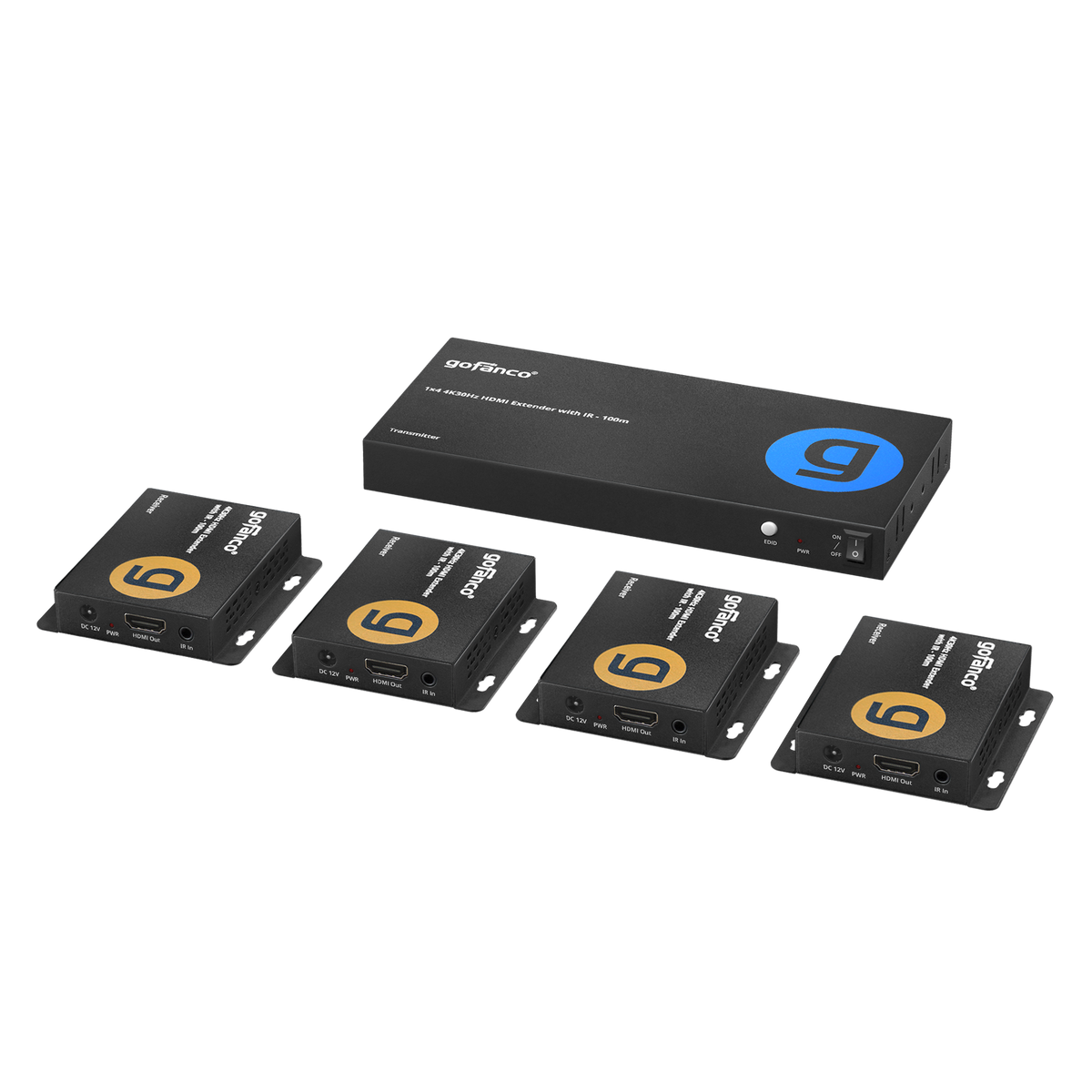
1x4 4K30Hz HDMI Extender with IR - 100M
Sale price$199.95
Specification
- Video bandwidth 18Gbps
- HDCP 2.2/1.4 compliant
- Resolutions: 720p / 1080p / 3840x2160 60Hz YUV 4:4:4, HDR, HLG
- Distance: Up to 197ft (60m)
- S/PDIF audio up to 5.1 ch
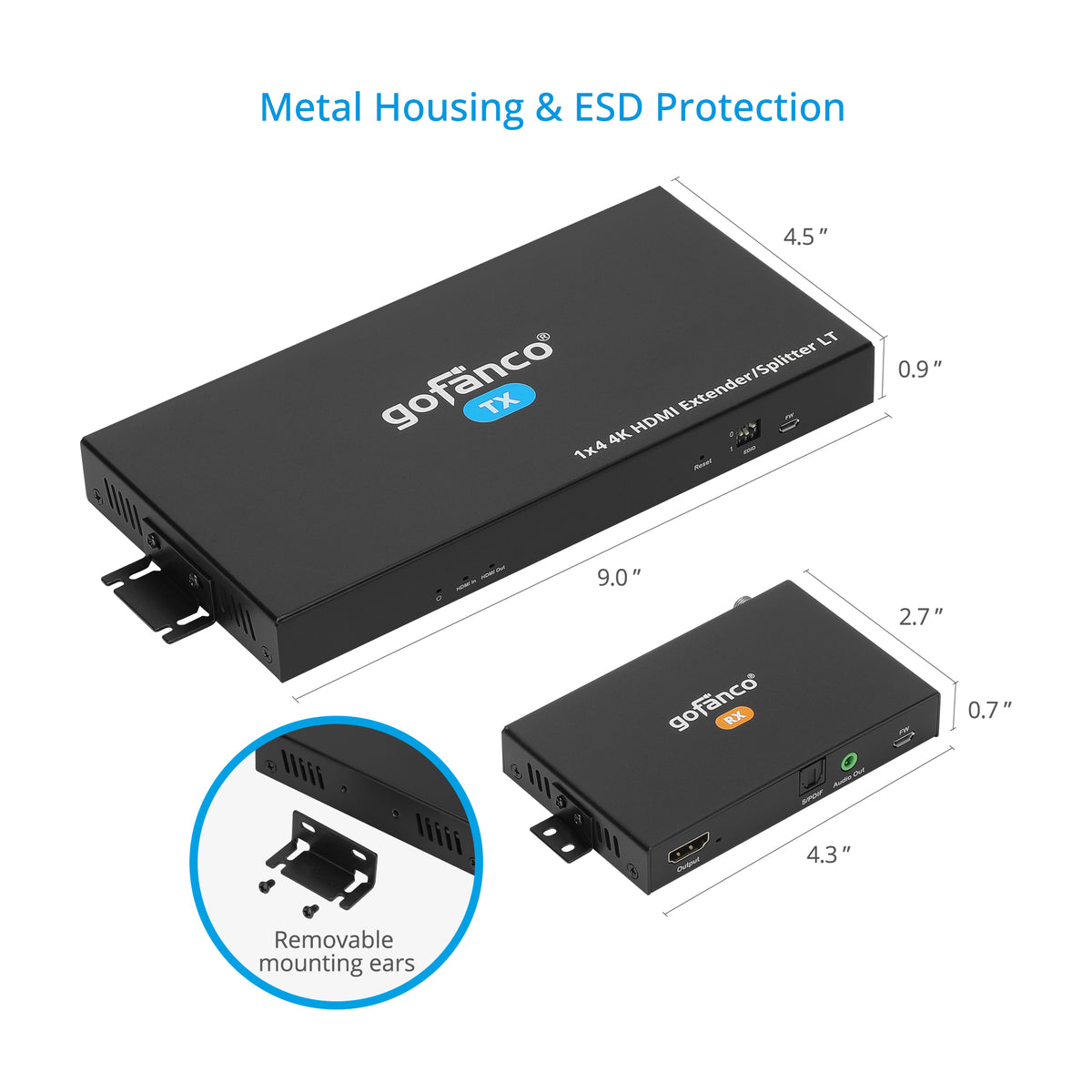
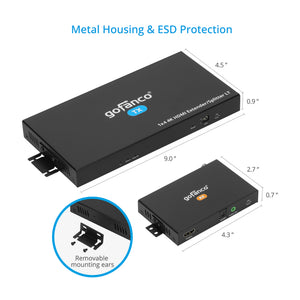
- Product Dimensions: TX: 9.04″(W) x 0.94″(H) x 4.45″(D) / RX: 4.34″(W) x 0.71″(H) x 2.69″(D)
- Weight: TX:1.46 lbs; RX: 1.78 lbs;
- Power Adapter: AC100 - 240V 50/60Hz, Output: 12V/2A
- Housing Material / Color: Metal / Black color
Connection
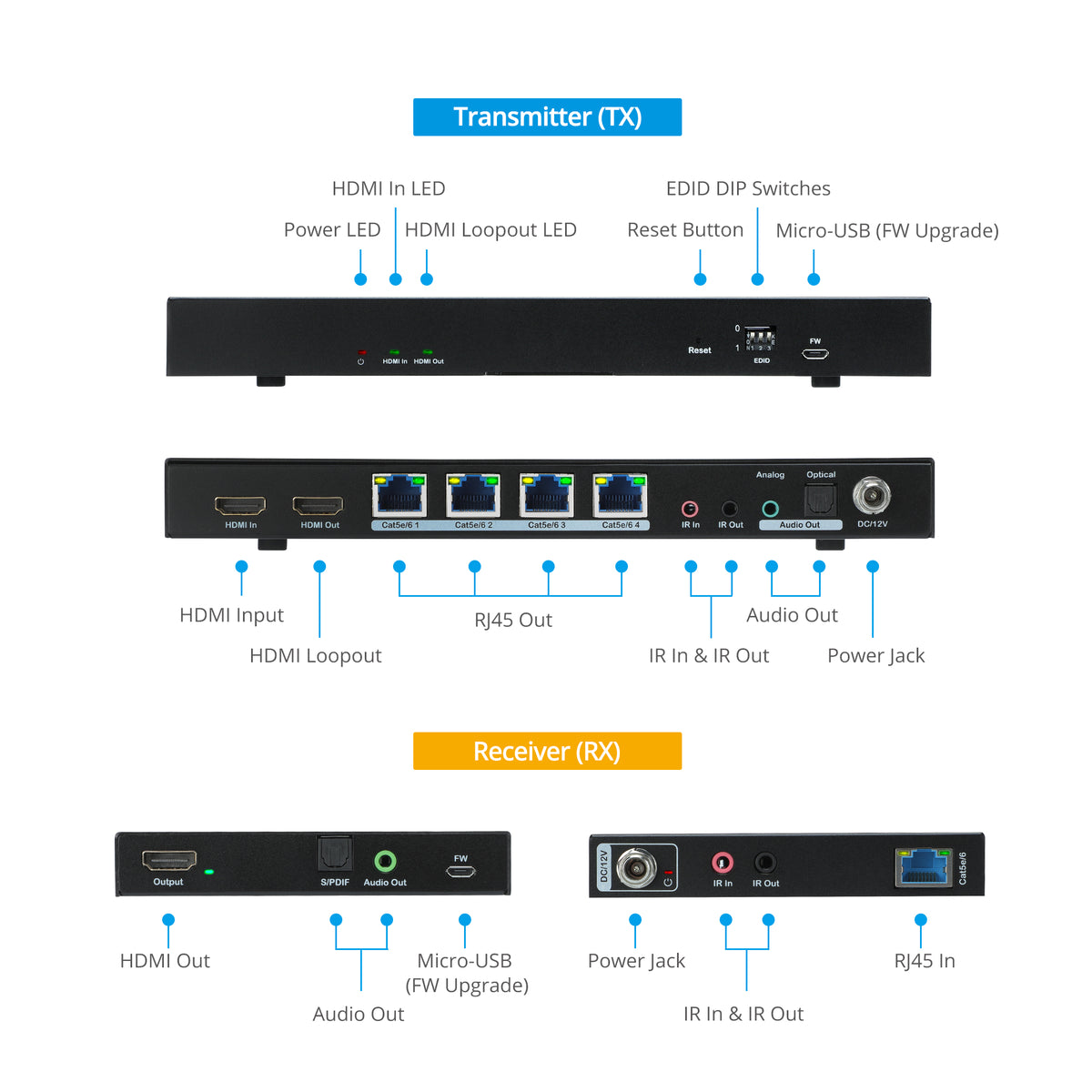
TX
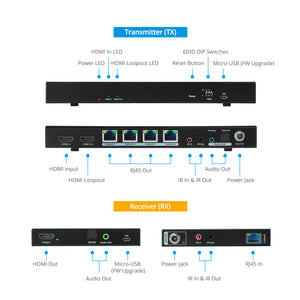
- 1x 5-Pin, Micro USB, FW update
- 1x 3-pin DIP Switch, EDID
- 2x 19-pin HDMI, Input/Output
- 4x 8-pin RJ45, Output
- 2x 3.5mm jack, IR In/Out
- 1x 3.5mm jack, Audio
- 1x S/PDIF, Audio
- 1x Power Jack
RX
- 1x 19-pin HDMI, Output
- 1x 8-pin RJ45, Input
- 1x 3.5mm jack, Audio
- 1x S/PDIF, Audio
- 1x Power Jack
- 1x 5-Pin, Micro USB, FW update
- 2x 3.5mm jack, IR In/Out
Features
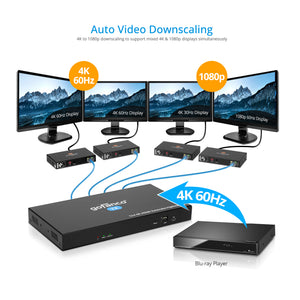
- Supports up to 4K60Hz YUV 4:4:4, HDR, HLG
- Supports up to 5.1ch digital audio and audio extraction to Toslink and Stereo
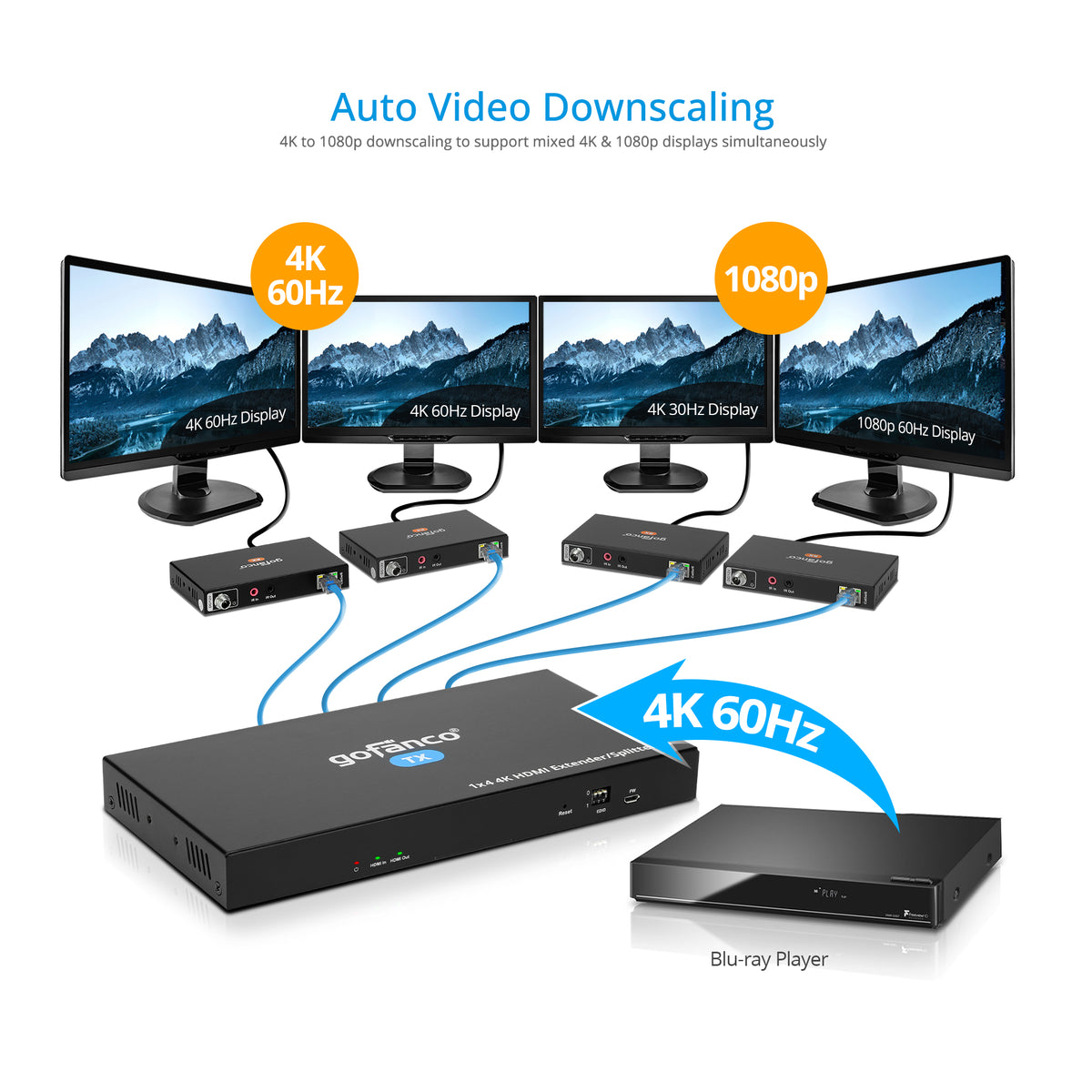
- 4K to 1080p auto downscale to support mixed 4K and 1080p displays simultaneously
- EDID management, bi-directional IR, and firmware upgradable
- Supports 20-60KHz one-way IR source device control from the receiver side
- TX powers the RX’s over CAT cables
- Equipped with factory reset button
Standard
- UPC: 818354-023268
- Operation Temperature: 23 to 104 degrees F
- Storage Temperature: -4 to 140 degrees F
- Relative humidity: 5 to 90% RH (non-condensing)
- Regulatory approvals: FCC / CE / RoHS
- Limited One-Year Warranty and Lifetime Product Support
- Country of origin: China
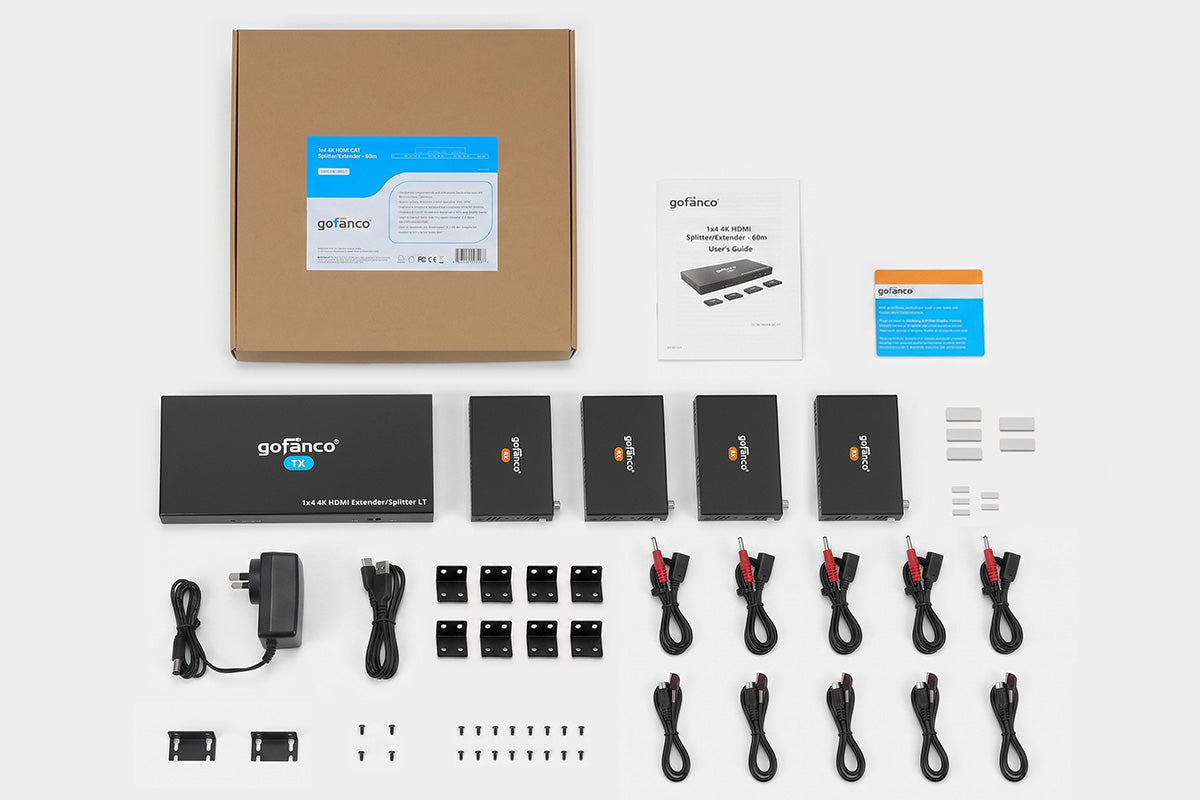
- 1x4 HDMI CAT Splitter/Extender 4K – 60m
- IR Blaster cables (5)
- IR RX cables (5)
- Power adapter (12V/2A)
- Surface mount accessories
- USB cable
- User’s Guide
Manual
Poor video quality or no video signal on display:
- Check whether the HDMI cables are connected properly and are in good working condition
- Make sure the resolution of the display is compatible with the splitter’s resolution
No HDMI signal output from the CAT6/7 connectors while the local HDMI out port is working normally:
- Check whether the HDMI cables are connected properly and are in good working condition
Splash screen on the displays:
- Caused by damaged or low quality HDMI cables. Change to a higher quality HDMI cable