
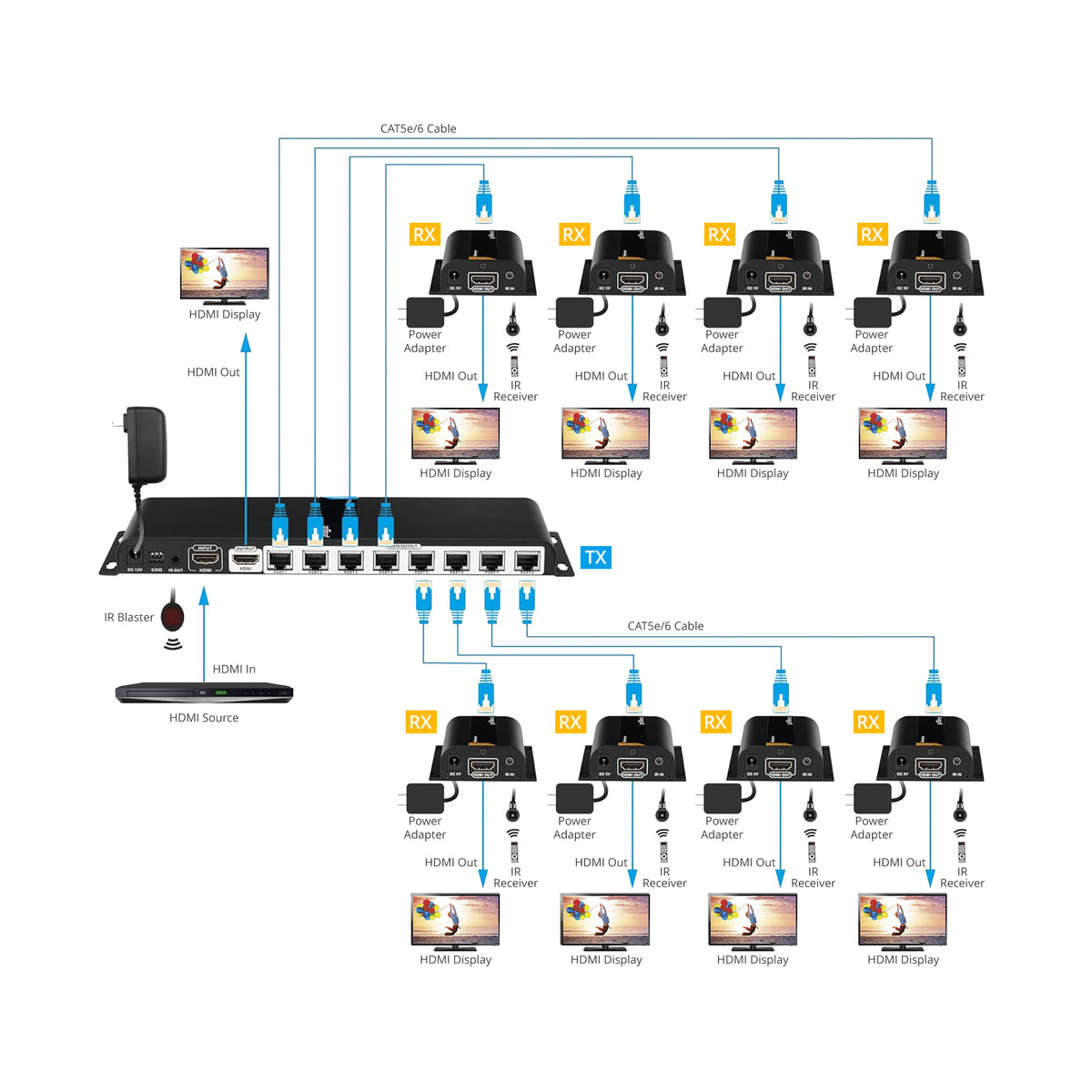


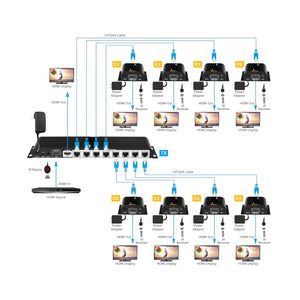
Splitters: HDMIExt8P
8-Port HDMI Extender/Splitter over CAT5e/6 with Loopout-40M
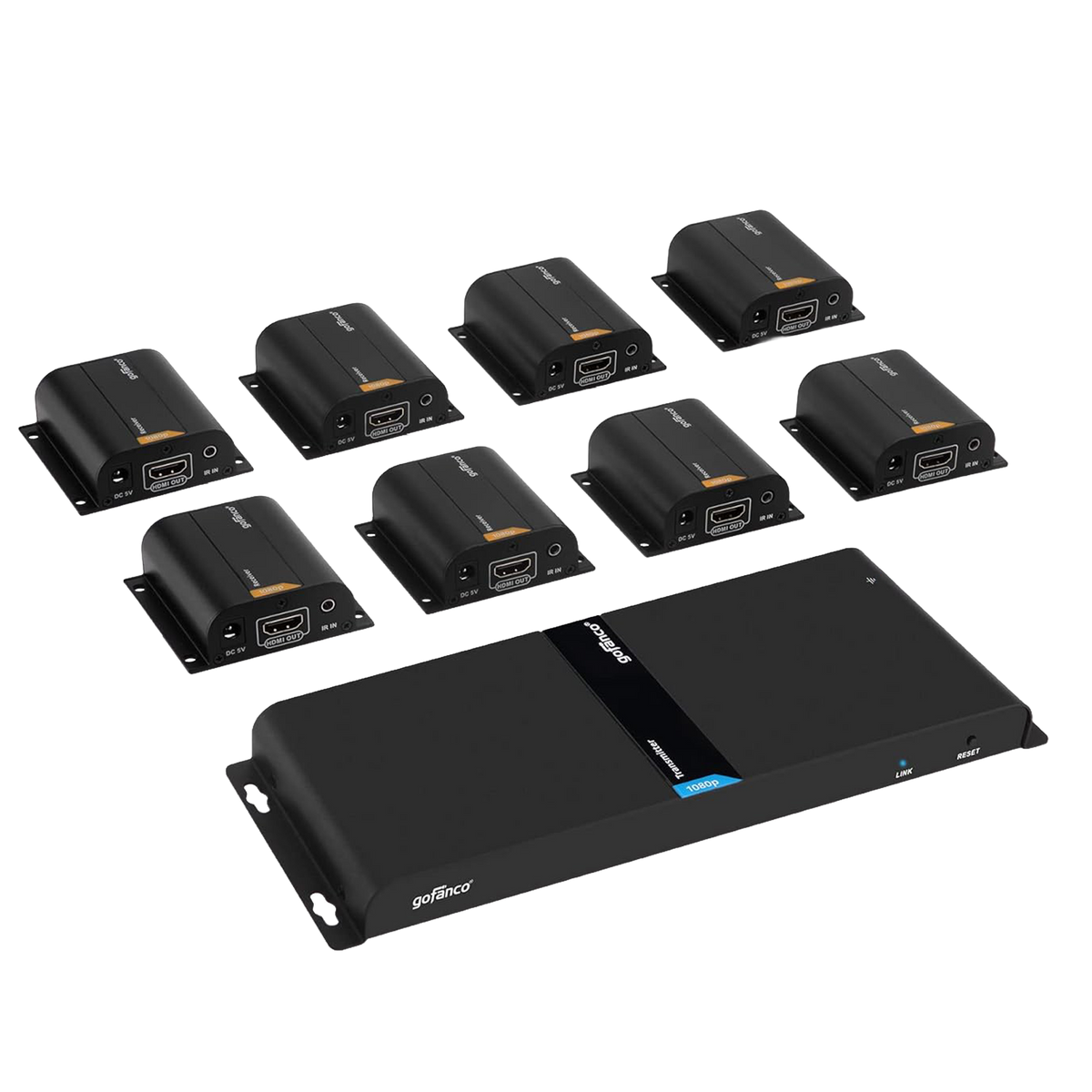
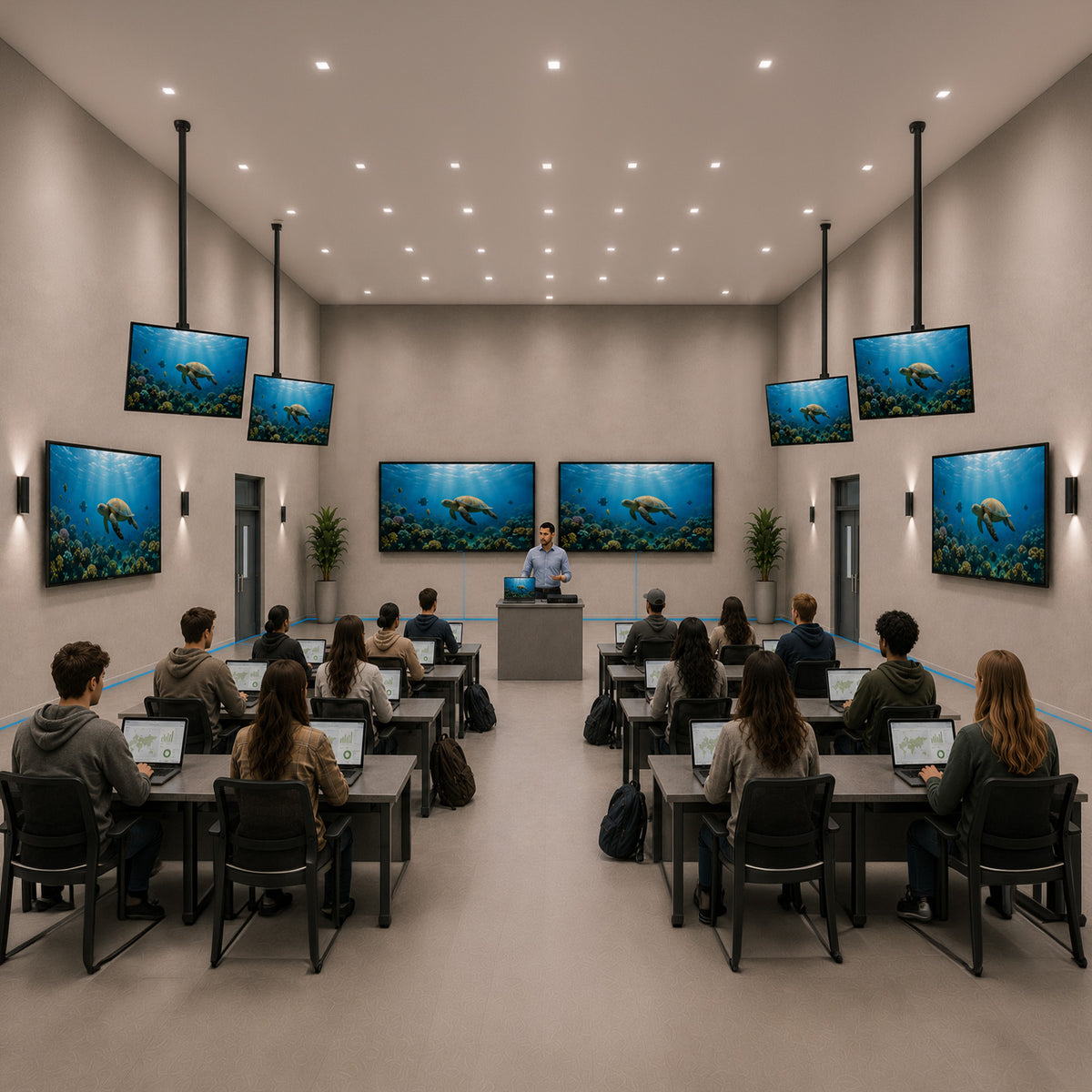
1 to 8 kit extends HDMI audio/video signals to four displays simultaneously, up to 40m (130ft) at 1080p 60Hz with Cat5e/6/7

Full HD 1x8 Extender

Distance up to 40m

Up to 7.1 audio channel

IR Remote Control

Mountable Metal Enclosure

8-Port HDMI Extender Splitter
8-Port 1080p HDMI Extender Splitter Over Single CAT


Specification
- Resolution: Up to 1080p 60Hz
- Compression: H.264
- Protocol: HDBitT
- Compliance: HDMI 1.3 / HDCP 1.2
- IR Frequency Range: 20 - 60KHz
- Audio format: Digital Stereo 7.1-channel, PCM, DTS, AC3
- Distance: Up to 40m
- Dimension: TX: 10.87″(W) x 0.91″(H) x 3.82″(D) / RX: 2.81″(W) x 0.98″(H) x 2.64″(D)
- Weight: TX: 1.38 lbs / RX: 0.19 lbs
- Power Adapter: AC100 - 240V 50/60Hz, Output: TX: 12V/2A / RX: 5V/1A
- Housing Material / Color: Metal / Black color
Connection
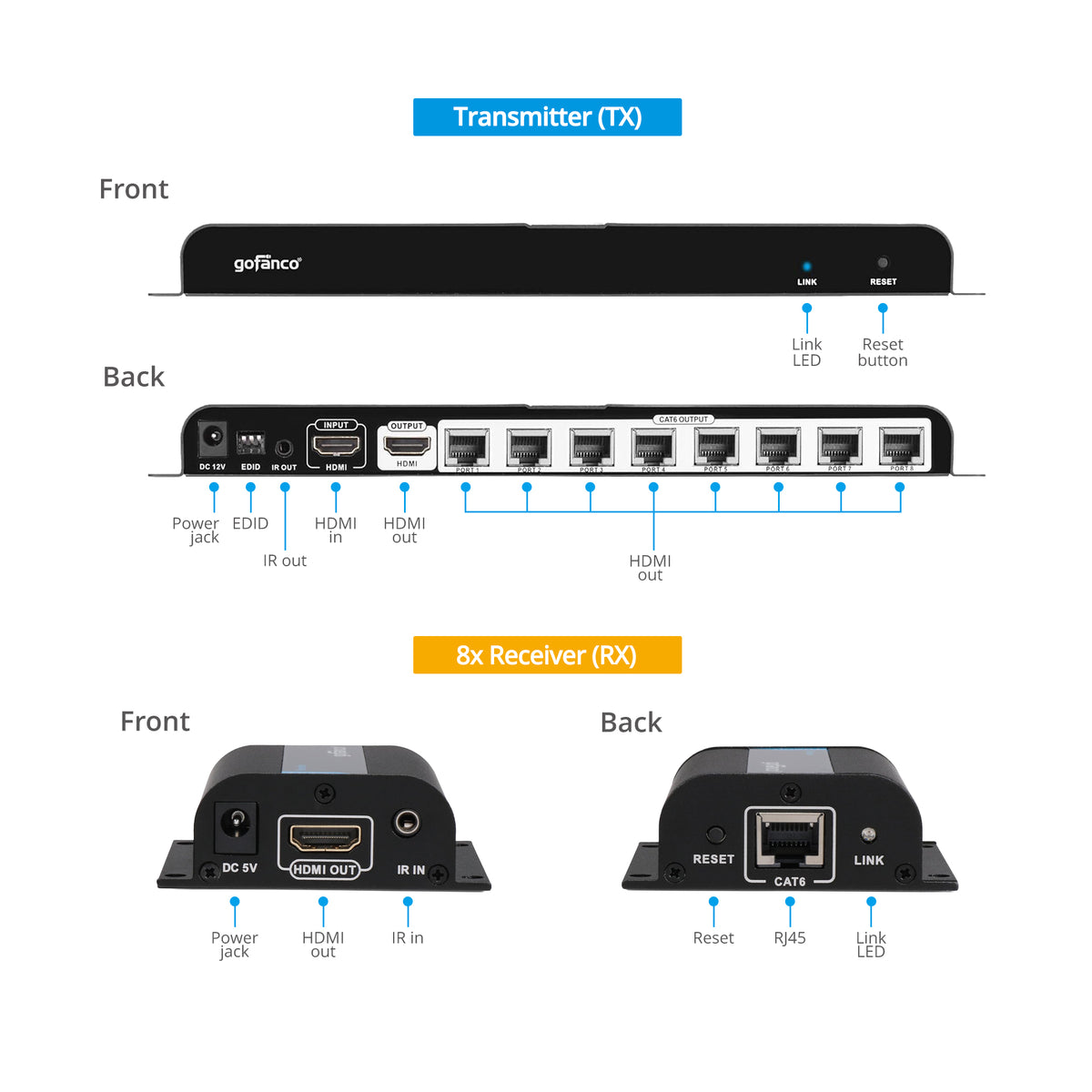
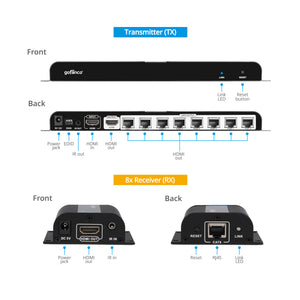
TX
- 1x 3-Pin DIP Switch, EDID
- 1x 3.5mm jack, IR Out
- 8x 8-pin RJ45, Output
- 2x 19-pin HDMI, Input/Output
- 1x Power jack
- 1x Reset button
RX
- 1x 19-pin HDMI, Output
- 1x 3.5mm jack, IR In
- 1x 8-pin RJ45, Input
- 1x Power jack
- 1x Reset button
Features
- Extends HDMI transmissions up to 40m (130ft) over Cat5e/6/7
- Supports IR remote control function to control the source device from long distances
- Supports 480i/480p/720p/1080i/1080p at 60Hz video resolutions
- Supports up to 7.1-channel or stereo digital audio
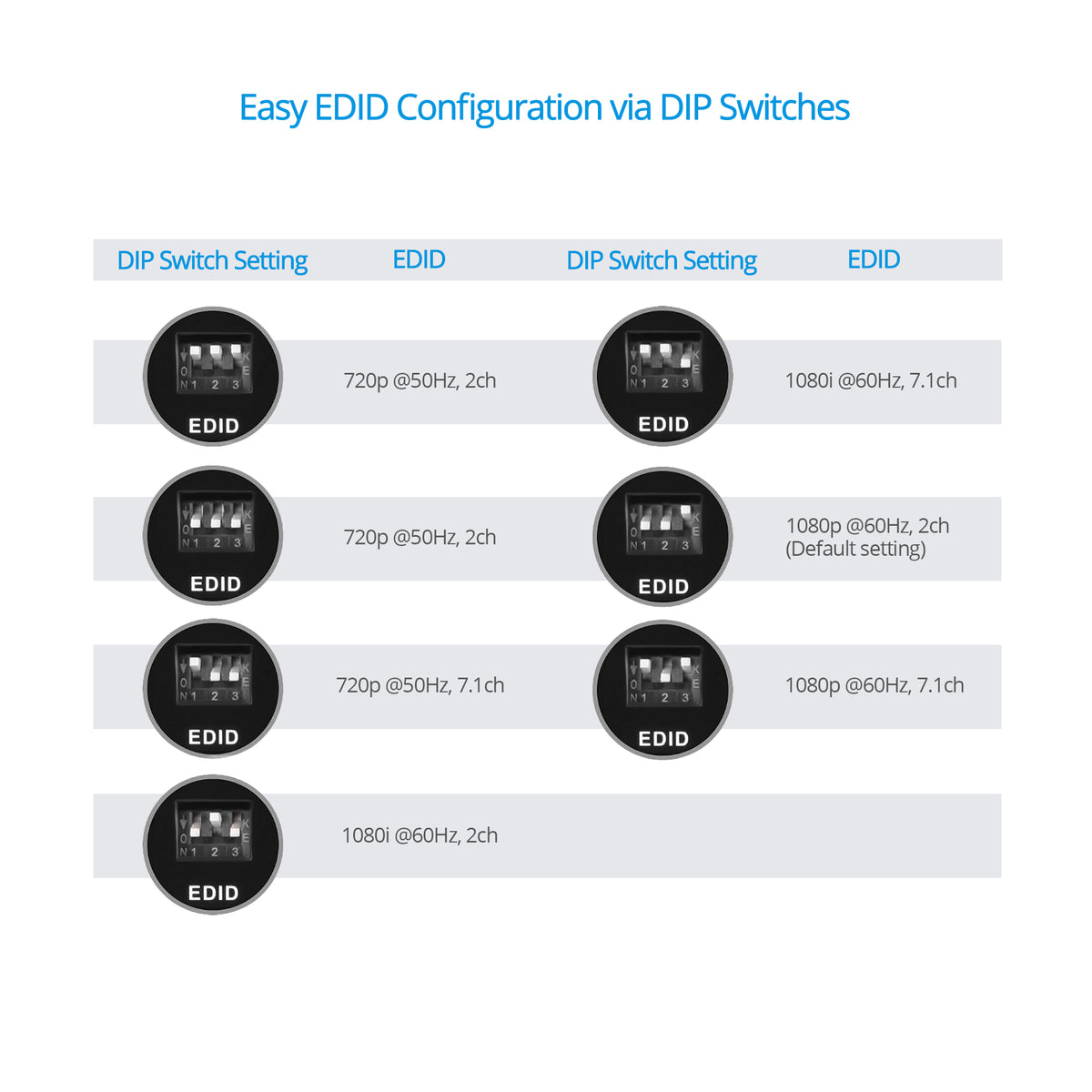
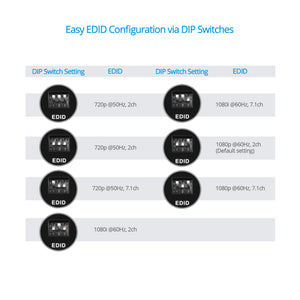
- EDID Managemen, predefined DIP Switch settings allow for the correct display and audio formats to be transmitted across all 8 screens
Standard
- UPC: 818354-021080
- Operation Temperature: 32 to 140 degrees F
- Storage Temperature: -4 to 158 degrees F
- Relative humidity: 20 to 90% RH (non-condensing)
- Regulatory approvals: FCC / CE / RoHS
- Limited One-Year Warranty and Lifetime Product Support
- Country of origin: China
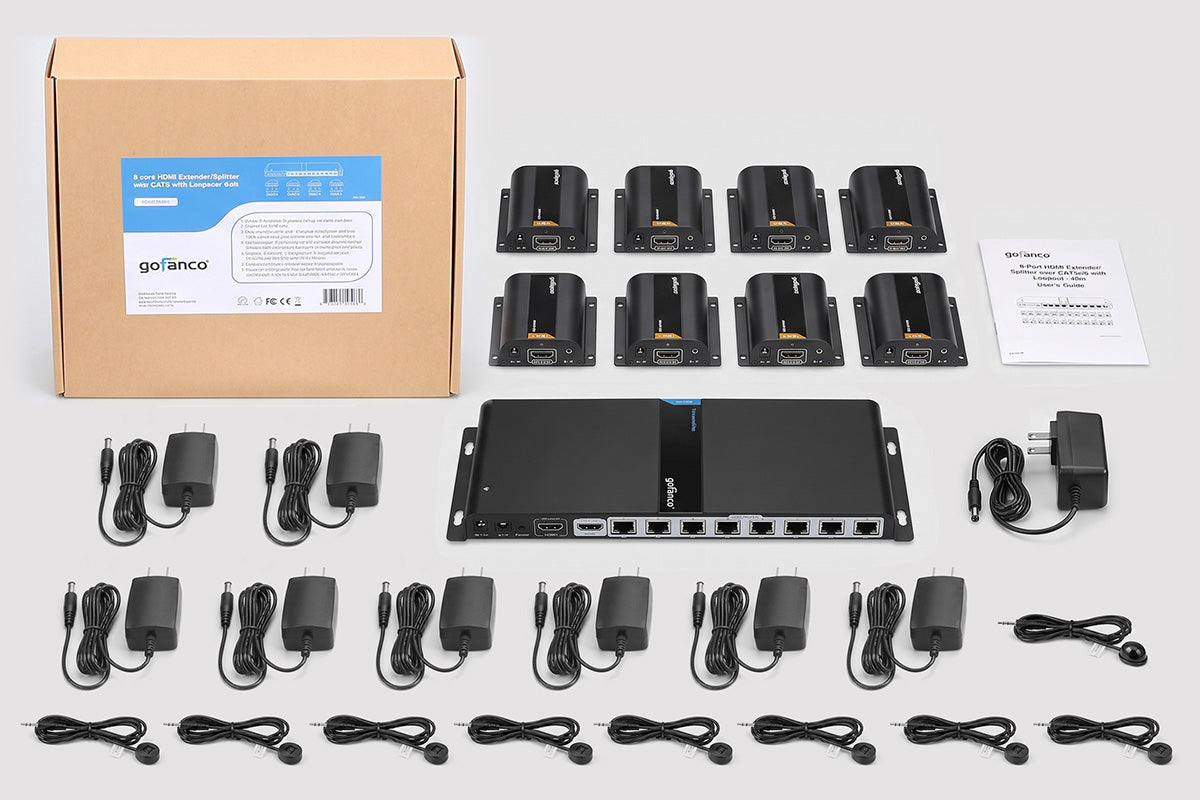
- 8-Port HDMI Extender/Splitter over CAT5e/6/7 with Loopout – 40M Kit
- TX power adapters 12V/2A
- RX power adapter 5V/1A (8)
- IR Blaster cable
- IR Receiver cables (8)
- User’s Guide
Manual
There is no picture on the TVs
- Check whether the correct TV input is selected.
- Check whether the “Link” LED on TX and RXs are on. If the RX’s Link LED blinks, it means the RX doesn’t receive signals from the TX.
- Make sure the resolution of the input HDMI source is supported by this Extender/Splitter
There is unstable picture on the TVs
- Switch the “EDID” to the appropriate position, refer to page 6 for details.
- Unplug the Cat5e/6 cable and plug in again. If the issue still exists, use other Cat5e/6 cables
Only one TV has image
- Make sure the CAT cables and HDMI cable are connected correctly and securely.
- Press the “Reset” button on the TX to re-identify the HDMI signal.
- Unplug the Cat5e/6 cable and plug in again