





Extenders: HD20Ext1xN-RX
HDMI Over IP Extender 4K60Hz - Up to 328ft - For HD20Ext1xN product
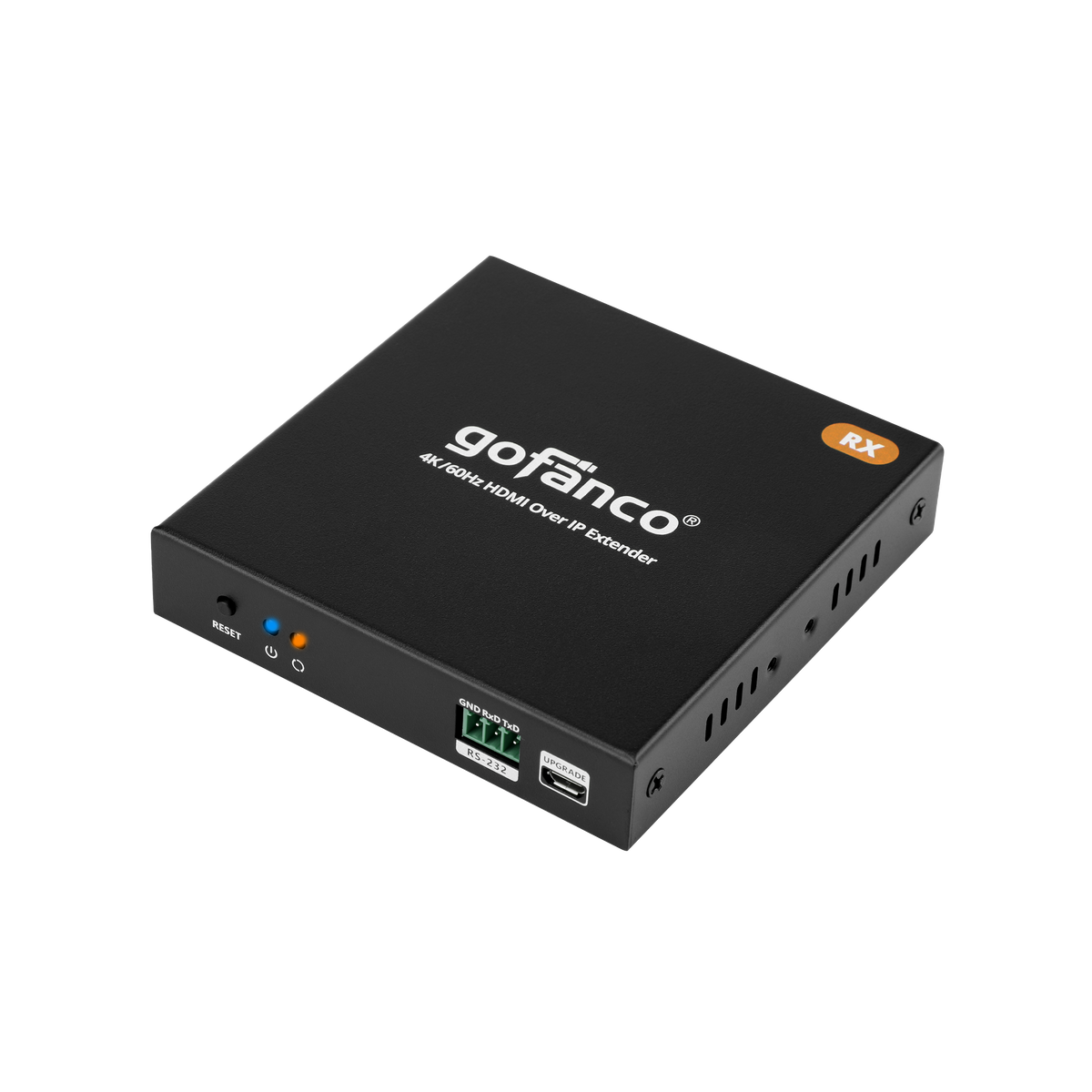
Receiver ONLY (HD20Ext1xN-RX) for HD20Ext1xN, support up to 253 units, RS-232, Reset button,

HD20Ext1xN Receiver

Distance up to 100m

IR Remote Control

RS-232 Passthrough

HDMI Extender Over IP - Receiver
Add-On 4K60Hz HDMI Over IP Receiver Unit


Specification
- Video bandwidth 18Gbps
- HDCP 2.2/1.4 compliant
- Video resolutions: 720p / 1080p / 1920x1200 / 2560x1440 / 2560x1600/ 3840x2160
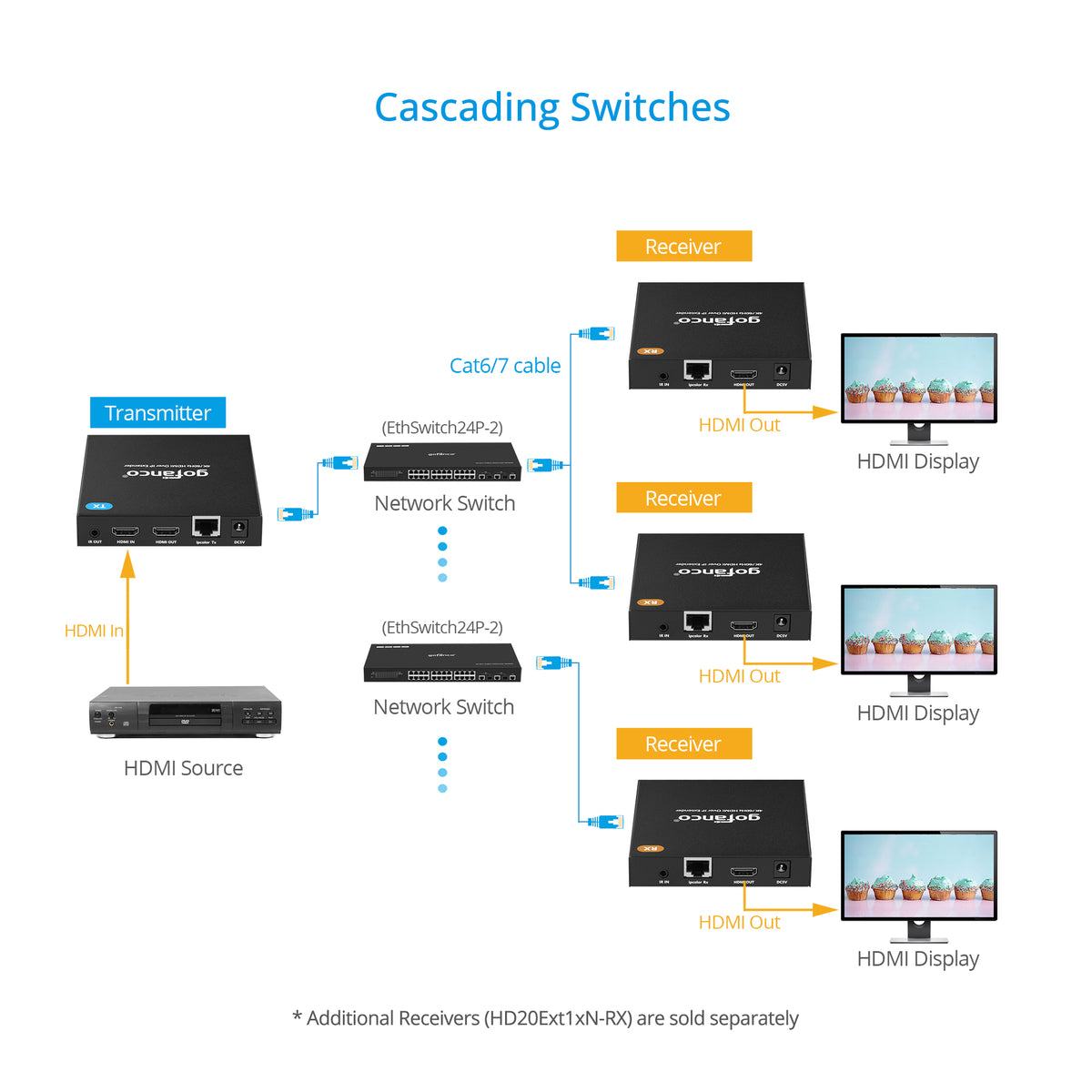
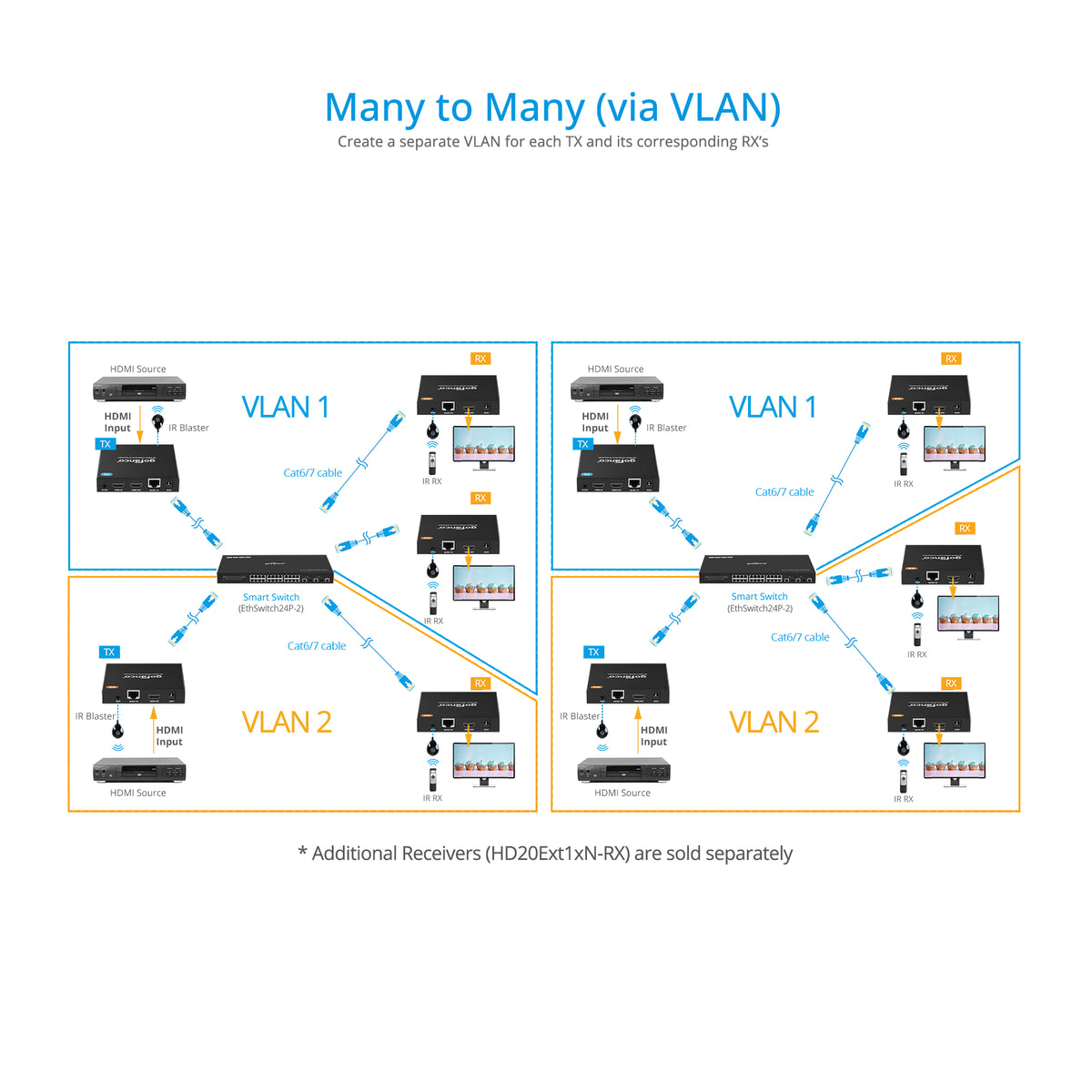
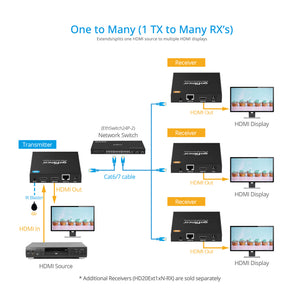
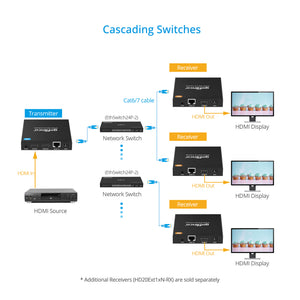
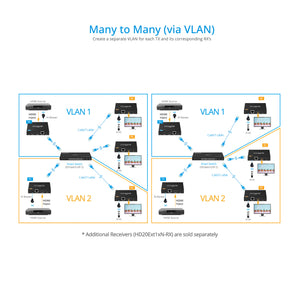
- Connection types: One-to-One, One-to-Many, Cascading switches
- Latency: Under 300ms
- Distance: Up to 328ft (100m)
- Audio: Stereo
- RS-232 baud Rate: 2400 / 4800 / 9600 / 38400 / 57600 / 115200bps
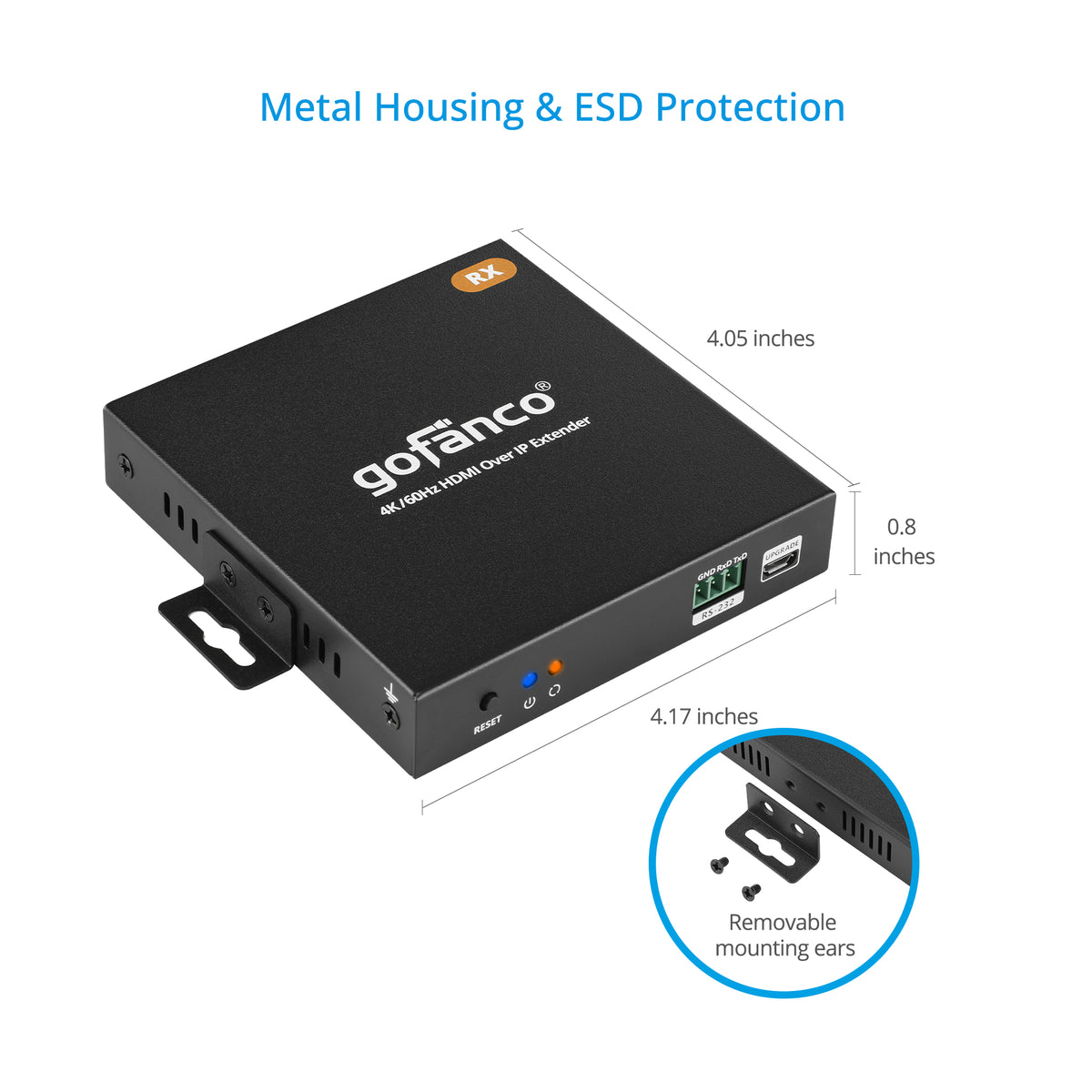
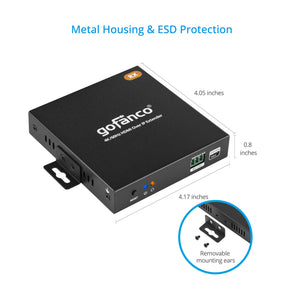
- Product Dimensions: 4.17″(W) x 0.81″(H) x 4.06″(D)
- Weight: RX: 0.53 lbs
- Power Adapter: AC100 - 240V 50/60Hz, Output: 5V/1A
- Housing Material / Color: Metal / Black color
Connection
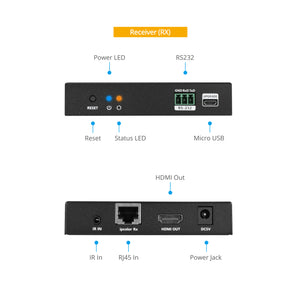
- 1x Reset button
- 1x 3-pin Terminal Block, RS-232
- 1x Micro USB, FW update
- 1x 3.5mm jack, IR In
- 1x 19-pin HDMI, Output
- 1x 8-pin RJ45 In
- 1x Power jack
Features
- Supports UHD 4K60Hz YUV 4:4:4, Note: HDR is not supported
- Supports 2-channel Stereo audio
- 4K to 1080p auto downscaling is supported on the Receiver (RX)
- HDMI loopout, IR extension, RS-232 passthrough, and firmware upgradable
- Supports 20-60KHz one-way IR source device control from the receiver side
- Direct 1-to-1 connection or 1-to-many over a dedicated Gigabit Ethernet switch or cascading switches
- Low latency
- Lightning/Surge/ESD protection
Standard
- UPC:818354-023282
- Operation Temperature: -4 to 140 degrees F
- Storage Temperature: -22 to 158 degrees F
- Relative humidity: 0 to 90% RH (non-condensing)
- Regulatory approvals: FCC / CE / RoHS
- Limited One-Year Warranty and Lifetime Product Support
- Country of origin: China
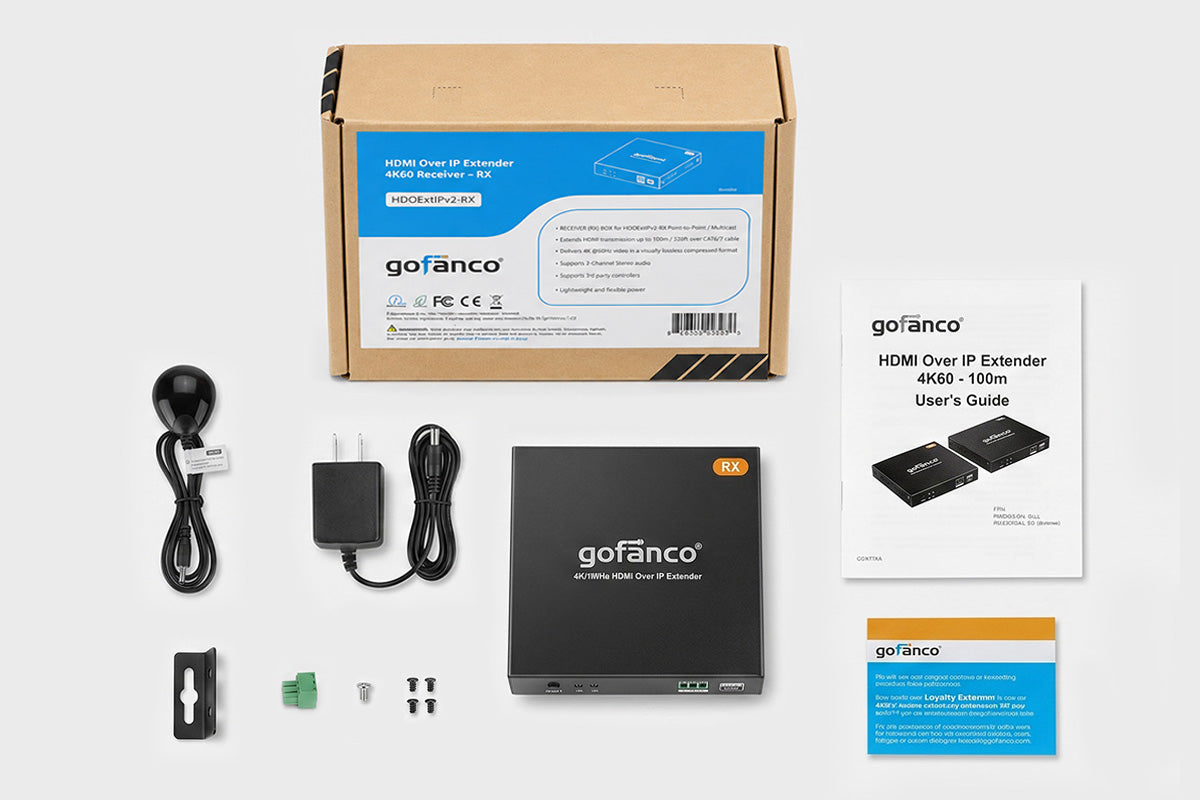
- HDMI Over IP Extender 4K60 - RX
- IR RX cable
- Power adapter (5V/1A)
- RS-232 terminal block
- Grounding screw
- Surface mounting accessories
- User’s Guide
Why is the Status LED off?
- Make sure that all equipment is powered on.
- Make sure the network cable (CAT6/7) is firmly connected between the TX and RX.
- Make sure the HDMI source device is connected to the Transmitter (TX) and powered on.
The TV's output image is unstable:
- Make sure the HDMI source device is connected to the Transmitter (TX) and powered on.
- Use other HDMI cables to connect.
- Make sure the network cable (CAT6/7) length is within 100meters
- If still doesn't work, connect the HDMI source device to the TV directly to see if there's a signal.
The HDMI extender isn't working properly:
- Please check the cable lengths are within below:- HDMI cables: 5 meters- Network cable (CAT6/7): 100 meters
- Press the "Reset" button on the TX and RX and reconnect.